
YouTube - what the assistant does on your channel
Make YouTube Shorts with AI: nhanhieu.ai adds keywords to every Short and checks search rank every morning
- YouTube views, total since Oct 7
- 15,882YouTube views, total since Oct 7
- subscribers
- 681subscribers
- new subscribers since Oct 7
- +25new subscribers since Oct 7
- Shorts posted since Oct 7
- 82Shorts posted since Oct 7
Snapshot from Nov 11, 2026, 10:09 PMDay 36, started Oct 7, 2026
Khánh Hùng's YouTube channel, CEO of MONA
YouTube search: edit video bằng AI
Shorts
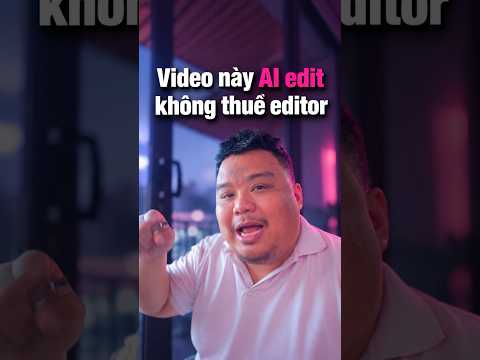 Edit video bằng AI: cái video ngắn mà ae hỏi nè@nhanhieuai - 236 views
- Keyword
- At the start of the title
- Description
- 2 to 3 lines
- Tags
- Within 500 characters
- First frame
- Has an opening line
Why experts need YouTube
YouTube is where customers go looking for someone who knows the subject
Vietnamese people open Facebook and TikTok to scroll. They open YouTube when they need to know something specific: how to handle it, what to choose, who explains it well. That's when they type a question into the search box and click the video whose title matches what they typed.
Customers of doctors, lawyers, engineers, and CEOs search the same way before they pick up the phone. A video that answers exactly what they typed is your first meeting with that customer, before any appointment.
YouTube is also slower than other channels. YouTube itself says it doesn't judge a video only by its first hour, and many videos get most of their views after the first month. So YouTube is the place to build a lasting expert voice, not to chase views in a single day.
On YouTube, the assistant handles the packaging so videos get found. Every morning, it checks again whether they're being found.
The video title is what the customer types.
The YouTube quote is from Todd Beaupré, who leads discovery and growth at YouTube, on the Creator Insider channel.
What the assistant does on YouTube
Every Short on the channel is fully packaged
You just record and tap send. The rest is a posting form the assistant fills in just for YouTube, different from the Facebook or TikTok form.
A keyword just for YouTube
Each video gets its own YouTube keyword, different from the keyword of the matching website post. The assistant favors phrases where Google also shows a video block in search results.
Titles that open with the keyword, in your voice
The title comes from your own words in the video. The keyword goes first so searchers immediately see the phrase they just typed. The description is 2 to 3 lines, and tags fit within YouTube's 500-character limit. Every word goes through the AI text checker before posting.
A first frame instead of a thumbnail
YouTube doesn't allow custom thumbnails for Shorts through automated posting. So the video's first frame is designed as a clean frame with an opening line, because that's what viewers see first.
YouTube's own times
Each channel goes live at a different time. YouTube gets 17:30 or 19:00, because Shorts do best on weekday evenings according to vidIQ data. The system is running a 4-week comparison to tune the times to the channel's real numbers.
No links, editable after posting
Descriptions and comments carry no links and no calls to buy, so viewers stay with the channel. After a video is live, you can still edit its title, description, and tags without reposting.
YouTube posting form
filled in by the assistant for each video
- YouTube keyword
- edit video bằng AI
- Title
- Edit video bằng AI: cái video ngắn mà ae hỏi nè
- First frame
- The video's first frame is a clean frame with a clear opening line.
- YouTube schedule
- 17:30 and 19:00
SEO right inside YouTube
Every morning at 9:20, the assistant searches for your videos itself
The assistant types each video's keyword into YouTube, reads the first 50 results, and records where your video ranks. It measures every day, so you see each video climb or drop day by day.
- 1
Title
Checks that the title opens with the keyword.
- 2
Subtitles
Checks that the video has Vietnamese subtitles.
- 3
Website
Checks which post on your website embeds the video, and whether the embedding page has enough data for Google to read.
Real results, measured the morning of Oct 11, 2026 on Hùng's channel: the Vietnamese keywords for edit video with AI, rough-cut video, and AI filtering negative comments were all outside the top 50. The channel's Shorts only started on Oct 7, so this is the baseline to compare day by day.
Comment monitoring
Every comment gets a reply, signed by your assistant
Viewers leave comments under the video, and the assistant reads and replies. The last line of each reply carries your assistant's name, so anyone reading knows the channel has an AI on duty.
Comments on videos posted in the last 14 days are always fetched on every scan, without relying on the comment count.
Replies stick to exactly what the viewer wrote. No rotating canned templates. Every reply goes through the text checker before it's sent.
People asking about price or how-to get a relevant answer, then an invitation to message. People who compliment or drop an emoji get a short reply, with no sales pitch.
The assistant doesn't reply to abusive comments. On YouTube the assistant doesn't hide or block comments; hiding and blocking happen on your Facebook Page.
Comments under the video
Test run Oct 8, 2026, this reply was not posted
Viewer of a video on Hùng's channel
Mới xem video anh lần đầu mà nghe cách nói chuyện của anh hay. Nên đăng ký kênh luôn. ❤
@nhanhieuai
Nghe vậy em vui ghê, cảm ơn anh chị đã ghé coi và ở lại với kênh nha. Mấy video sau em với anh Hùng còn nhiều chuyện để nói tiếp. (Hùng nhỏ AI)
From phone to search results
How a video goes through YouTube
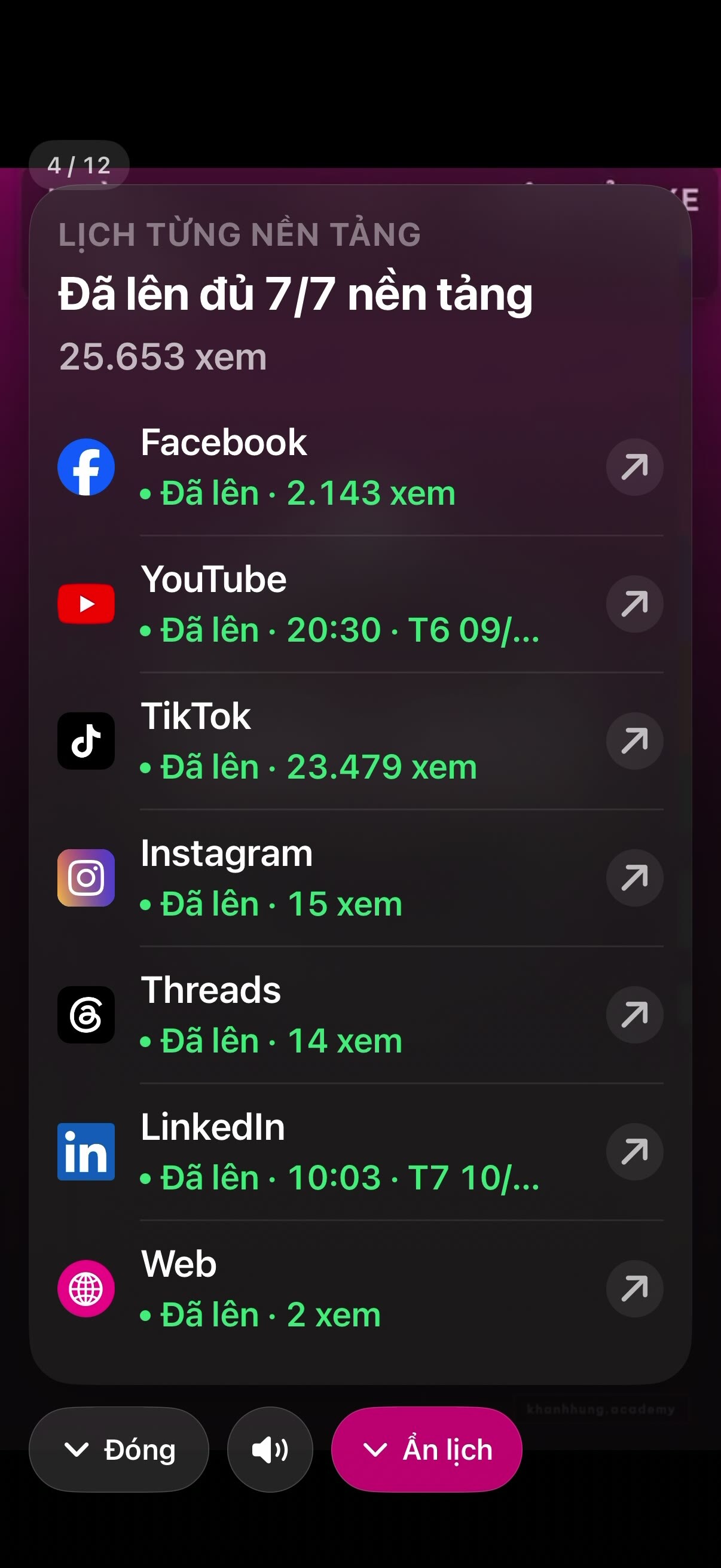
You handle the first step. The assistant runs the next six on its own, and you see the results in the app.
YouTube is one channel in the nhanhieu.ai social media management app: views and subscribers for every Short land on the growth report screen alongside your other channels.
- Send the video from the app
- Edit the video
- Package it for YouTube
- Live on Shorts on time17:30 and 19:00
- Collect statsEvery hour
- Comment monitoringEvery 5 minutes
- Measure search rank9:20 the next morning

See each step in detail
- 1.Send the video from the app. Record about 2 minutes and tap send, with a few lines of description typed or spoken.
- 2.Edit the video. MONA AI Station does the rough cut, builds the illustration clips, and exports the video. Every video goes through Brand Director.
- 3.Package it for YouTube. The assistant sets the keyword, title, description, tags, and first frame. Text goes through the AI text checker.
- 4.Live on Shorts on time. The video goes live at YouTube's own time, while the other channels post at their own times.
- 5.Collect stats. Views per video and the channel's subscribers, shown in the app.
- 6.Comment monitoring. Reads new comments, replies to each one, signed by the assistant.
- 7.Measure search rank. Searches the keyword on YouTube, records the rank, and checks whether the website post has embedded the video.
Real numbers, straight from the channel
Hùng's YouTube channel, running on the assistant
Khánh Hùng started building channels with the assistant on Oct 7, 2026. The numbers at the top are collected by the system every hour.
Most-viewed Shorts on the channel, tap to open on YouTube
- Edit video bằng AI: cái video ngắn mà ae hỏi nèShorts - Oct 7236 views
 Đội phòng chống tiêu cựcShorts - Oct 1085 views
 Tính năng quản trị MXH đa nền tảng mà ae hỏi hoài nèShorts - Oct 834 views
YouTube counts slowly, so numbers may lag real views by a day or two.
FAQ
Frequently asked questions about YouTube
Do my videos go to YouTube as Shorts or regular videos?
Vertical videos under 3 minutes are classified by YouTube as Shorts. The assistant is built around videos of about 2 minutes recorded on a phone, so most of your videos go live as Shorts. Horizontal videos or videos longer than 3 minutes are classified by YouTube as regular videos.
Who writes the YouTube title and description, and can they be edited?
The assistant writes them from your own words in the video. The title opens with the video's YouTube keyword, in a natural voice like yours. The description is 2 to 3 lines, with tags. The text goes through the AI text checker before posting. After a video is live, you can still edit its title, description, and tags without reposting.
Why don't Shorts have a custom thumbnail?
YouTube doesn't allow custom thumbnails for Shorts through automated posting. So the assistant designs the video's first frame as a clean frame with a clear opening line. That frame is the first thing viewers see.
Who replies to YouTube comments? Are bad comments hidden?
The assistant scans comments every 5 minutes and replies to every one, with your assistant's name on the last line. For abusive comments, the assistant stays silent and doesn't reply. On YouTube the assistant doesn't hide or block comments. Hiding and blocking happen on your Facebook Page.
Do you run YouTube ads?
No. On YouTube the assistant doesn't run ads. Ad boosts for good videos happen on Facebook. YouTube grows through search, so the assistant focuses on keyword packaging and checking search rankings every morning.
What about my existing YouTube channel that already has many videos?
The assistant connects to your existing channel, and new videos keep going up there. The monitoring system scans your whole video library. Comments on videos posted in the last 14 days are always fetched every round. Comments older than 14 days don't get replies after the fact, so the channel doesn't suddenly answer conversations that have gone cold.
Add YouTube to your 2 minutes a day
YouTube counts as one platform in your monthly cost, cheaper than hiring and no risk of a bad hire: see pricing.
See the implementation process