
One video, everywhere
Social media management app: post video to 16 social networks, reply to customers, and track the numbers in one app
7 channels running live for Hùng - 10 channels ready to connect
656 posts published on 7 of Hùng's channels
Snapshot from Nov 11, 2026, 10:09 PMDay 36, started Oct 7, 2026

Social media management
Post, monitor, measure: three jobs in one app
Post and schedule
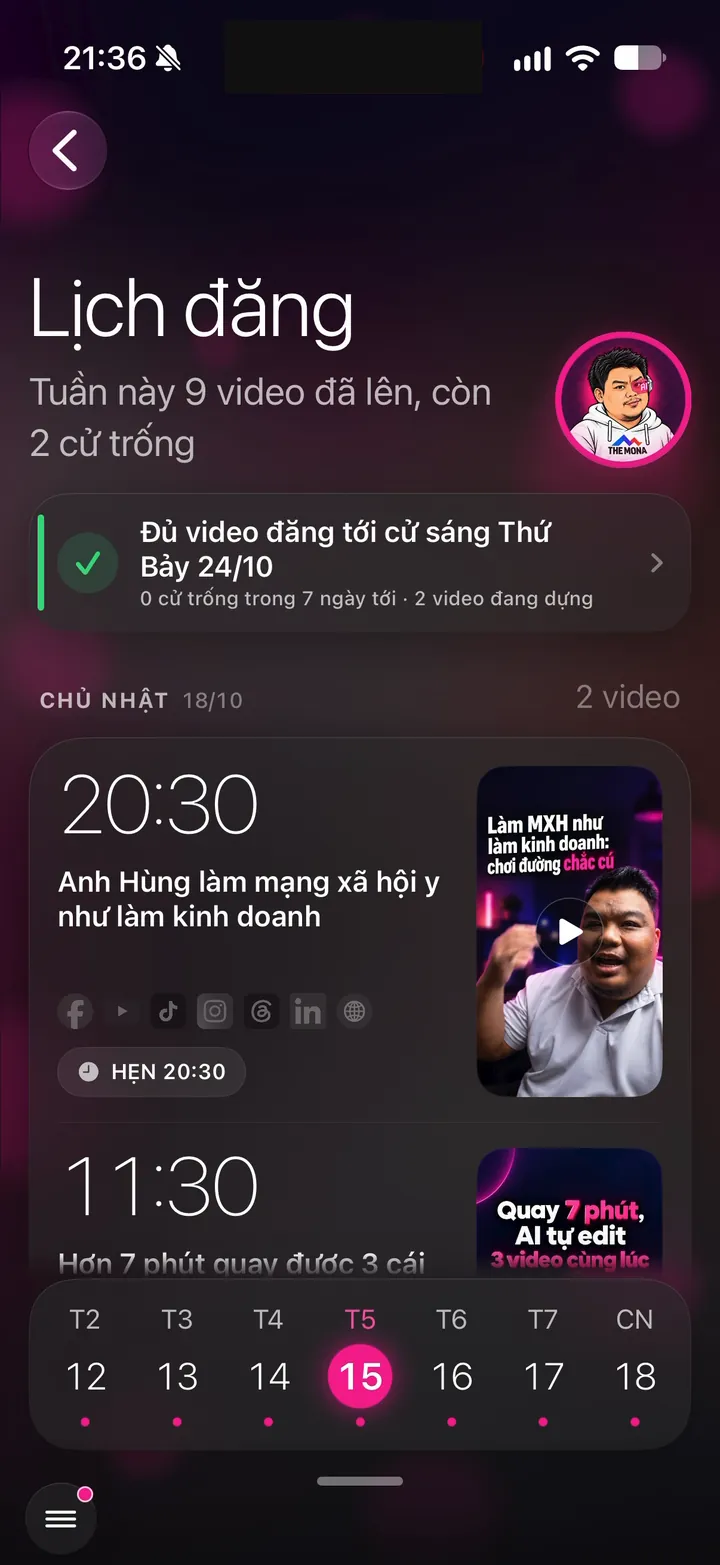
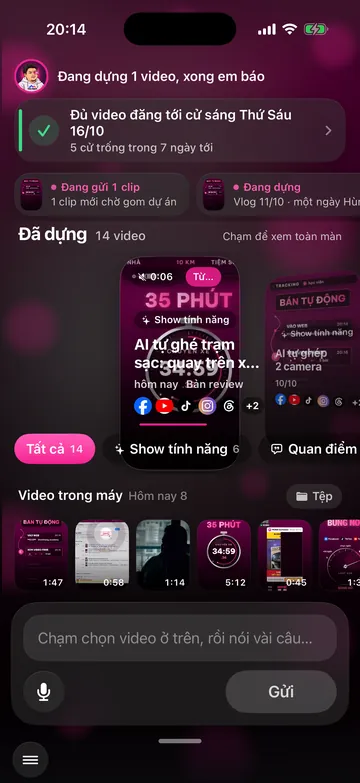
One video goes to every connected channel, each with its own caption and time slot. The posting calendar shows what goes live today and which slots are still open.
Schedule videos across channelsComments and messages monitored
The assistant replies to comments and messages in your voice and signs as your assistant. People asking to buy are flagged in the app so you can call them back.
Auto-reply to comments and messagesAnalytics reports
Views and followers from every channel land on one screen every hour, read from the official APIs and added up from the day you started building your channel.
Growth report for every channelOne video, a time slot per channel
Post video to many platforms at once, each channel at its own prime time
 Threads07:3020:30
 TikTok12:0020:30
Each video becomes a web post once it's live, and Google keeps it for the long run
Video Static post (image, quote, text post)Real posting times on Hùng's channels
How it works
One video goes to many platforms in 7 steps
Your only part is step 2.
- MONA connects your channels
- You send the video and pick channels
- AI writes a separate caption for each channel
- Scheduled at each channel's prime time
- Live on the channel and logged
- Comments and messages monitored
- Measure and tune the times
See each step in detail
- 1.MONA connects your channels. During setup (at least 3 days), MONA developers connect each of your channels through the platform's official API. Facebook connects to your Page, LinkedIn to your personal profile, YouTube and TikTok to your channels. Any channel you don't have yet, MONA sets up for you. Channels you don't use yet stay unconnected until you need them.
- 2.You send the video and pick channels. You open the app, record about 2 minutes, and tap send. The video goes to the channels you picked, and only those. A video sent today goes live tomorrow. You never have to tap post in any social media app.
- 3.AI writes a separate caption for each channel. While the AI Worker Team edits the video, the writer drafts separate text for each channel. Facebook gets a longer story, Threads stays within 500 characters, LinkedIn gets an expert voice, and YouTube gets a title that opens with a keyword people search for. Every text goes through the robotic-phrasing checker before it's scheduled. The system strips link lines and like-begging, because platforms cut the reach of posts like that.
- 4.Scheduled at each channel's prime time. The video goes into the nearest open slot on each channel. Facebook allows scheduling on Meta, so Meta holds the post and publishes it. Instagram, Threads, and LinkedIn don't allow scheduling through their official APIs, so the MONA AI Station keeps the queue and publishes at the exact minute. The Posting calendar screen in the app shows you which video goes to which channel, and when.
- 5.Live on the channel and logged. At the set time, the post goes live and the system logs its link. The app shows Posted with the post time and views per channel. LinkedIn processes video slowly, so the system uploads 15 minutes early and posts once processing is done. If a channel fails, the system retries up to 3 times, then logs the error for MONA staff to handle.
- 6.Comments and messages monitored. Once the post is live, the assistant scans comments every 5 minutes and replies in your voice, signed by the assistant. Each reply waits a random 1 to 4 minutes to feel natural, not bounce back like a bot. When customers ask in detail, the assistant invites them to message. Abusers and scammers get hidden and blocked by Toxic Bouncer, so you never have to read them.
- 7.Measure and tune the times. The system collects each channel's numbers hourly from the platforms' official APIs and shows them on the Growth screen. Posting times aren't set once and forgotten. Over 4 weeks, the system compares 24-hour views and followers for each time slot on each channel. Hùng's TikTok is an example: before the time change, the 20:30 slot averaged 781 views after 24 hours, the 11:30 slot only 251.
7 channels running live
Manage many social channels: each one posted its own way
Post counts and views come straight from each platform's official API.
Snapshot from Nov 11, 2026, 10:09 PMDay 36, started Oct 7, 2026
Reels to your Page, Meta holds each post until its time
Facebook pageReels for younger, urban customers, shown in both the Reels tab and the profile grid
Instagram pageThreads
88 posts - 1,503 viewsVideo with text for short takes, posted early in the morning
Threads pageExpert videos on your personal profile, during business hours
LinkedIn pageYour own website
118 posts - 1,819 readersEach video becomes a web post so Google can find you
Website SEO page 1:53
Real proof
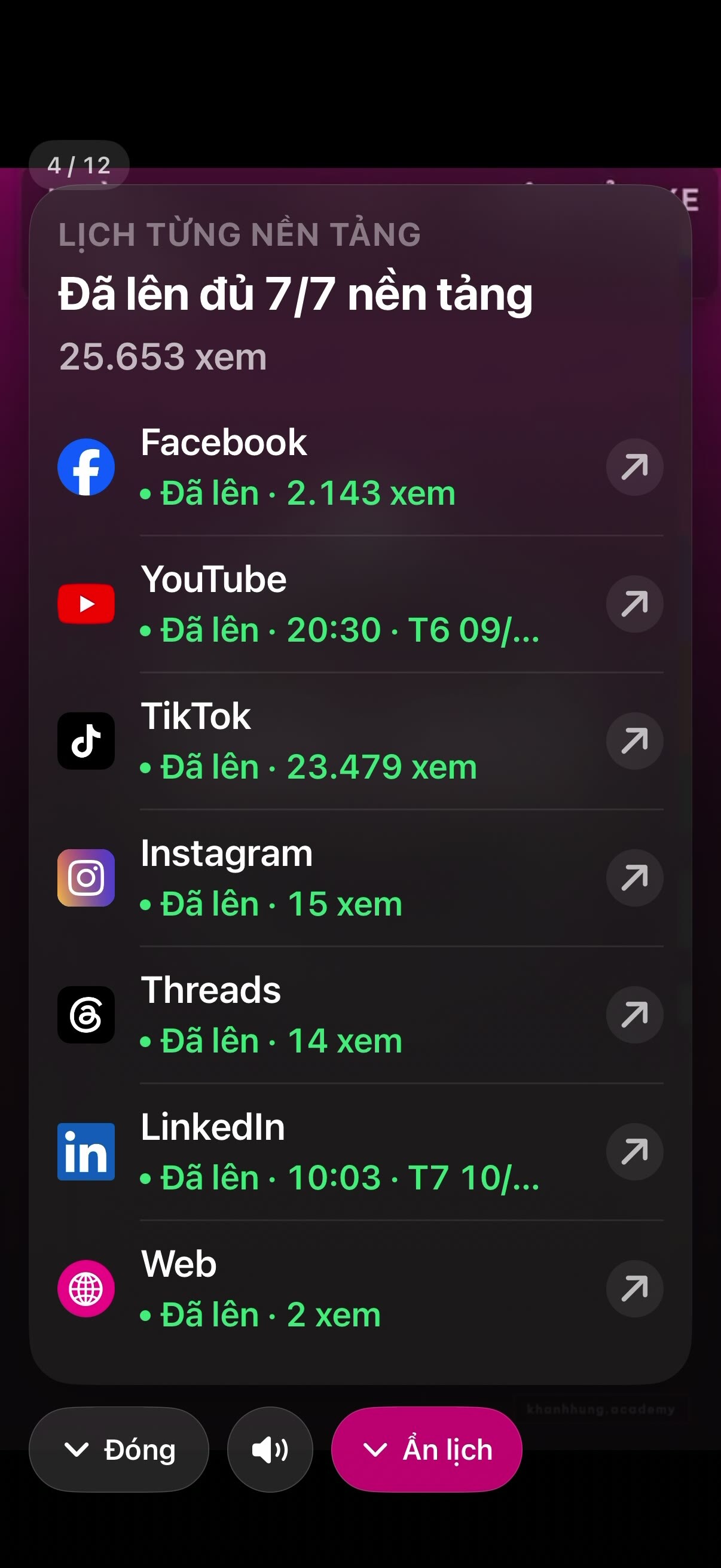
One video Hùng recorded, live in all 7 places
A clip Hùng recorded on Oct 8, 2026 about this very feature. Post times are Vietnam time. Tap any row to open the real post.
Ready to connect
10 more platforms, connected whenever you need them
Also through official APIs. Hùng doesn't use them yet because his customers aren't there.
 X
Good for people who discuss their field, tech, and industry news.
 Reddit
Topic-based forums where people research carefully before choosing.
 Pinterest
Good for visual industries: architecture, interiors, beauty.
 Bluesky
A short-text network, good for experts who share takes.
Shows up on Google Maps when customers search for a clinic or office nearby.
A news channel for close customers and students.
Good for brands targeting young customers.
 WhatsApp
Good for experts with customers abroad.
Community chat rooms, good for classes and tech groups.
 Slack
An internal channel for partners and business clients.
Comments and messages monitored on:
- Messenger
- Telegram
- X
- TikTok
- Zalo
Abusive and scam comments are hidden and blocked automatically, so the expert never has to read them.
And on podcasts too
Your words become a podcast episode
Listeners tune in while driving, working out, or whenever they can't look at a screen.
- Spotify
- Apple Podcasts
- YouTube Podcasts
- RSS
Listen to MONA's real podcast:
Examples by industry
Each industry picks different channels and writes differently
Not everyone needs all 17.
Choosing channels
Facebook and TikTok for patients and families who scroll every day. YouTube and a website for people searching symptoms on Google. Google Business puts the clinic on the map.
Text per channel
Facebook tells the story of a checkup in plain words. YouTube titles use the exact phrase patients type, for example signs of a stroke.
Reply limits
The Expertise Fence stops the assistant from diagnosing over messages. If a parent asks what medicine to give a child with a 39-degree fever, the assistant advises taking the child to a doctor right away.
Choosing channels
LinkedIn for business clients and partners. Facebook for individual clients. A website and YouTube for people searching a specific legal issue.
Text per channel
LinkedIn gets an expert voice, posted at 08:00 at the start of the workday. Facebook tells everyday situations in plain words, without long citations.
Reply limits
The assistant doesn't give advice on specific cases over messages. When a client needs real advice, the assistant invites them to book a meeting with you.
Choosing channels
YouTube for longer technical explainers. LinkedIn for colleagues and recruiters. TikTok for young people exploring the profession.
Text per channel
YouTube uses keywords that match the exact technical problem. LinkedIn sums up lessons learned from a site or project.
Reply limits
The assistant only speaks within the expertise you allow. Questions that need real measurements or surveys get an invitation to contact you.
Choosing channels
Facebook and TikTok to get widely known. LinkedIn so partners and candidates see your vision. Threads and Instagram for short ideas every morning.
Text per channel
Threads gets one short take at 07:30. LinkedIn tells a management lesson. TikTok opens with a line that sparks curiosity in the first second.
Reply limits
When a customer wants to buy, the assistant sends the info and notifies you in the app. For anything involving money, the assistant checks with you using a two-button card: Do it or Cancel.
MONA's care
MONA looks after your personal brand on every channel
Posting to 17 places where each one is slightly off makes a personal brand messy. MONA keeps every channel in one style and one voice, yours. The parts that need a human eye and accountability are done by MONA staff; the daily repetitive checks are done by the system on every post.
Checked by MONA staff
- Channels connected the right wayMONA developers connect each channel through the platform's official API. Any channel you don't have yet, MONA sets up for you.
- 10 test videos before handoffMONA test-runs 5 videos, fine-tunes, then runs 5 more. Handoff only happens once videos go live in your style.
- For the first 2 weeks, an editor approves before postingEvery video waits for a MONA editor's approval before it's scheduled. Feedback is recorded so the assistant learns your taste over time.
- MONA AI Station monitored every dayAfter handoff, MONA keeps running the MONA AI Station 24/7. When a channel reports an error, MONA staff handle it.
Checked by the system and AI
- Missing one thing means no postingYouTube and TikTok need a title, description, tags, and cover frame. If one item is missing, the system blocks it and never posts an incomplete version.
- Character counts before schedulingThreads 500 characters, Instagram 2,200, LinkedIn 3,000. Text that's too long gets flagged right when it's scheduled, not when it fails at post time.
- Robotic-phrasing check, no links, no like-beggingEvery channel's text goes through the robotic-phrasing checker. The system strips link lines and never writes engagement bait, because platforms cut the reach of posts like that.
- Errors get retried, never silentWhen a post goes live, its link is logged and the app shows Posted. On errors, the system retries up to 3 times, then reports.
- Replies like a person, not a botEach reply is written fresh and compared with the last 12 to avoid repeats. One person on one post gets at most 3 replies in 24 hours.
- Toxic Bouncer and Expertise FenceTrolls don't get a single word in reply. The assistant only speaks within the industry scope MONA sets up at deployment.
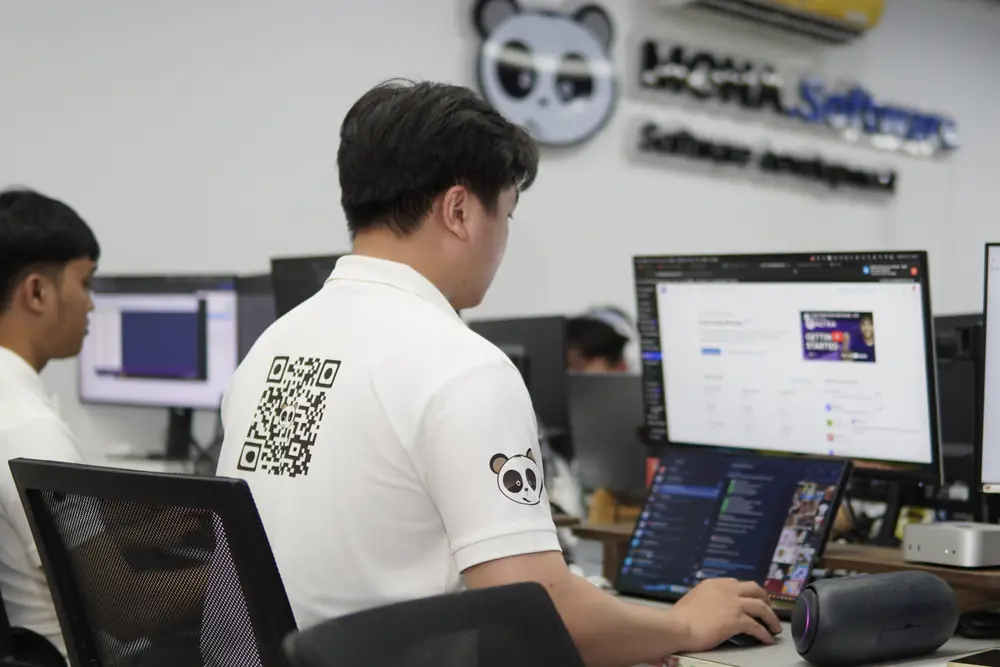
Every video goes through Brand Director before it reaches any channel. See your own brand identity
Read next
Take a closer look at every part of nhanhieu.ai
FAQ
Questions about posting video to many platforms
Does automated posting through the app get my reach throttled or my account locked?
The assistant posts through each platform's official API, with no fake accounts and no rule-dodging tools, so your accounts are safe. Scheduling on Facebook is Meta's own Schedule feature. The head of Instagram has said scheduling doesn't affect reach, and TikTok has published that posting time and posting method are not among its ranking factors.
Does Facebook posting go to a personal profile or a Page?
The assistant posts to your Page. Since 2018, Meta hasn't allowed any software to post to personal profiles. A Page also lets Toxic Bouncer hide toxic comments and block trolls from the Page.
Are captions the same on every channel, and do they include sales links?
Each channel gets its own text: Facebook a longer story, Threads within 500 characters, LinkedIn an expert voice, YouTube opening with a keyword. The text has no links and doesn't ask for likes, because platforms cut the reach of posts like that. When a customer is genuinely interested, the assistant invites them to message.
How are posting times chosen for each channel?
At first the assistant uses the times that work well on Hùng's channels, for example LinkedIn at 08:00 and 16:00, TikTok at 12:00 and 20:30. Then the system compares numbers over 4 weeks: views and followers after 24 hours for each posting time. Times that bring in more people stay, weak ones get changed.
What if I don't have a TikTok or LinkedIn account yet?
During setup, MONA creates the channels you don't have yet. Any channel you don't want to use yet stays off. Whenever you need it, MONA connects it.
Do I get my own app, or do I use Khánh Hùng's Hùng nhỏ AI app?
You get your own app, on iPhone and Android. It carries your personal brand: an AI assistant with its own name, avatar, and colors from the brand identity MONA builds for you. Hùng nhỏ AI is Khánh Hùng's own assistant, and the app screenshots on this page are from his app so you can see how it works. Your videos, channels, ideas, comments, and numbers are kept separate, never mixed with anyone else's.
Record once. Show up on every channel you need.
Call MONA to pick the channels that fit your customers and get an official quote.
See the implementation process