
Core feature - AI video editing
Automatic AI video editing app from your expertise
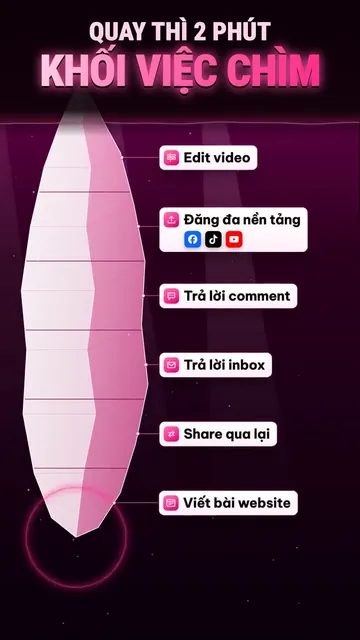
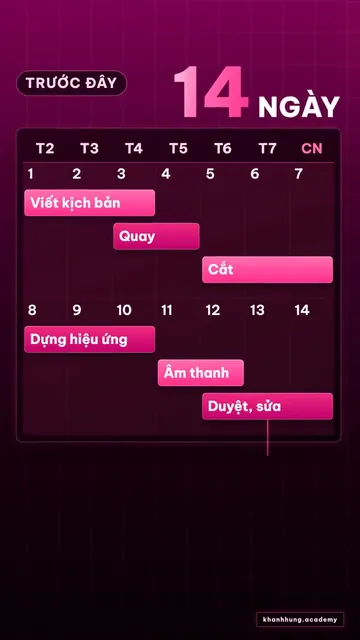
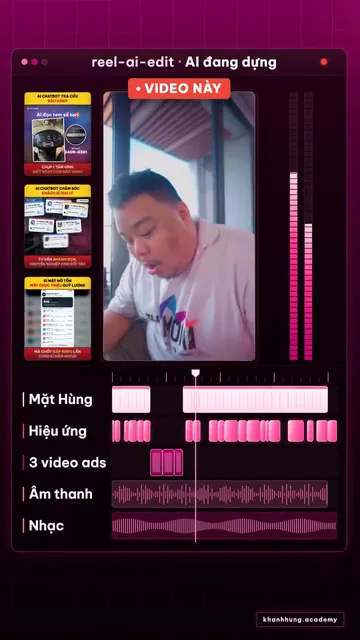
The video “AI edits the video itself” by Hùng, seconds 40 to 48. On the left is the clip Hùng recorded himself on his phone. On the right is the same part after AI edited it: a 14-day video production schedule shrinks to a few hours, then a scene of editing software with each layer of visuals, text and music.
Explainer video
Watch Khánh Hùng explain this feature
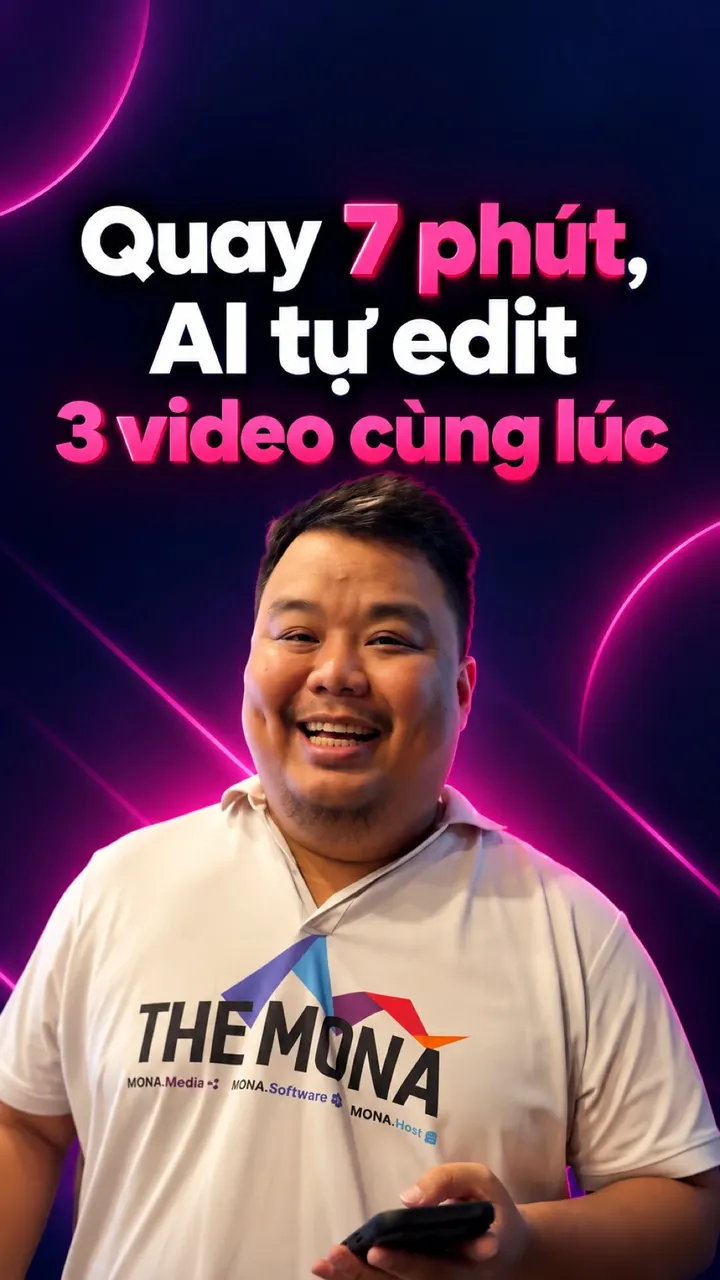 1:12

App demo video - The finished AI edit chapter, from 1:30
Watch Khánh Hùng open this screen in the real app
Watch the full video on YouTube
What AI video editing is, and how it differs from ordinary editing apps
Ordinary editing app
- You cut
- You pick music
- You add text
nhanhieu.ai
- Record
- Tap Send
- AI does all the editing
- A patient case
- A lawsuit
- A construction failure
- A business lesson
Read more: what AI video editing is
Ordinary video editing apps only hand you the tools: you still cut, pick music and add text yourself. The nhanhieu.ai automatic AI video editing app does all of that. Your part is just to record and tap Send.
All you do is stand in front of your phone and talk about what you know best: a patient case, a lawsuit, a construction failure, a business lesson.
AI listens to everything you say and edits it into a finished video. Hard ideas become animated explainer visuals. Numbers pop up on screen the moment you mention them. Music and effects follow every sentence.
Every video comes out true to you, thanks to your own brand identity kept by the Brand Director. Viewers recognize your channel, and it doesn't look like mass-produced AI video.
What AI does when editing
AI video editing: 9 jobs of a video editor
Once a clip comes in, AI does the rough cut first: it automatically cuts stumbles, long silences and repeated lines. Then AI inserts B-roll automatically, placing the real footage you shot right at the line you're talking about.
 01+
Turning knowledge into animated explainer visuals
You say a point, AI draws it as its own animated scene. Each part gets a different visual comparison, never the same frame twice. For example, a doctor says “misused antibiotics make bacteria resistant”, and the video shows a colony of bacteria surviving each dose and growing.
 02+
Explaining hard parts with diagrams, pop-up numbers and emphasis text
Where viewers might get lost, AI builds a diagram or a table of numbers right as you mention it. A number you say pops up on screen at that very second. For example, when a lawyer explains the statute of limitations, the video shows a timeline marking the contract date, the breach date and the date the right to sue expires.
 03+
Telling experience and stories with illustrations and real footage
Your story is illustrated with the very place it happened, like a construction site or a clinic. If you shot extra real footage, AI inserts it at the exact sentence and circles what to look at. For example, an engineer tells of a cracked floor in an old building, and the video cuts to the site and circles the crack.
 04+
Text effects, transitions, cutting you out from the background
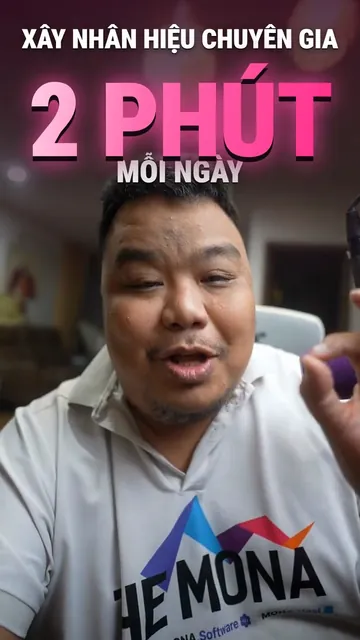
Your most important line becomes big bold text, sometimes placed right behind you. AI cuts you out from the background so text and visuals run behind you while your face stays clear. Transitions follow the rhythm of your speech, smooth and steady. For example, a CEO lands “repeat customers are the real profit”, and the word REPEAT appears huge behind him.
 05+
Background music and sound effects on every beat
AI picks music to match the mood of each part: upbeat at the open, quieter while you explain. Each new visual comes with a small sound, like a click or a whoosh. Music always sits under your voice so your words come through clearly on a phone speaker.
 06+
Vietnamese subtitles with the right industry terms
AI runs subtitles in sync with your words wherever viewers might mishear, like numbers or names. The version for viewers watching on mute has subtitles throughout. Before printing any text, AI checks it against your own glossary of terms. That way drug names, legal articles or material names are never spelled by ear. Key lines become custom-designed text blocks.
 07+
Cut stumbles, silences, repeats
AI listens to the whole clip again and removes hesitations, long pauses and botched lines you said over. When you say something twice, AI keeps the most complete take. The video “AI combines 2 cameras on its own” was recorded at 3 minutes 44 seconds, and AI cut it to 2 minutes 49 seconds with the ideas still flowing.
 08+
Combining 2 cameras, punching in on your face
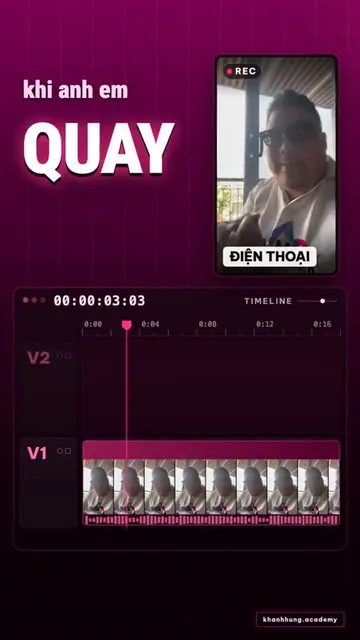
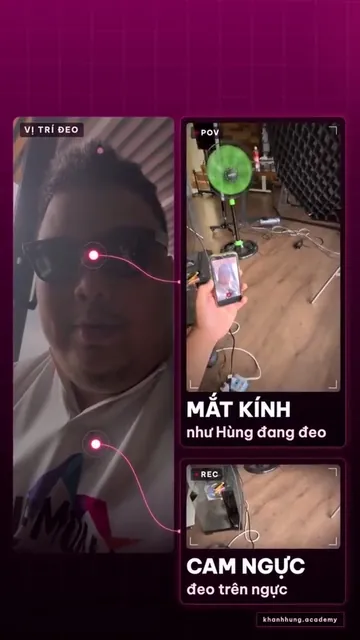
You record at the same time with your phone and a second camera, such as camera glasses. AI syncs the two sources by your voice. When viewers need to see your hands at work, it uses the second angle; when you explain, it comes back to your face. Key lines get a gentle punch-in on your face. For example, a dentist wears camera glasses to film the procedure while the phone records the explanation.
 09+
Your own brand identity, kept by the Brand Director
During setup, MONA's designer builds your own brand identity. It sets your colors, fonts and frames. The opening and closing scenes of your videos are made just for you too. The Brand Director keeps that identity in every video. So your 100th video has the same feel as your first, and viewers scrolling past recognize your channel right away.
AI video editing app
You send 1 clip.
AI does the 10 jobs of a whole editing team.
You only handle the start of the line; the ten stations after it run on MONA infrastructure. Tap a station to jump to that part.
Talking head video editing examples by industry
A doctor records 2 minutes on why you shouldn't buy antibiotics on your own. AI draws a colony of bacteria surviving each wrong dose, pops up “take the full course” right as the doctor stresses it, and ends with a closing scene in the clinic's colors.
A lawyer records a question clients often ask: after a divorce, who gets the children? AI builds a diagram of the factors the court weighs, puts the exact name of the law on screen and cuts the spots where the lawyer hesitates between two points.
A structural engineer recounts a cracked floor in an old building. AI inserts the site footage he shot, circles the crack and draws the load pressing on the beam, so people who never studied construction can see why the floor cracked.
A business owner records while walking through the warehouse, telling last year's inventory lesson. AI builds a chart of stock rising and falling as he tells it, pops the numbers he says onto the screen and cuts in footage of the real warehouse.
A talking head is a video of one person speaking straight to the camera, the format experts record most. What a talking head video is, and how to record and edit it so viewers don't scroll past.
With this editing app, here's what you get
- Each time you record about 2 minutes, you get back a finished video with explainer visuals, emphasis text, music and your own closing scene.
- Your knowledge and experience are told in pictures, so even people outside your field understand.
- Every video shares one identity, so your channel looks as professional as if you had your own editing team.
- No editor to hire, no editing software to learn, no waiting around.
Quick answers
Quick answers about the AI video editing app
Does the video use a fake face or voice?
No. The person in the video is you, and the voice is your real recorded voice. AI only edits the explainer visuals, text, effects and music around what you say.
How is this automatic AI video editing app different from an ordinary video editing app?
An ordinary video editing app is a tool: you still sit there cutting, picking music and typing subtitles, sometimes a whole afternoon for a 2-minute video. With nhanhieu.ai you just record and tap Send. AI edits the video automatically from start to finish: cutting stumbles, building explainer visuals, emphasis text, subtitles and music. The cut goes through a self-check against the editing rules, then through the Brand Director, before it returns to the app.
Do I need to know video editing?
No. Your part is to record and tap Send in the app. Want a part emphasized? Say it in one line, for example “emphasize the dosage part”. AI does the rest.
Can AI edit talking head videos?
Yes, that is exactly what the app is for. A talking head is a video of one person speaking straight to the camera, the format experts record most. A bare talking head is easy to scroll past, so AI keeps your face on screen while you tell the story and adds explainer visuals at the hard parts. The key line becomes big text behind you, with subtitles that use the right terms. The machine self-checks the visual rhythm against the editing rules, such as how often the shot changes.
Are the explainer visuals accurate for my field?
AI builds visuals from exactly what you say and never adds numbers on its own. Technical names like drug names or legal articles are checked against your own glossary of terms. You review the cut in the app's Edited library, and if you want anything changed, just tell your assistant.
How is it different from AI apps that mass-produce videos?
Mass video apps generate content from a single line of text, and viewers spot it right away and scroll past. Here the content is your real knowledge and experience, and AI only does the editor's job. Every video goes through a self-check against the editing rules and through the Brand Director before it goes out.
Where does the video go once it's edited?
The cut lands in the Edited library in the app for you to review. Your assistant writes a caption for each channel and schedules the post on the platforms you choose; your own website counts as one platform.
Does this automatic video editing software need a powerful computer?
No. The app runs on iPhone and Android, and you record and send from your phone. The editing runs on the MONA AI Station, where the AI Worker Team handles each stage. You don't install editing software and don't need a computer. Finished videos land in the Edited library in the app automatically.
Is there a free version of the AI video editor to try?
Yes. Download the nhanhieu.ai app on iPhone or Android and sign in to use the free version, with all features in review-before-posting mode. If you want the assistant to work steadily every week, pick one of the 5 plans on the Pricing page. Companies that need a private app in their own name can choose the Enterprise plan.
Want a video of yours edited like this?
An assistant with your name, photo and colors, on iPhone and Android.
Implementation process