
Screen 14/14 - Smart management
One-handed use: swipe from the edge to switch screens, every button within thumb reach
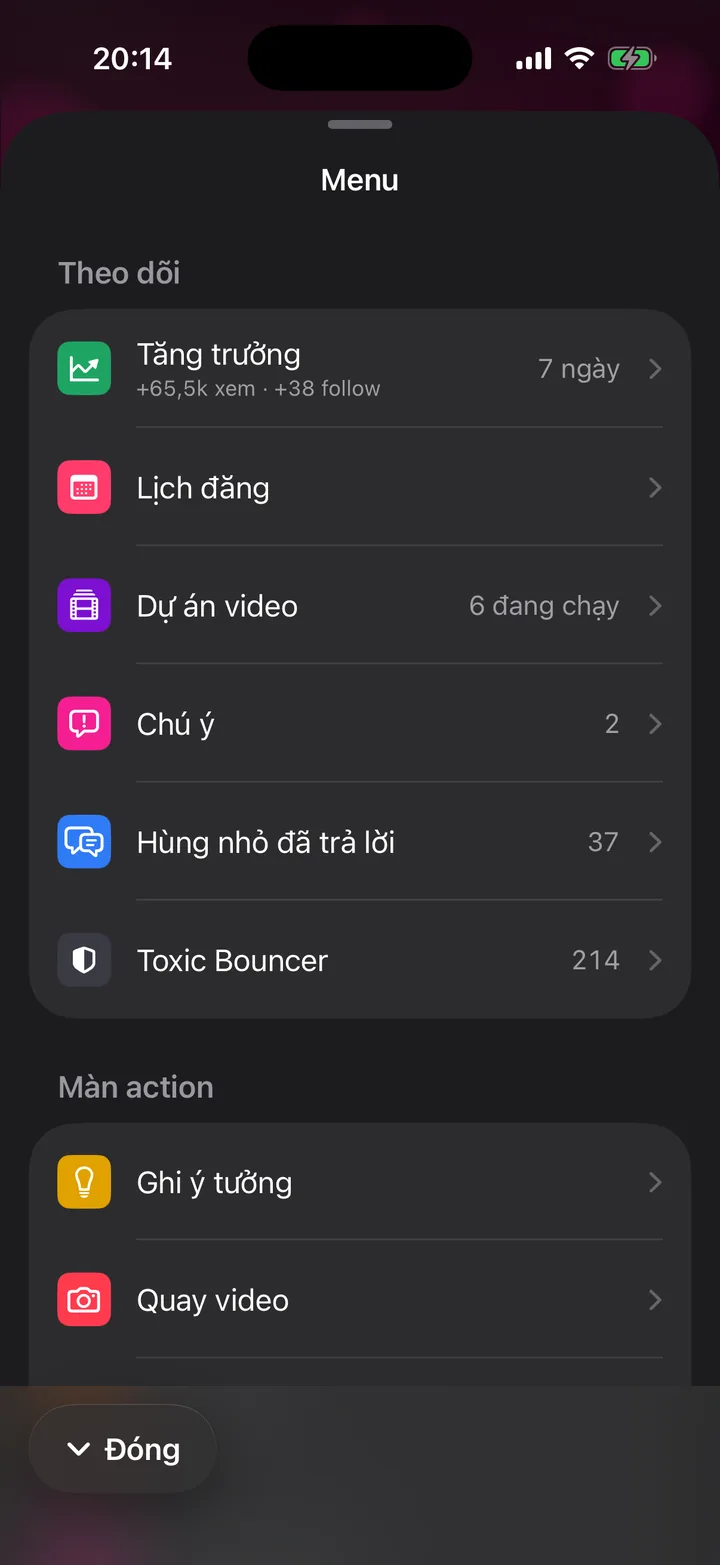
Swipe from the screen edge to loop through the 5 action screens. The menu, buttons and chips all sit in the bottom half, with no button in the top right corner.
What this screen is for
Experts and business owners often use the app with one hand busy: holding coffee, carrying a bag, standing on a bus.
The app is designed so everything can be done with the thumb of one hand. No reaching for the top corner of the screen.
The app's design rule: action buttons only sit at the bottom center or bottom left corner, never in the top right corner.
How to use it
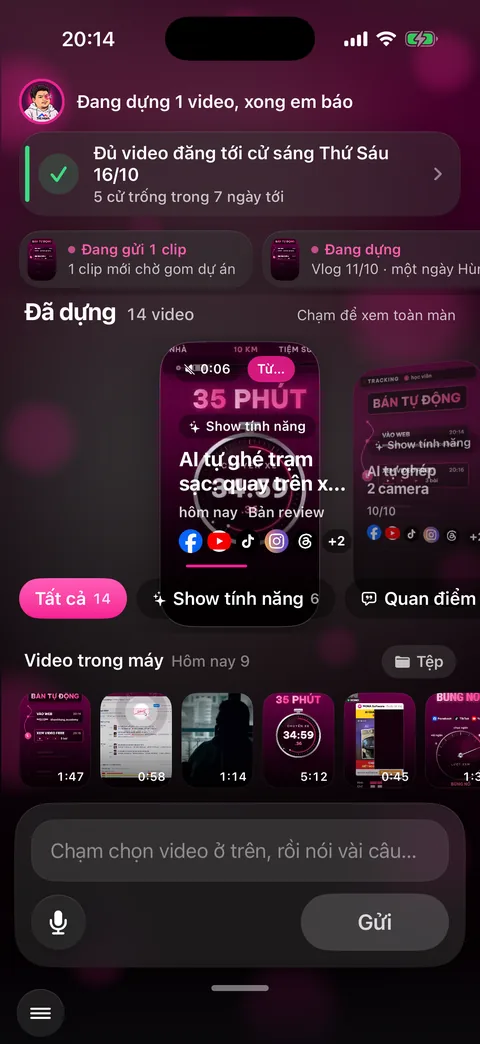
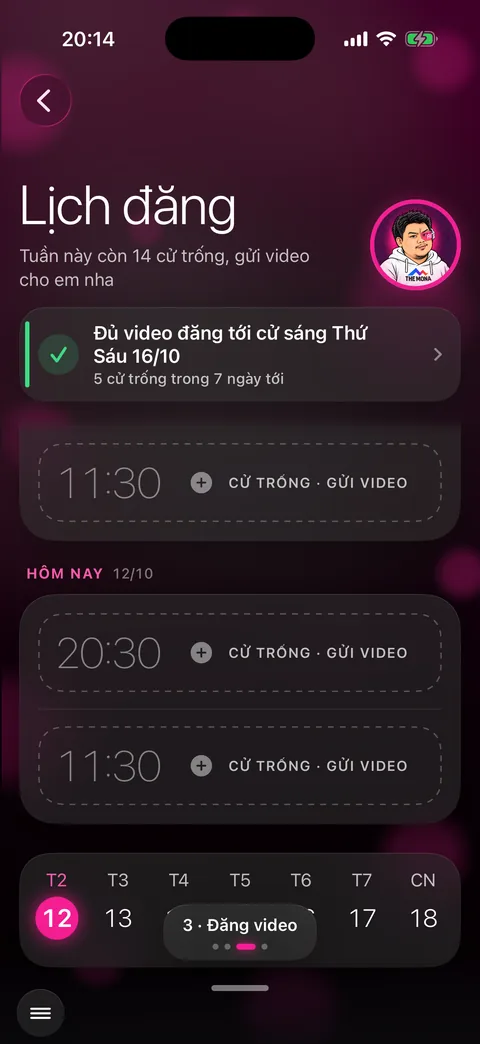
Put your thumb at the edge of the screen and swipe inward. Swipe from the right edge for the next screen, from the left edge for the previous one. The four screens Capture ideas, Record video, Publish video and Talk to assistant form a loop.
Each time you switch screens, a small label like 3 - Publish video with 4 dots appears at the bottom center, then fades away.
A small grab bar at the bottom: tap or swipe up to open the menu, double-tap to return to the Publish video screen, press and hold to open Settings.
The menu button sits in the bottom left corner of every screen. The menu opens from the bottom and closes with the Close button at the bottom or a swipe down.
On the Publish video screen, swipe up on the strip of videos on the phone to add the newest videos, swipe down to drop the one you just picked.
On sub-screens, swipe from the left edge to go back, like any iPhone app.
Behind the scenes, what the assistant does
Only a swipe that starts right at the edge switches screens. Swiping in the middle still scrolls lists and flips through video strips normally, with no accidental screen changes.
Each screen switch gives a light vibration so your hand knows it moved on without looking.
Every pop-up sheet closes with a swipe down or a button at the bottom.
What you get
- Send videos, capture ideas and talk to the assistant with one hand.
- No mistaps, no switching hands or putting the phone down.
- An app you get used to in one day, even if you're not into tech.
Examples by industry
Just out of surgery, the doctor holds a file in one hand and with the other swipes from the edge to Capture ideas and taps the mic in the bottom corner.
Waiting for the elevator, the lawyer opens the menu from the bottom grab bar with a thumb and picks Posting calendar to see what goes live today.
Holding a cup of coffee, the CEO double-taps the grab bar to return to the Publish video screen and sends the clip just recorded at the event.
Want this app under your name?
An assistant with your name, photo and colors, on iPhone and Android.
Implementation process