
Screen 1/14 - 5 action screens
Capture ideas: say it when it hits, your assistant takes notes like a secretary
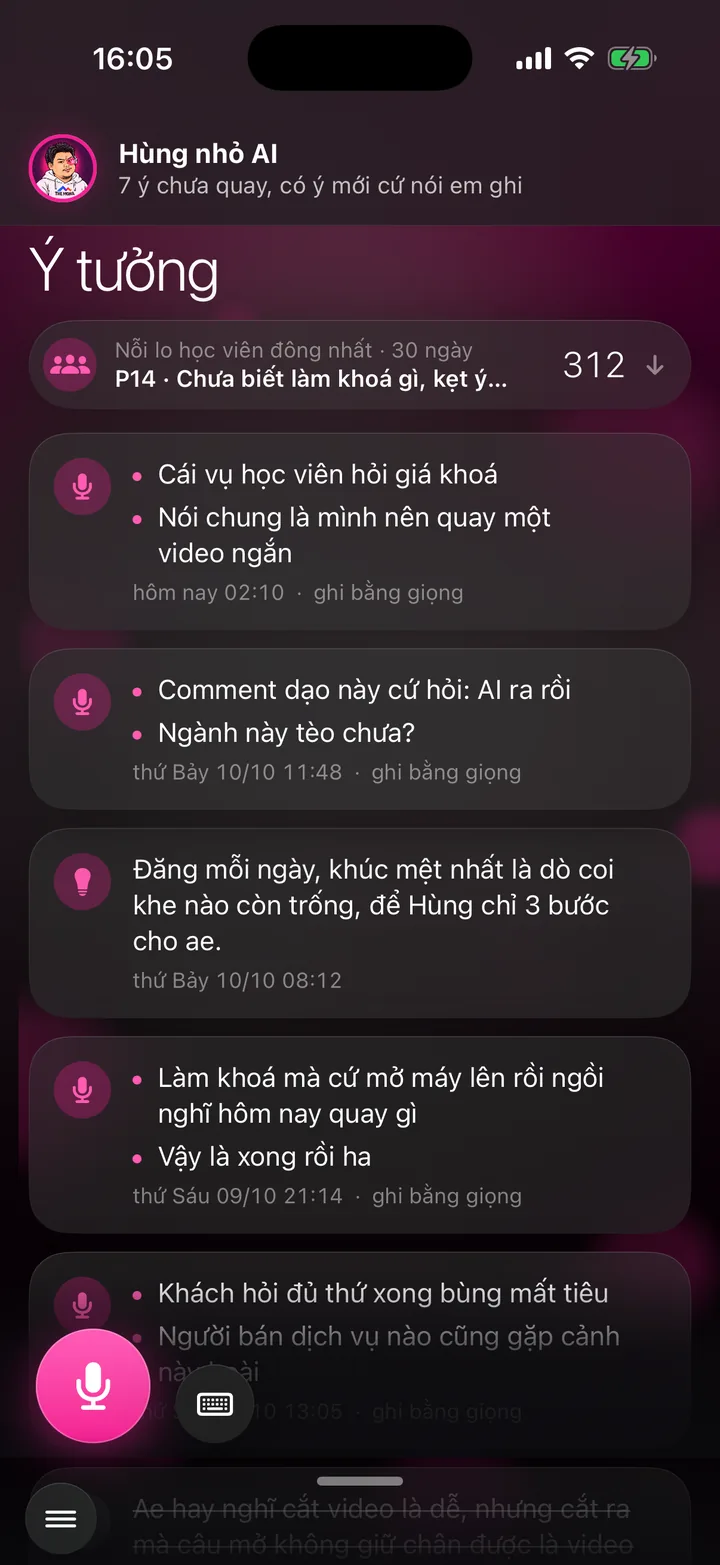

Tap the mic and ramble if you like, your assistant turns it into tidy bullet points. Below is a list of your customers' worries, the most common on top.
What this screen is for
Good video ideas show up while you're driving, showering or having coffee. This screen lets you catch them in one tap, before they slip away.
Talk loosely, ramble even. Your assistant writes it up as bullet points like a secretary: tighter sentences, stumbles removed, your meaning kept, nothing added.
The bottom half of the screen lists your customers' worries. The worry the most people have right now sits on top, and that's the topic to record first.
Explainer video
Watch Khánh Hùng explain this feature
 1:49
App demo video - Ideas chapter, from 5:56
Watch Khánh Hùng open this screen in the real app
Watch the full video on YouTube
Real users
Real users talk about this feature
Nhân Võ - Oct 23, 2026
The Ideas screen on Nhanhieu.AI: experts no longer have to worry about running out of ideas or having too many.
Watch the video on FacebookHow to use it
Swipe in from the left edge of the Record video screen, or choose Capture ideas in the menu.
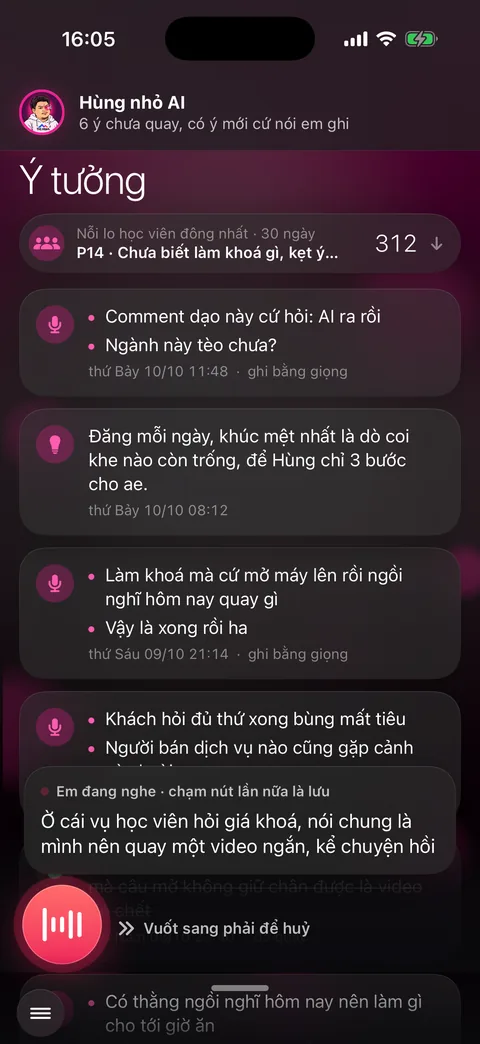
Tap the pink mic button in the bottom left corner and talk. The words appear right away in the bubble above.
Tap the button again to save. To discard, swipe the button to the right. Prefer typing? Tap the small keyboard button next to the mic.
The idea you just saved sits at the top of the list with the line turning into bullets. A few seconds later the card turns into bullet points.
Swipe a card right to mark it recorded. Swipe left to delete. Tap to edit. Press and hold for View original.
Scroll down to the worries. Pick 7, 30 or 90 days. Tap a worry to see how many people have it and the video ideas you already have, then tap Save as idea.
Behind the scenes, what the assistant does
Your words are saved word for word first, and only then does your assistant turn them into bullets. The original is always there to compare.
Lost connection? The idea stays on your phone and sends itself once you're back online.
The worry list is compiled from what customers leave in messages and from the videos they watch, counting how many people share each worry.
This idea library is where your assistant gets topics to suggest and scripts to write for the Record video screen.
What you get
- No idea gets lost, even the ones that come when your hands are full.
- A library of video topics that's always full, sorted by what customers actually need.
- You know what to talk about first from how many people worry about it, no guessing.
Examples by industry
A patient asks a great question mid-exam. After the shift, the doctor taps the mic and repeats it. The assistant turns it into a bullet point to record tonight.
The worries section shows many clients are anxious about splitting assets in a divorce. The lawyer taps it and hits Save as idea to plan a video series on that topic.
Driving home, the CEO talks at length about hiring this month. The assistant splits it into 4 bullet points, and the CEO picks one as the script to record.
Want this app under your name?
An assistant with your name, photo and colors, on iPhone and Android.
Implementation process