
Screen 4/14 - 5 action screens
Talk to assistant: give instructions by voice like you would a real person, your assistant does it and reports back
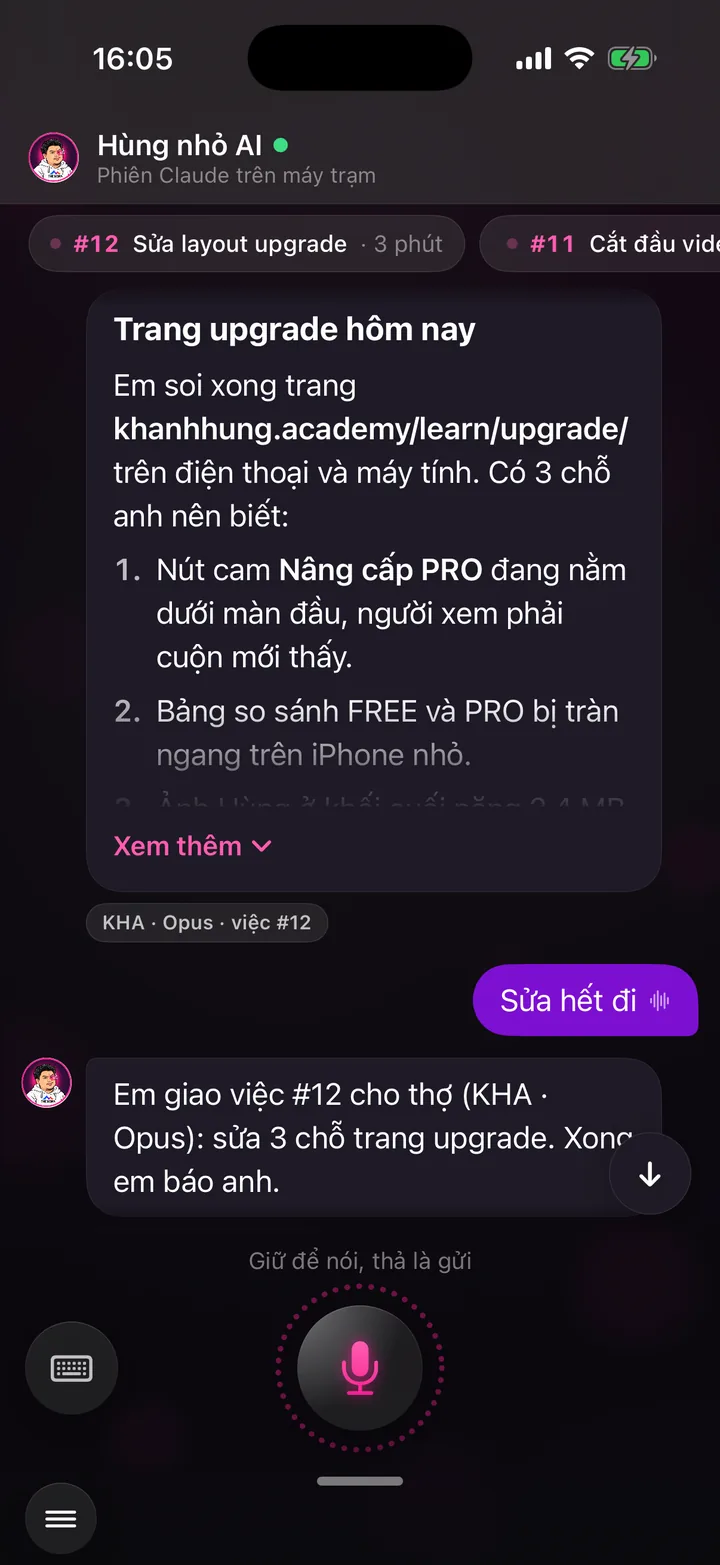

Hold the mic, say what you need, release to send. Your assistant replies, assigns the work and checks with you before anything important.
What this screen is for
This is the hotline between you and your assistant. To change a caption, move the schedule, ask for numbers or get something done, you say it here.
No complicated settings menus. You give instructions in plain speech, as if to an assistant sitting next to you.
The whole conversation is kept, so scroll up to see everything you've asked for before.
App demo video
Watch Khánh Hùng open the Talk to assistant screen in the real app
App demo video - Talk to Hùng nhỏ chapter, from 5:23
Watch the full video on YouTube
Real users
Real users talk about this feature

Nhân Võ - Oct 19, 2026
Hey Jarvis, edit this video for me. Soon, all you'll do is give orders like that. The AI assistant edits video, delivers scripts and keeps an eye on your channels.
Watch the video on FacebookHow to use it
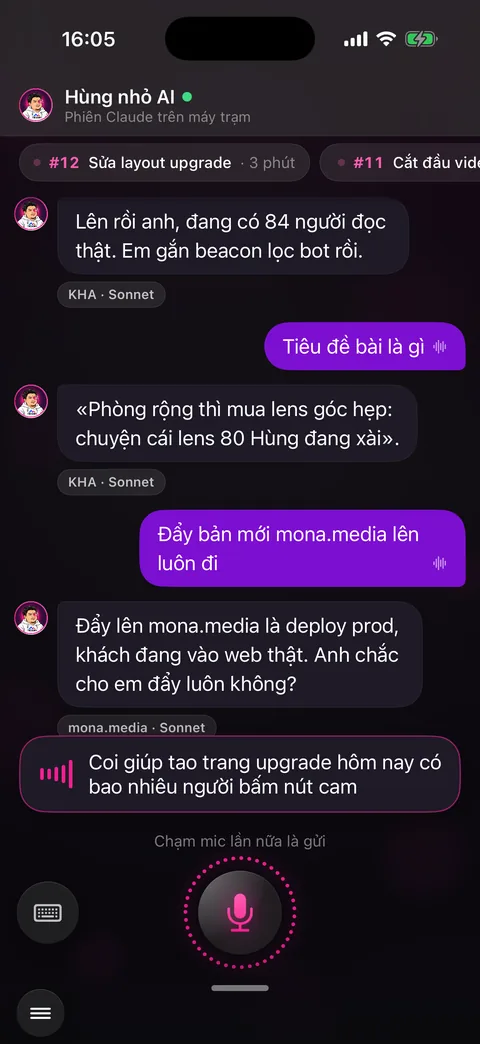
Swipe in from the right edge of the Publish video screen, or choose Talk to Hùng nhỏ in the menu (your app shows your own assistant's name).
Hold the big round mic button at the bottom center, talk, release to send. Or tap once to start and tap again to send. Your words appear as you speak, with ums and ahs filtered out.
Prefer typing? Tap the keyboard button on the left and type in the Type to me box.
Your assistant replies right below. For jobs that take time, it says the job is assigned, and the job shows as a small strip at the top with its number and how long it has been running.
For anything involving money, deleting data or posting publicly, your assistant checks first with a card that has two buttons: Do it and Cancel.
Press and hold a message to copy, share or select text. For long replies, tap See more.
Behind the scenes, what the assistant does
Your words go to your assistant running on MONA AI Station. It understands the context, even when speech recognition mishears a few words.
Quick jobs your assistant does itself and answers right away. Long jobs go to the AI Worker Team to run in the background, and you get a new message when they're done.
Each reply has a small chip showing which area the job belongs to and its job number, so you can keep track.
What you get
- An assistant that understands natural spoken Vietnamese and works day and night.
- No need to remember where features live: just say what you want.
- Big jobs always get a check with you first, so the decision stays yours.
Examples by industry
The doctor says: “Change yesterday's video title to Three signs you need a heart checkup now.” The assistant updates it on the channels not yet posted and reports back.
The lawyer asks: “Which video got the most views this week?” The assistant replies with the video's name and the views on each channel.
The CEO says: “Starting next week, move the evening slot to 9 PM.” The assistant asks one question to be sure, then changes the schedule.
Want this app under your name?
An assistant with your name, photo and colors, on iPhone and Android.
Implementation process