
Screen 10/14 - Smart management
Attention: comments that show buying intent, brought right in front of you
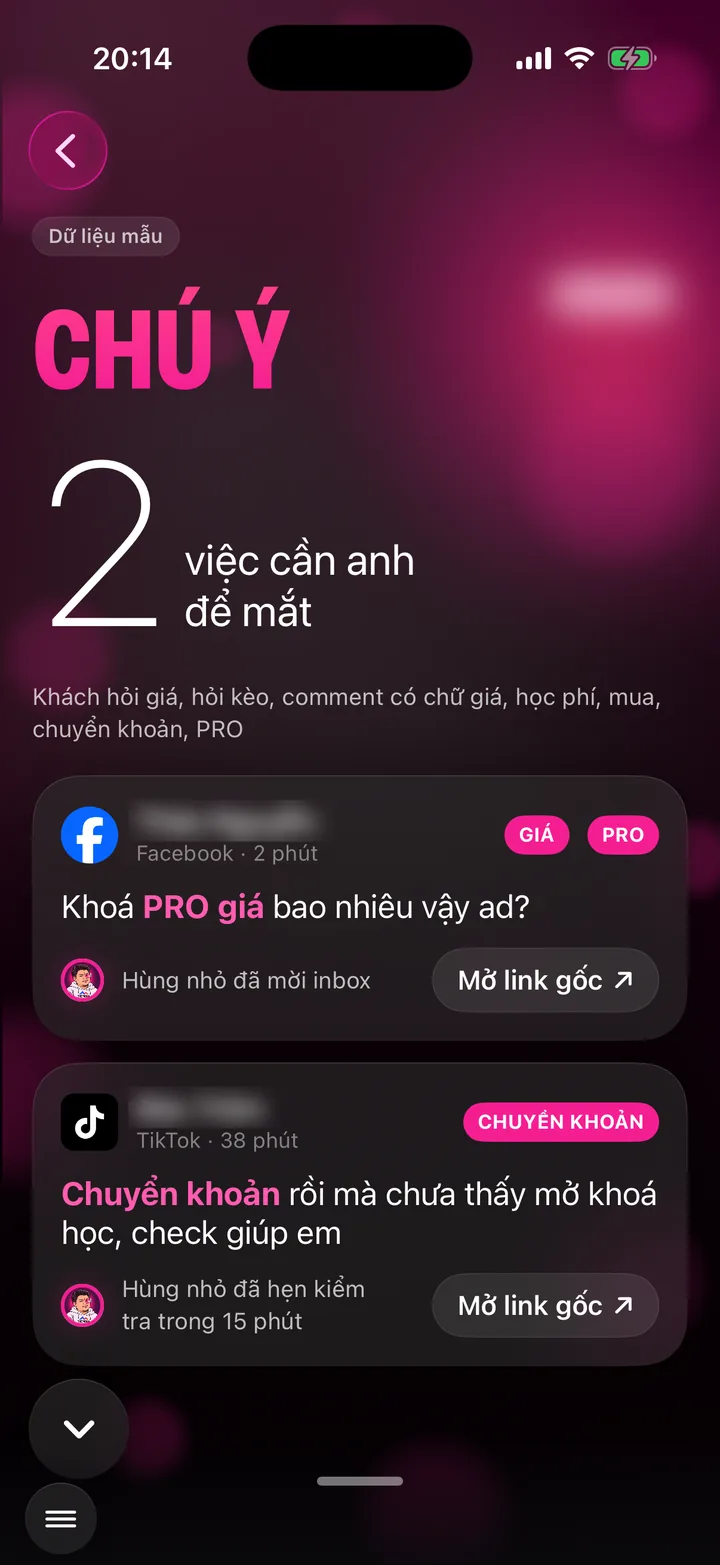

When customers ask about prices, how to sign up, or mention a bank transfer, the assistant handles it first and brings it here for you to keep an eye on.
What this screen is for
Among hundreds of comments, a few are money: customers asking about prices, tuition, how to buy, or saying they've paid by transfer. Those comments can't slip by.
The assistant reads every comment, picks out the ones with buying signals and brings them to this screen.
Each card shows what the customer said, on which channel, how long ago, and what the assistant did with them.
App demo video
Watch Khánh Hùng open the Attention screen in the real app
App demo video - Engagement - Potential customers chapter, from 8:28
Watch the full video on YouTube
How to use it
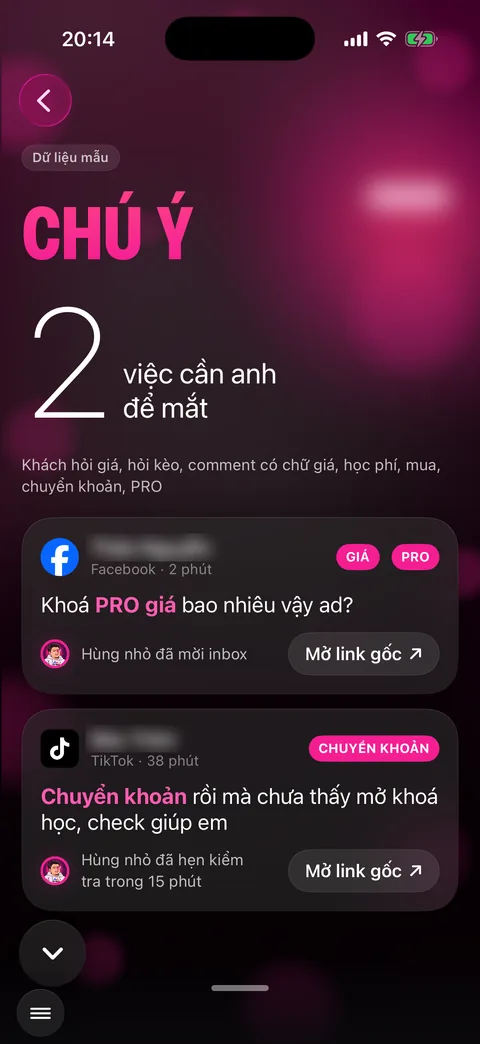
A pink dot on the menu button means something needs your eye. Open the menu and choose Attention. Or tap the Attention card at the top of the Publish video screen.
The top of the screen shows how many items need your attention.
Each card has the channel logo, customer name, time, keyword chips like PRICE, PRO, TRANSFER, and the customer's words with the key words highlighted in pink.
The line below says what the assistant did, for example invited the customer to messages, or set a check within 15 minutes.
Tap Open original link to go straight to that comment on the social network if you want to add your own reply.
Behind the scenes, what the assistant does
The assistant monitors comments on your channels and reads every new one.
Comments with buying signals get an instant reply and an invitation to private messages for a proper consultation.
Things a real person must decide, like checking a money transfer, go to this screen and to the widget so you don't miss them.
What you get
- No customer asking about prices gets lost under hundreds of comments.
- Know which customers are hot so you can call back at the right time.
- See exactly how the assistant handled each customer, no guessing.
Examples by industry
Someone asks under a video: “does the clinic open after hours, and how much is it”. The assistant invites them to messages and flags it on Attention so the receptionist can call back.
A customer comments asking about the fee for a land dispute case. The lawyer sees it right away on Attention and taps the original link to read it closely.
A customer messages that they've paid by transfer but haven't received the goods. The card with the TRANSFER chip rises to the top, and the CEO passes it to the sales team.
Want this app under your name?
An assistant with your name, photo and colors, on iPhone and Android.
Implementation process