nhanhieu.ai

17 features - Channels that post steadily, on time

Posting features: a schedule for each channel, a video library, reminders to record and to post

The posting schedule sets itself for each channel. The video library counts how many days of posts you have left. A widget tells you whether you've recorded today.

See how one video reaches 16 social networks on the page about how to post videos to many platforms at once.

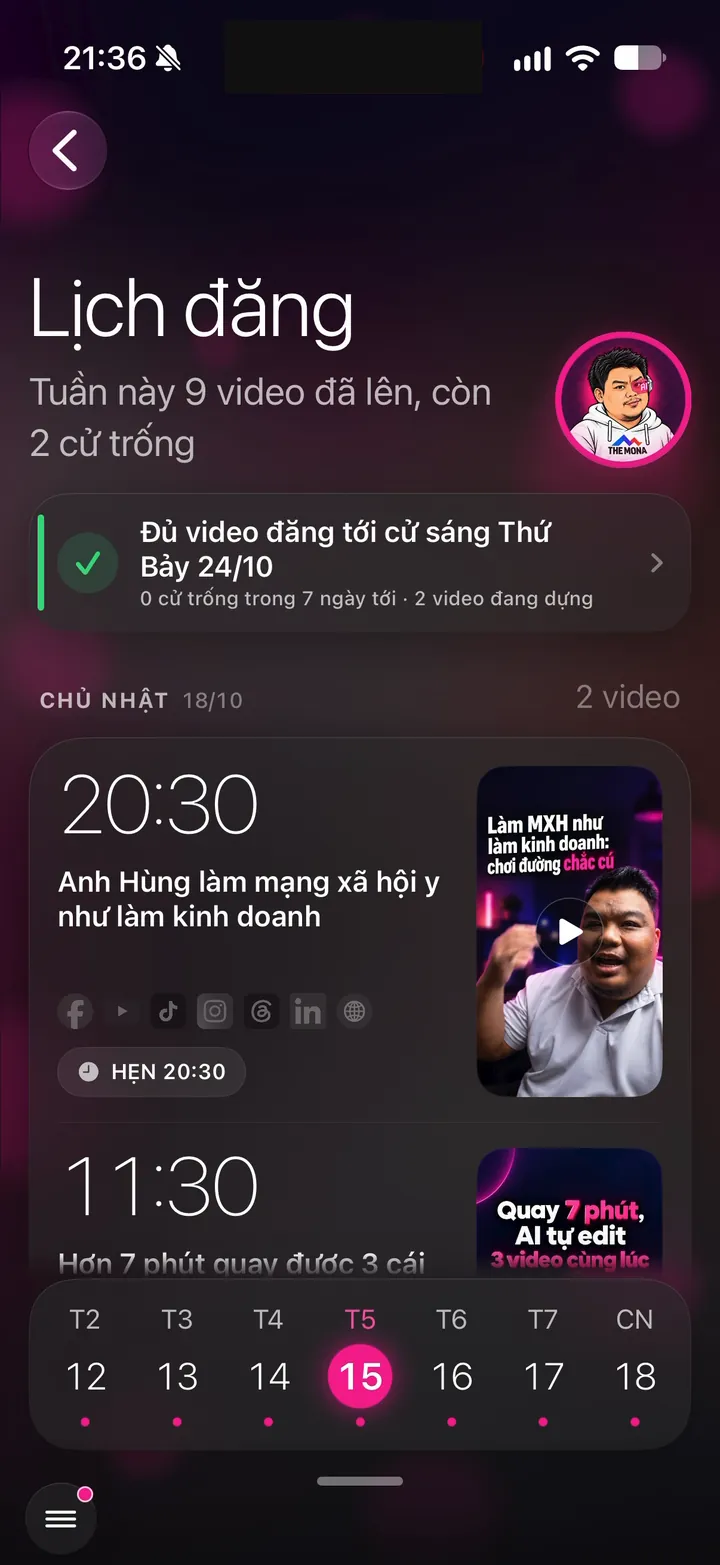
Real Hùng nhỏ AI app screen: This week's posting schedule: 9 videos live, 2 open slots
iOS - Android

A posting schedule built for you, each channel at its own time

3 features
Real screen of Khánh Hùng's Hùng nhỏ AI app. This week's posting schedule: 9 videos live, 2 open slots
01iPhoneAndroid

Auto-scheduled across all 6 channels, each at its own time

What you get

One finished video is scheduled to YouTube, TikTok, Facebook, Instagram, Threads and LinkedIn. Each channel posts at the time its viewers are most active, with its own caption. Record extra and the system spreads the videos over the following days, Khánh Hùng has at times been booked through the next week's Saturday. The weekly calendar shows each video's thumbnail, and you drag and drop to change the day or unschedule.

Why it's hard to build

Each platform has its own rules on length, aspect ratio, captions and posting. The system has to keep a video in the library until it has gone out to every connected channel, and never post the same video twice on one channel. When a customer runs short of videos, the system fills the empty slots in the right places. Scheduling tools like Buffer or Later make you pick times and write captions for each channel yourself.
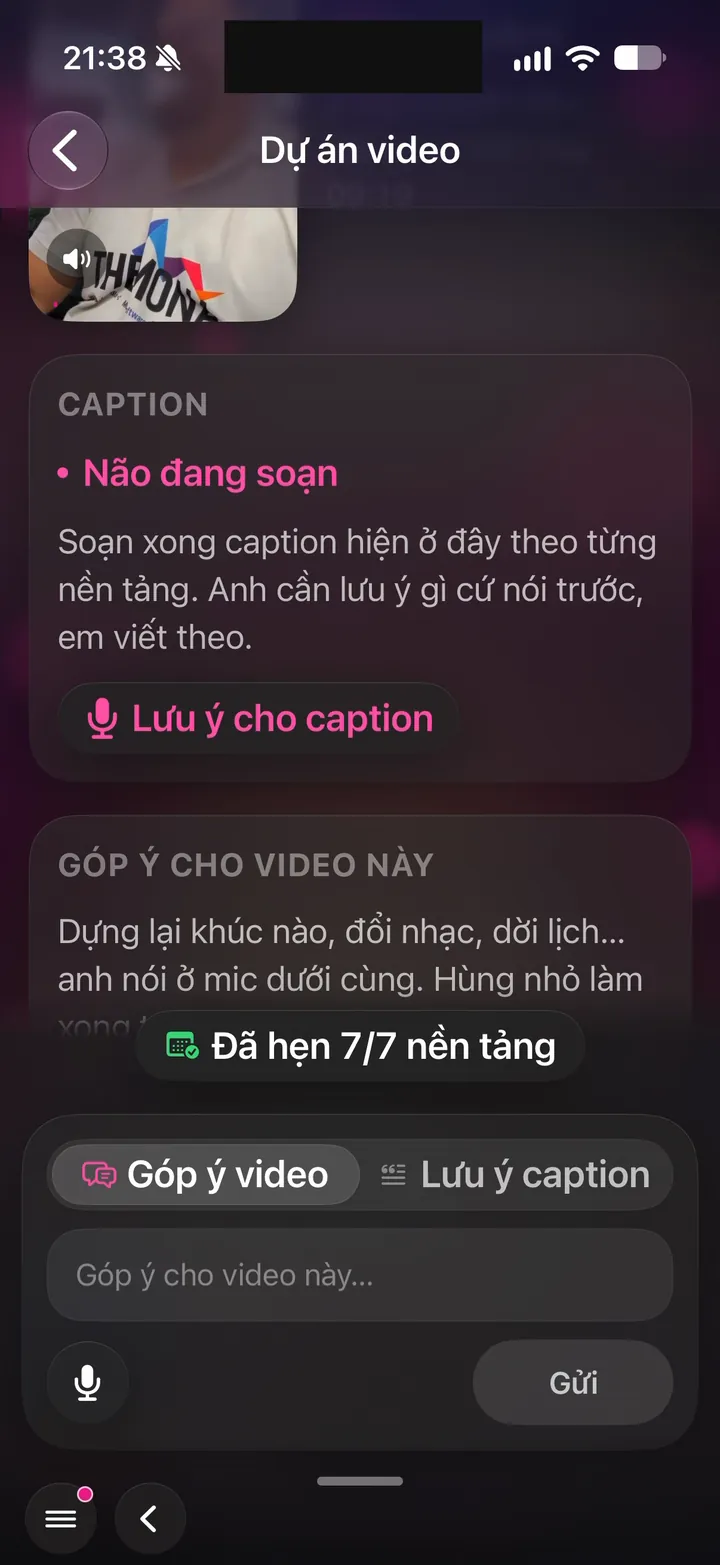
Real screen of Khánh Hùng's Hùng nhỏ AI app. Video projects: captions written, scheduled on 7/7 platforms, feedback box for the video
02iPhoneAndroid

Skips channels that don't fit the video length

What you get

Videos longer than 90 seconds aren't scheduled to Instagram Reels. Longer than 3 minutes, they aren't scheduled to YouTube Shorts. Channels that don't fit show grayed out with a short reason, so you don't have to remember each platform's rules. No more failed posts at midnight for going over the length limit.

Why it's hard to build

Each platform has a different length cap that changes over time: Instagram 90 seconds, Shorts 3 minutes, Threads 5 minutes, TikTok 10 minutes. Manual scheduling, auto scheduling and posting now all have to check the same rule. The video library also can't count channels that don't fit toward the days of content covered.

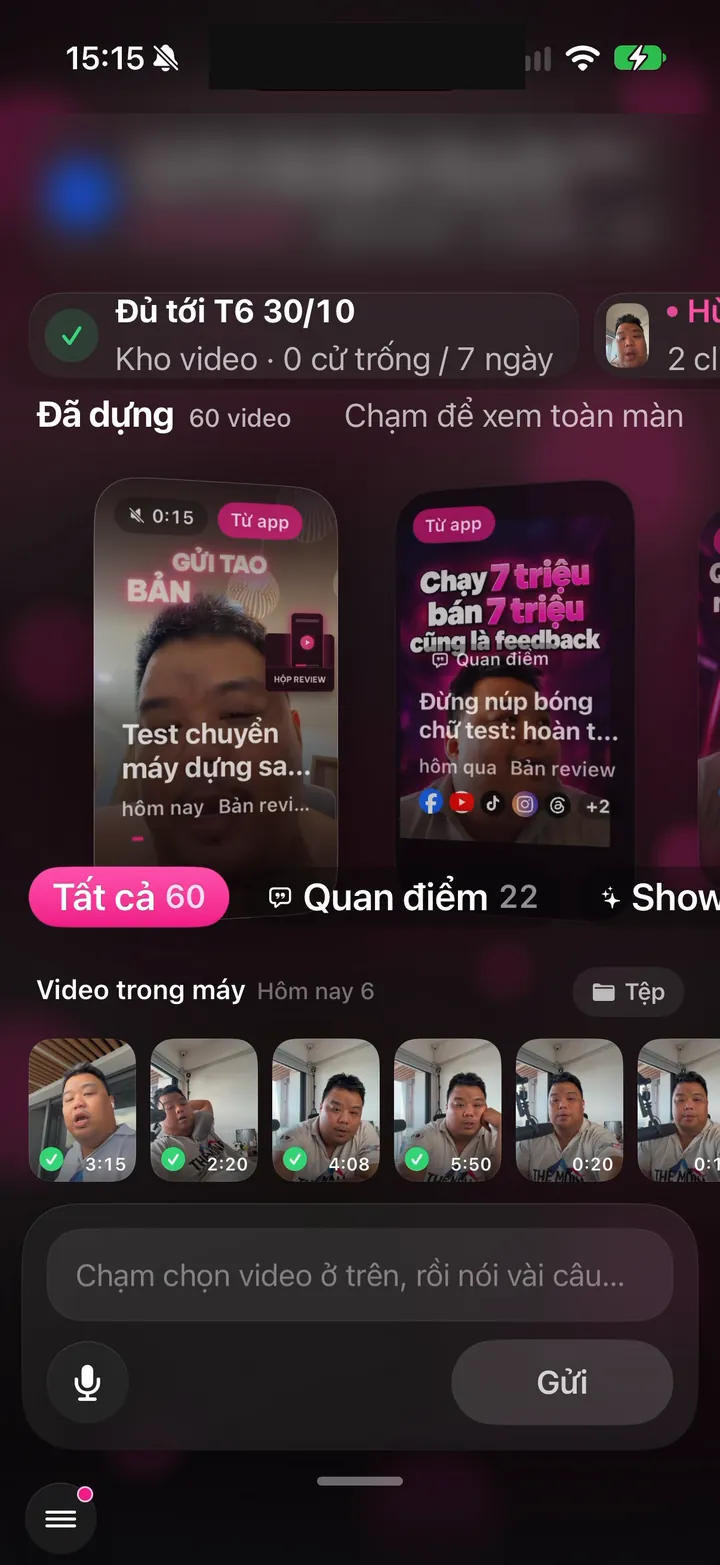
Real screen of Khánh Hùng's Hùng nhỏ AI app. Home screen: 80 edited videos, enough to post through Thursday, Nov 5
03iPhoneAndroid

See how far your video library lasts, with a reminder when it runs low

What you get

At the top of the Publish screen, a card shows the date your video library lasts until. Green means 3 or more days left, amber means running low, red means a posting slot in the next 24 hours is empty. Under 3 days, the app reminds you to record more. Your channels never go empty because you forgot.

Why it's hard to build

The server calculates from each channel's real schedule, not a raw video count. The phone re-checks in the background to remind you at the right time, even when you haven't opened the app. Colors always come with an icon and text, so people with color blindness can still read it.

Connect channels with your own accounts

1 features
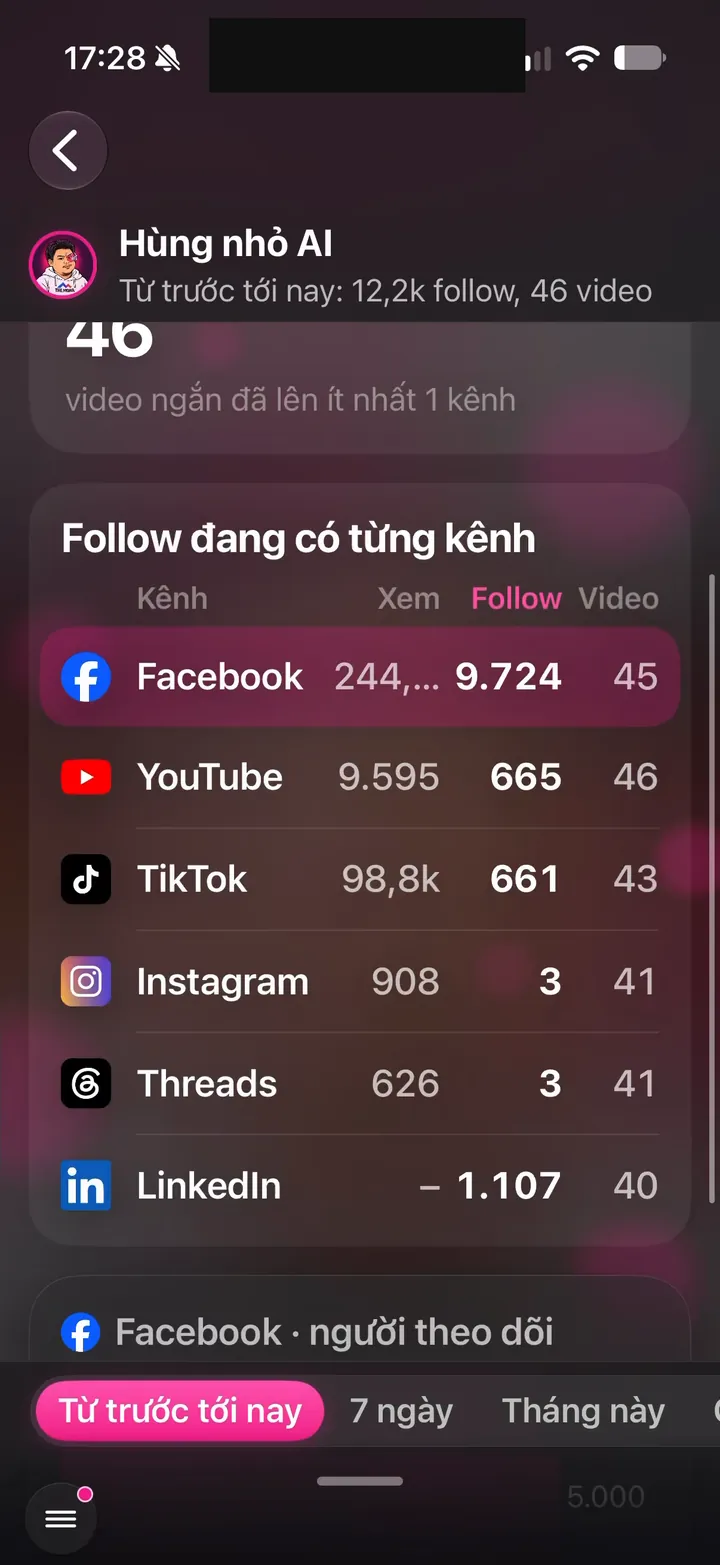
Real screen of Khánh Hùng's Hùng nhỏ AI app. Growth: 12.2k followers, 46 videos, followers per channel
04iPhoneAndroid

Connect your own channels, YouTube in one tap

What you get

You connect channels with your own accounts and grant permissions on the platform's own page. The app posts, reads comments and replies on your behalf. Your password never passes through MONA. YouTube connects in one tap, and Facebook Pages and LinkedIn are already live.

Why it's hard to build

Each platform requires its own app review, with a demo video for every permission requested. Google has verified the nhanhieu.ai brand, while Meta and TikTok reviews take weeks. Each channel of each customer has its own key, locked away on the server. Most small tools take a shortcut through third parties and can easily lose channels when that partner changes its policy.

Rewatch every edited video

1 features
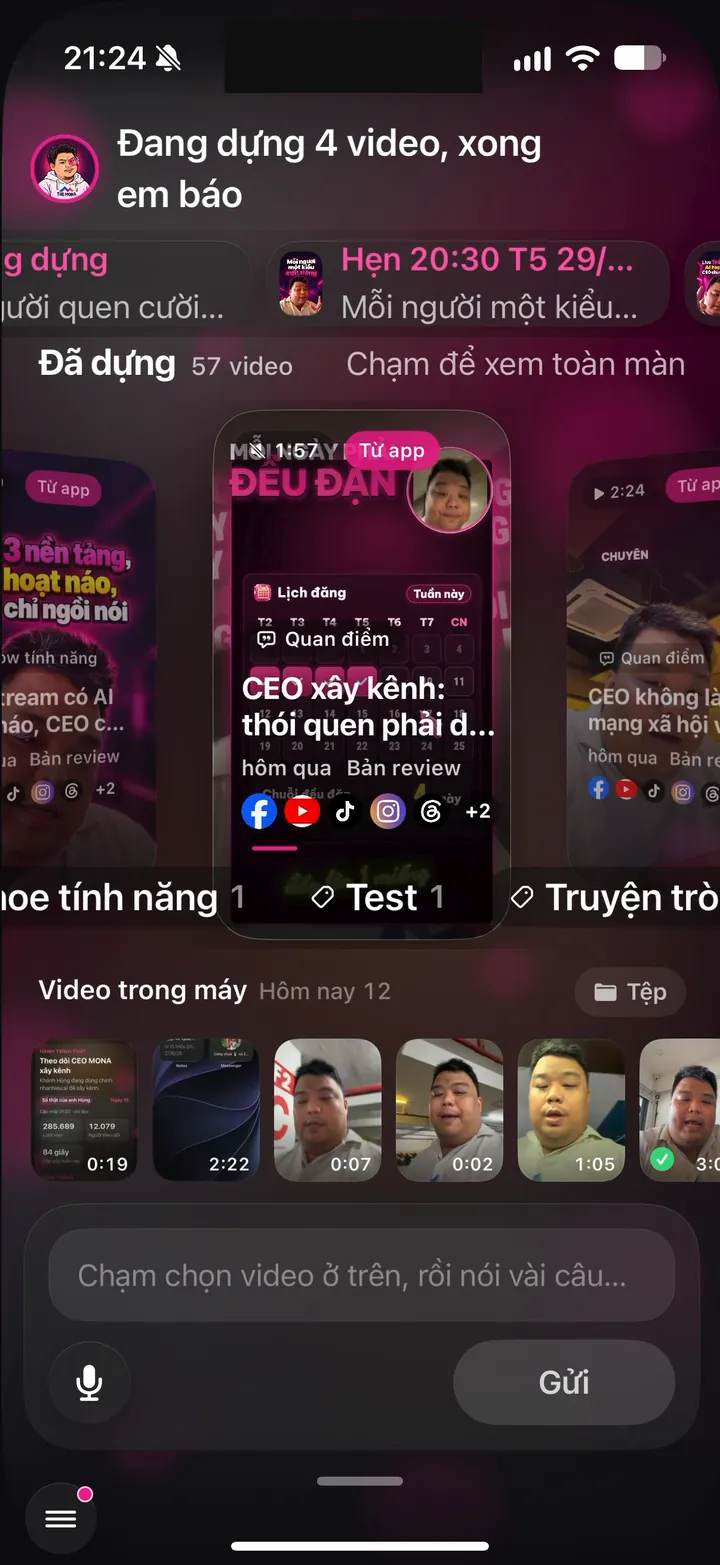
Real screen of Khánh Hùng's Hùng nhỏ AI app. Home screen: 4 videos being edited, "I'll let you know when they're done", 57 videos edited
05iPhoneAndroid

Edited library: rewatch every video and each channel's schedule

What you get

Every edited video sits in one reel you can rewatch right on your phone. The center tile autoplays muted. Tap a tile to watch full screen with sound, along with the title, date, views and status on each platform: scheduled, live, not set. Tap a live row to open the post on that channel.

Why it's hard to build

Each video can have up to 6 posts on 6 channels, each with its own status and view count. The server merges the posting log and posting queue of every channel into one clean table. The phone gets a lightweight version, for fast browsing without using up data.

Uploads run in the background, no lost clips

3 features
Real screen of Khánh Hùng's Hùng nhỏ AI app. Just tapped Send: an Editing row appears at the top of the screen
06iPhone

Background uploads, lose signal without losing clips

What you get

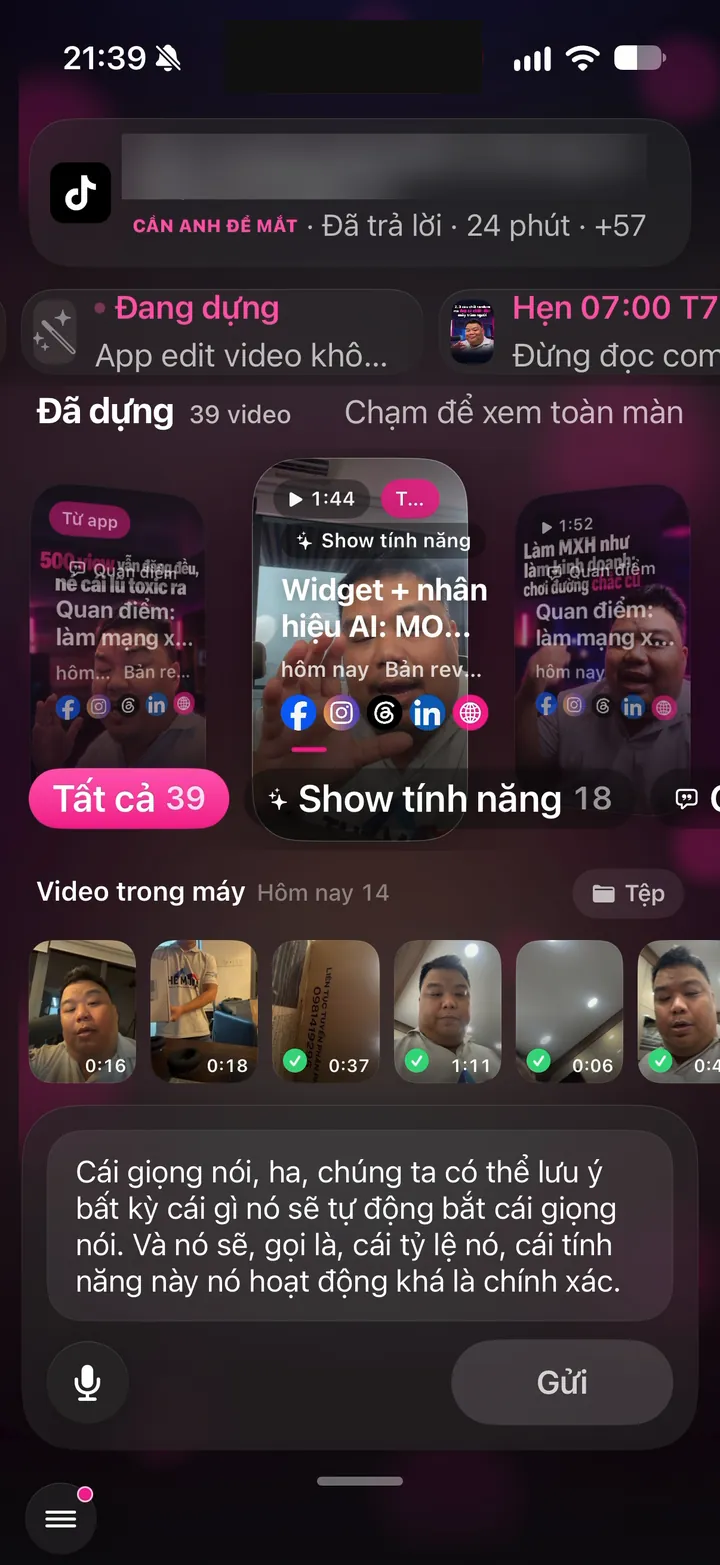
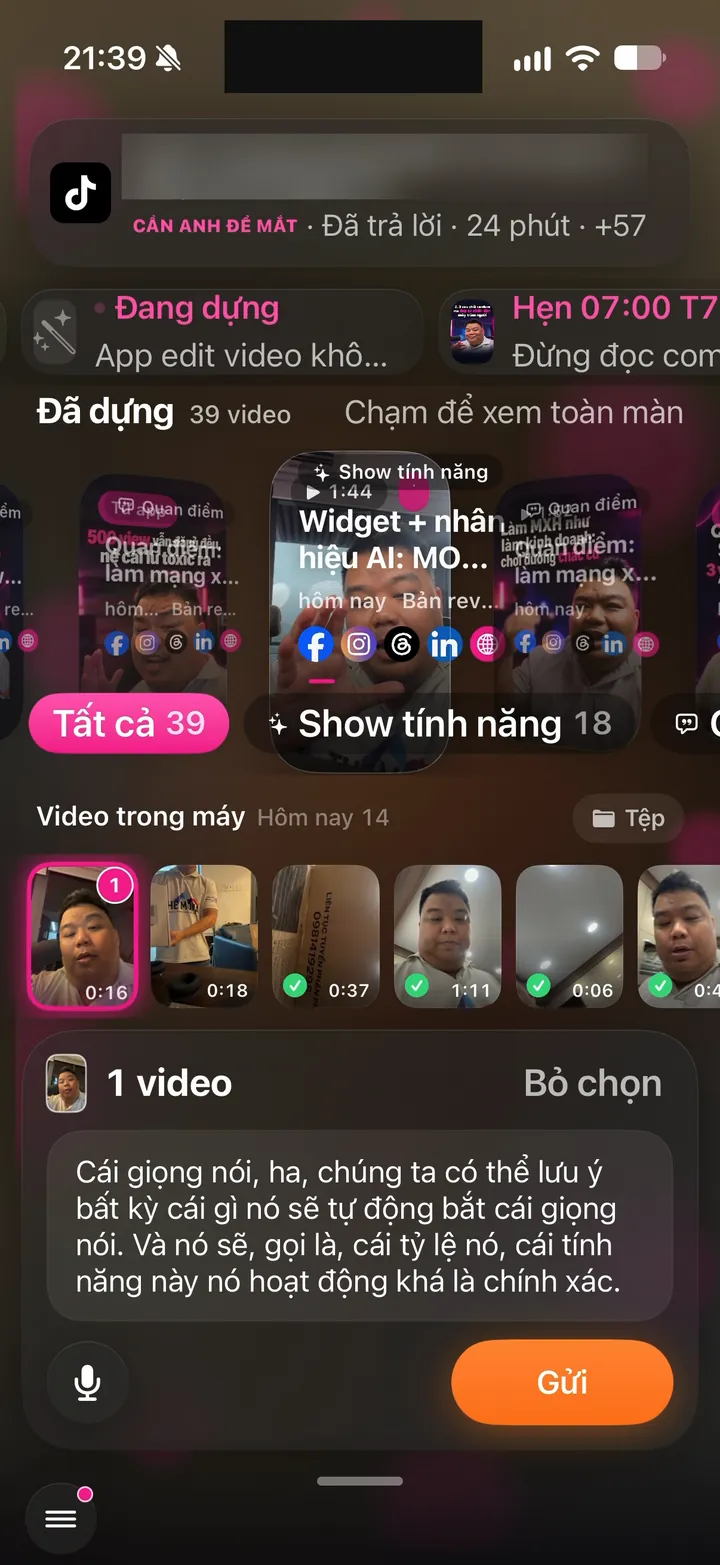
Tap send, lock your phone, put it in your pocket, and the upload keeps going. Lose signal in an elevator and the clip waits, then resumes once you're back online. The video is copied into the app the moment you pick it, so even if you delete it from your photo library, nothing is lost.

Why it's hard to build

iOS stops background apps very quickly. The app uses Apple's special background upload channel so sending continues after the app closes. The login key has to be readable even while the phone is locked, yet stay secure. The video grid clearly marks which clips are uploading and which are sent.

Real screen of Khánh Hùng's Hùng nhỏ AI app. Pick 1 clip, speak your instructions, the text fills the box, then tap Send
07Android

Background uploads on Android

What you get

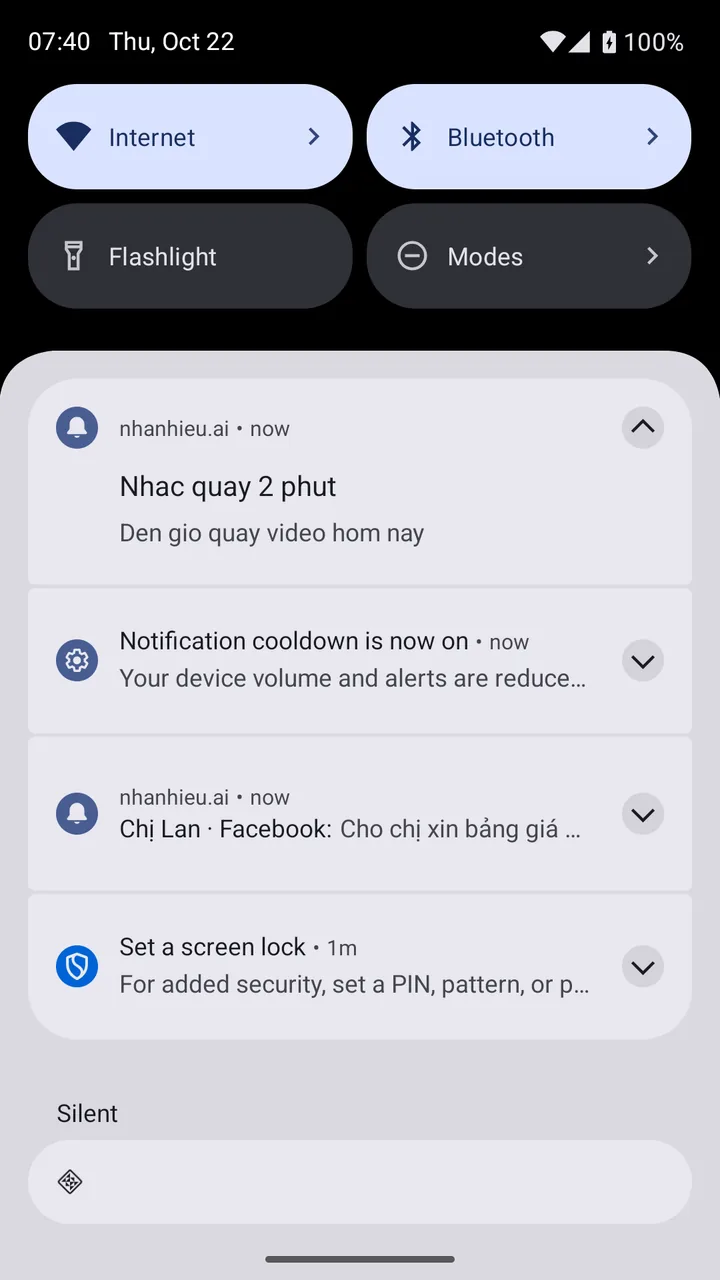
Tap send, then turn off the screen or switch to another app, and the upload keeps going. The notification bar shows the percent sent. You get a notification when it's done, for peace of mind.

Why it's hard to build

Web-based apps usually stop when you leave the page. The Android version uses the browser's background upload mechanism so large files keep sending. Progress has to show in the system notification bar, not just inside the app.

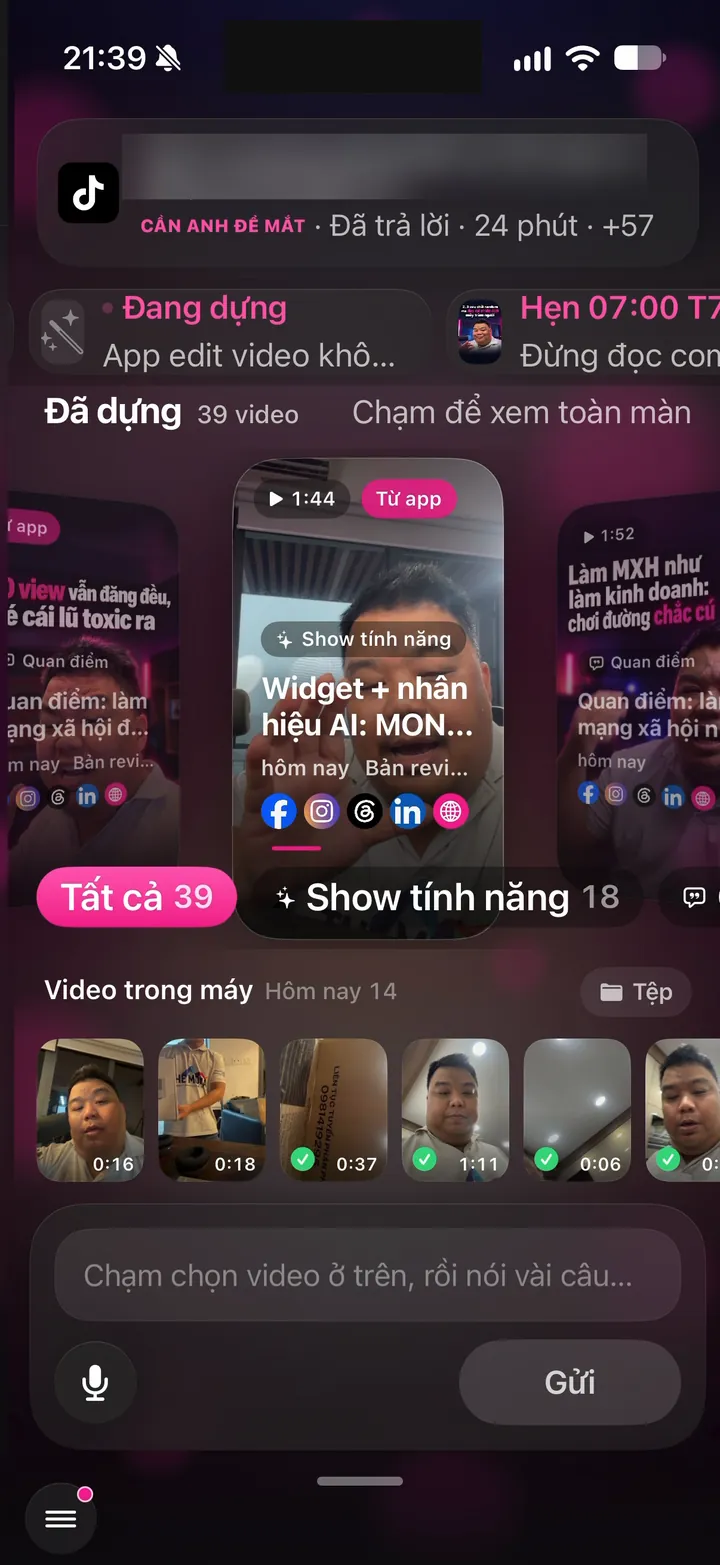
Real screen of Khánh Hùng's Hùng nhỏ AI app. Home screen: 39 edited videos, Phone videos strip and Files
08Android

Share videos from other apps into nhanhieu.ai

What you get

Watching a clip in Gallery, Zalo or Google Photos? Tap Share and choose nhanhieu.ai. The app opens straight to the Publish screen with that clip already selected. No opening the app and hunting for the clip again.

Why it's hard to build

A web-wrapped app has to declare that it accepts files from Android's share sheet. The page's background worker catches the large video file and hands it to the Publish screen. It has to handle clips of a few hundred MB without freezing the phone.

Reminders for recording and posting times

2 features
Real photo illustrating On-time reminders to record and post
09Android

On-time reminders to record and post

What you get

The discipline assistant reminds you at 7 AM to record a video. At posting time, it tells you the post is live. On-time reminders, without the app asking for alarm permission.

Why it's hard to build

Google Play only lets clock and calendar apps use the exact alarm permission, and other apps that ask get rejected. So the server pushes high-priority messages right on time, and the phone has a fallback in case a message arrives late. Buffer and Later remind you the same way, with pushes from their servers.

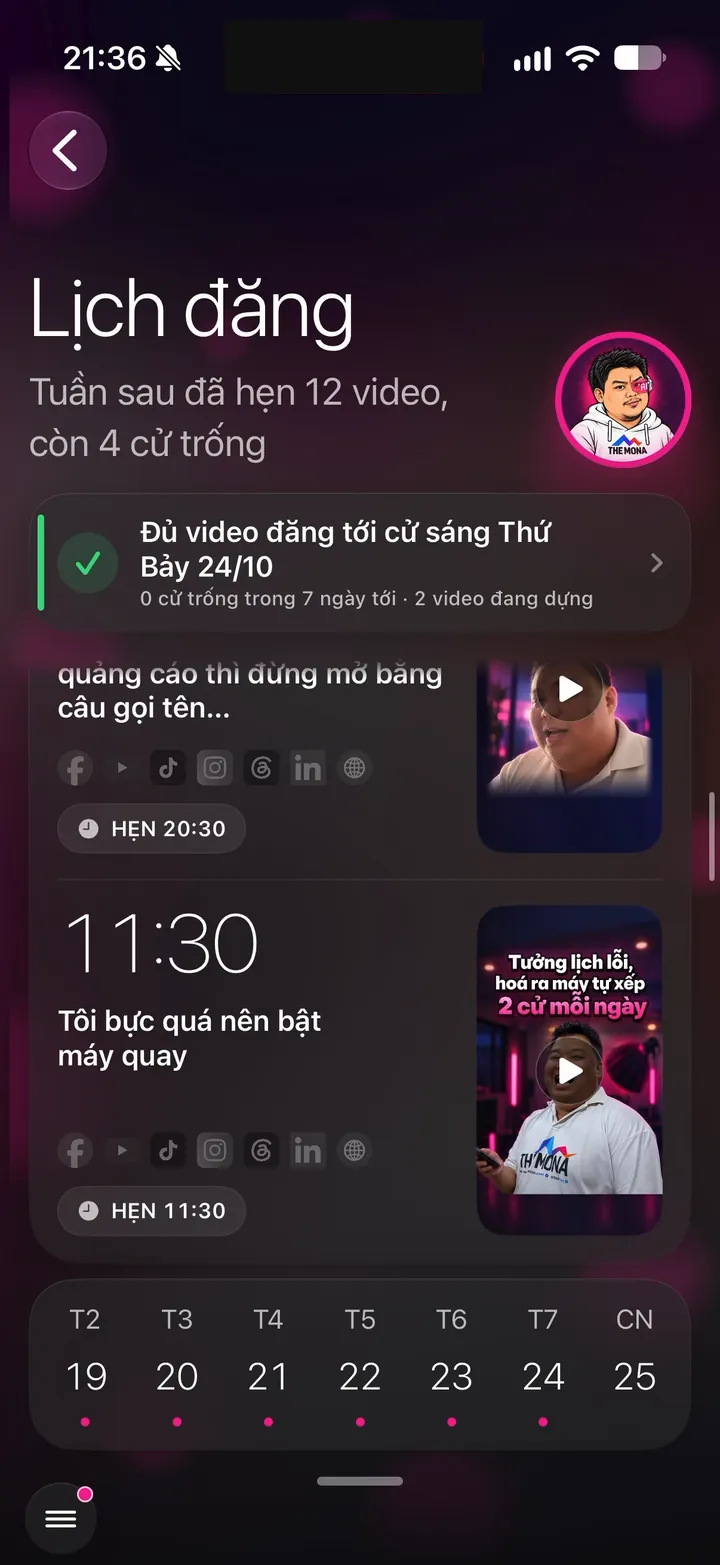
Real screen of Khánh Hùng's Hùng nhỏ AI app. Next week's posting schedule: 12 videos scheduled, at 20:30 and 11:30
10Android

Posting schedule in Google Calendar

What you get

Recording and posting times sit right next to your meetings in Google Calendar or Samsung Calendar. One calendar shows what's on today and which slots are free to record. Adding a recording slot to your calendar takes one tap.

Why it's hard to build

Each person has a private calendar link that only they can read. Google Calendar refreshes a few hours behind, so urgent recording slots are added directly through Android's add-event sheet. The app doesn't ask to read your calendar, you tap save yourself.

Post by hand or send to clients when you need to

2 features
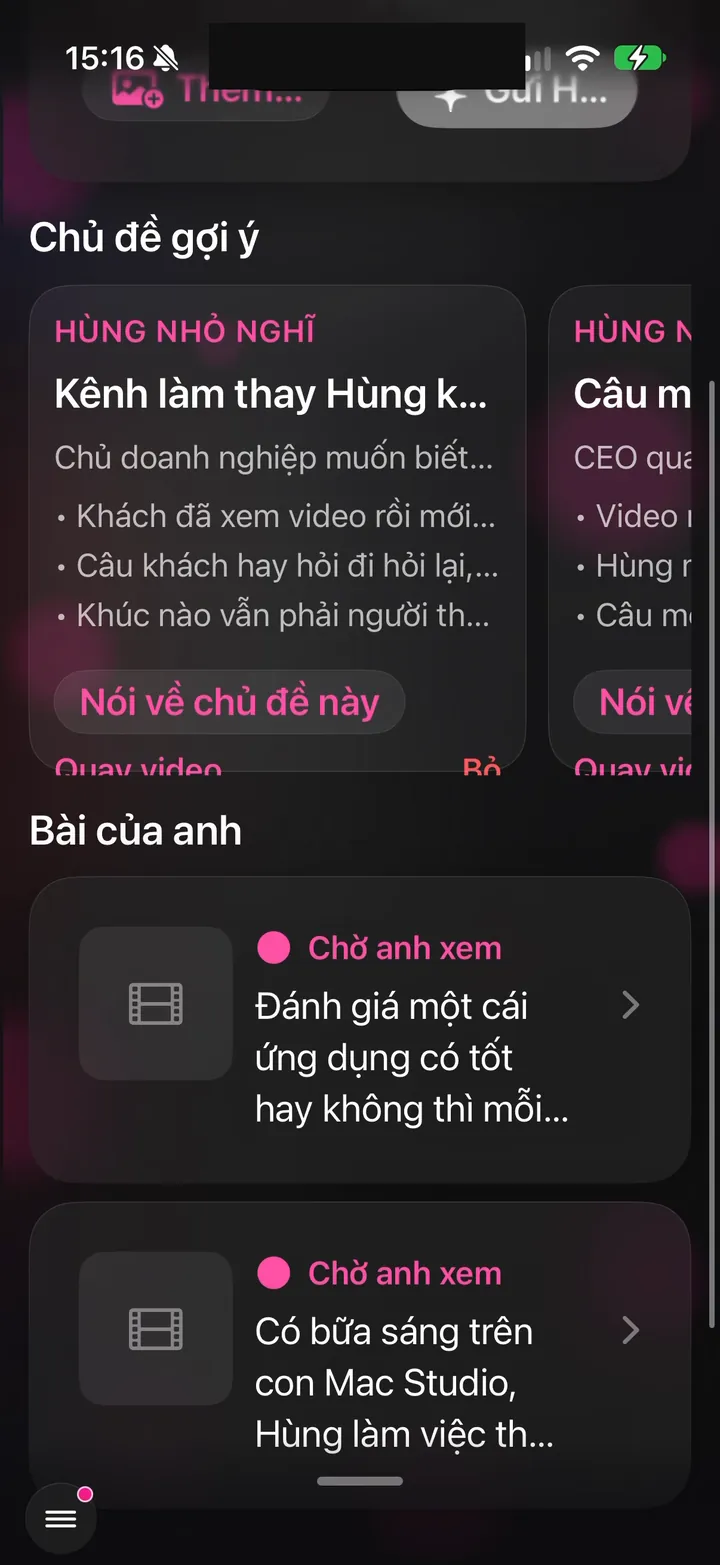
Real screen of Khánh Hùng's Hùng nhỏ AI app. Posts: suggested topics and ready-written copy in Khánh Hùng's voice
11Android

Share videos with captions to social apps

What you get

For any channel you'd rather post to yourself, the app copies the caption for you. Then it opens TikTok, Instagram, Threads or Facebook with the video. Just paste the caption and tap post. No downloading the video and retyping the text.

Why it's hard to build

TikTok and Instagram don't accept captions from outside apps when you share a video. The app has to copy the caption to the clipboard first, then open the target app. Android 14 allows extra custom buttons in the share sheet, like "Copy caption". Buffer, Hootsuite and Later also use this kind of manual posting reminder.

Real screen of Khánh Hùng's Hùng nhỏ AI app. Video projects: captions written, scheduled on 7/7 platforms, feedback box for the video
12Android

Quick send to regular customers right from the share sheet

What you get

When you share a price list or a video into the app, the share sheet already shows the 3 customers you message most. Tap to send it straight into your inbox thread with that customer. No opening the app and looking up the name.

Why it's hard to build

The app has to push the list of regular customers to the system share sheet and keep it updated by how often you message them. It only makes sense when the inbox can actually message that customer. WhatsApp, Messenger and Telegram do this, social media management apps rarely do.

See total views across every channel

1 features
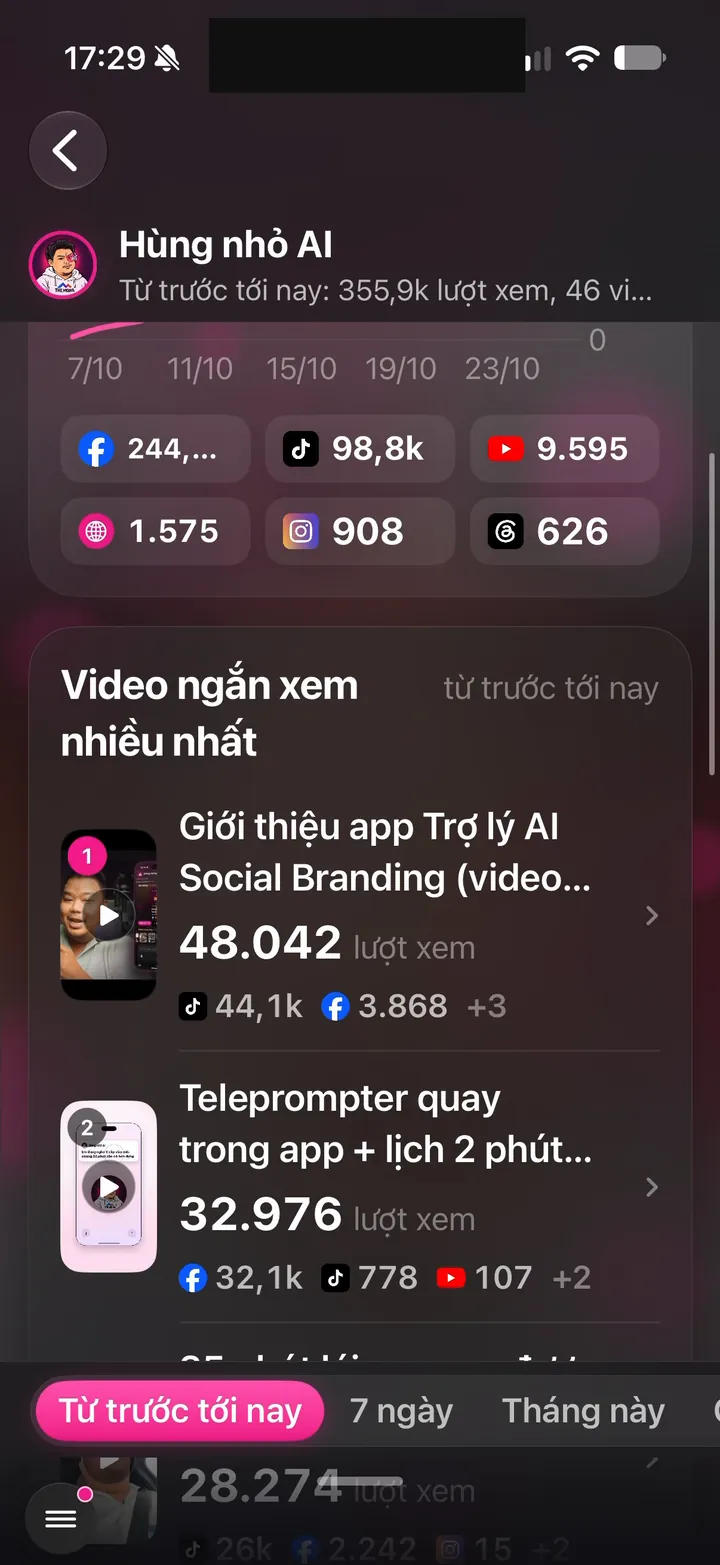
Real screen of Khánh Hùng's Hùng nhỏ AI app. View report: 355.9k views, Facebook 244k, TikTok 98.8k
13iPhoneAndroid

Growth: total views across all channels

What you get

The Growth screen puts total views since day one at the top, with a daily growth line and the top video. Below is a per-channel table. As of Oct 20, Khánh Hùng's channels had over 258,000 views and over 12,000 followers. Tap a video to rewatch it instantly.

Why it's hard to build

The numbers are scattered across 6 platforms, each with its own way of counting and its own delay. The server pulls them into one place, adds them up correctly and never double-counts reposts. Sample numbers in demo mode always carry their own label and never mix with real ones.

A nudge when the week is short on videos

1 features
Real screen of Khánh Hùng's Hùng nhỏ AI app. This week's posting schedule: 9 videos live, 2 open slots
14iPhoneAndroid

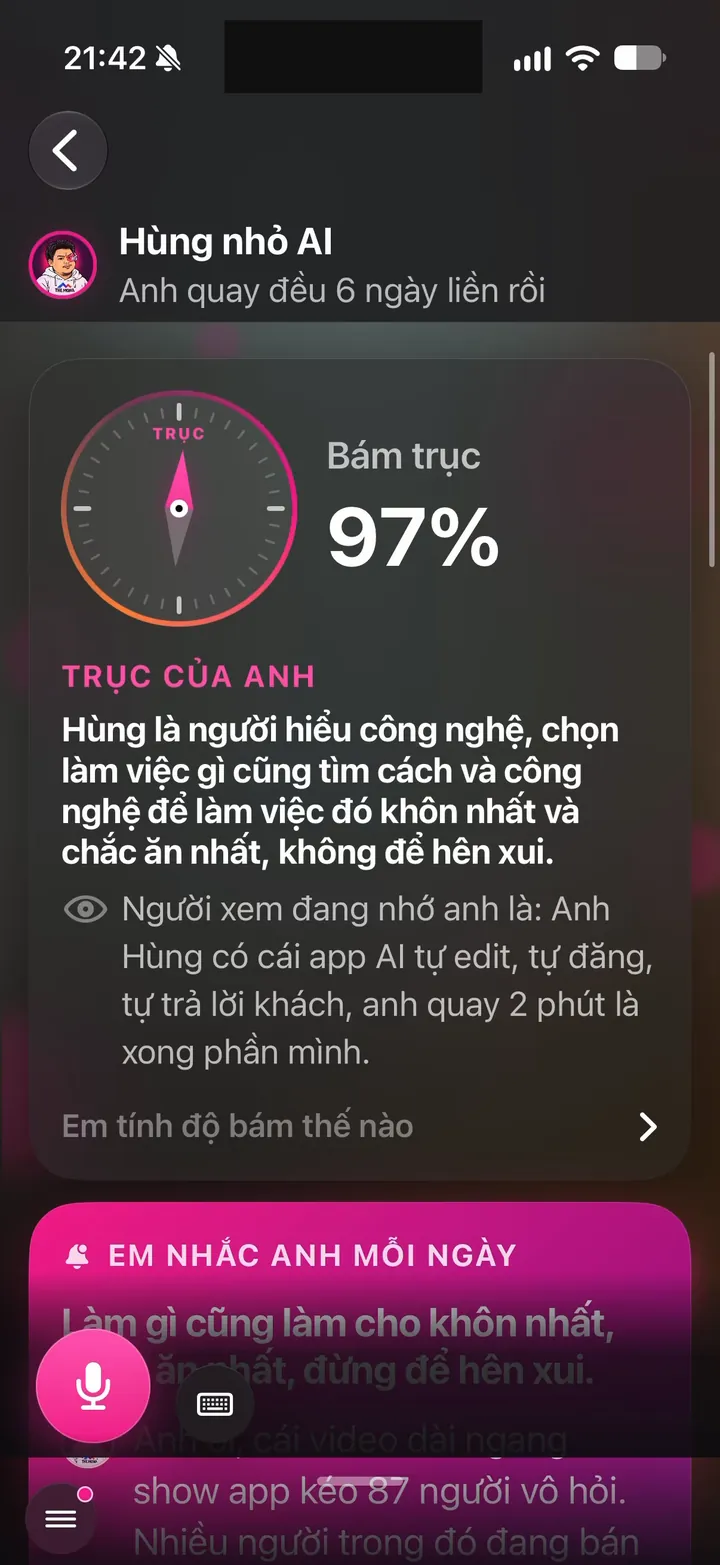
Discipline assistant: reminds you when the week is short on videos

What you get

Building channels takes steady work for at least a year. The discipline assistant counts how many videos this week is still short of your plan, then reminds you before the weekly reset. You don't have to keep track yourself. Your channels stay consistent without anyone nagging you.

Why it's hard to build

Reminders have to be well timed and rare enough not to annoy. The system works from each plan's actual video quota and your existing posting schedule. Notifications are rescheduled every time you open the app, so you never get a stale reminder right after you finish recording.

See the next posting slot on your home and lock screens

3 features
Real screen of Khánh Hùng's Hùng nhỏ AI app. Home screen: 4 videos being edited, "I'll let you know when they're done", 57 videos edited
15iPhone

4 home screen widgets

What you get

Quick send shows the cover of your latest recording; tap it to open the Publish screen with that video already selected. Next slot shows your nearest posting time and whether a video is ready for it. Progress shows which stage your video is at. Assistant's Today puts growth, posting schedule, and progress in one large widget.

Why it's hard to build

Widgets run separately from the app, so they read data from the server with a shared sign-in key that still stays locked away. The background is a pre-blurred video cover, so widgets look good without draining the battery. Widget colors follow each person's Brand Anchor. Few video editing apps have widgets that show real editing progress.

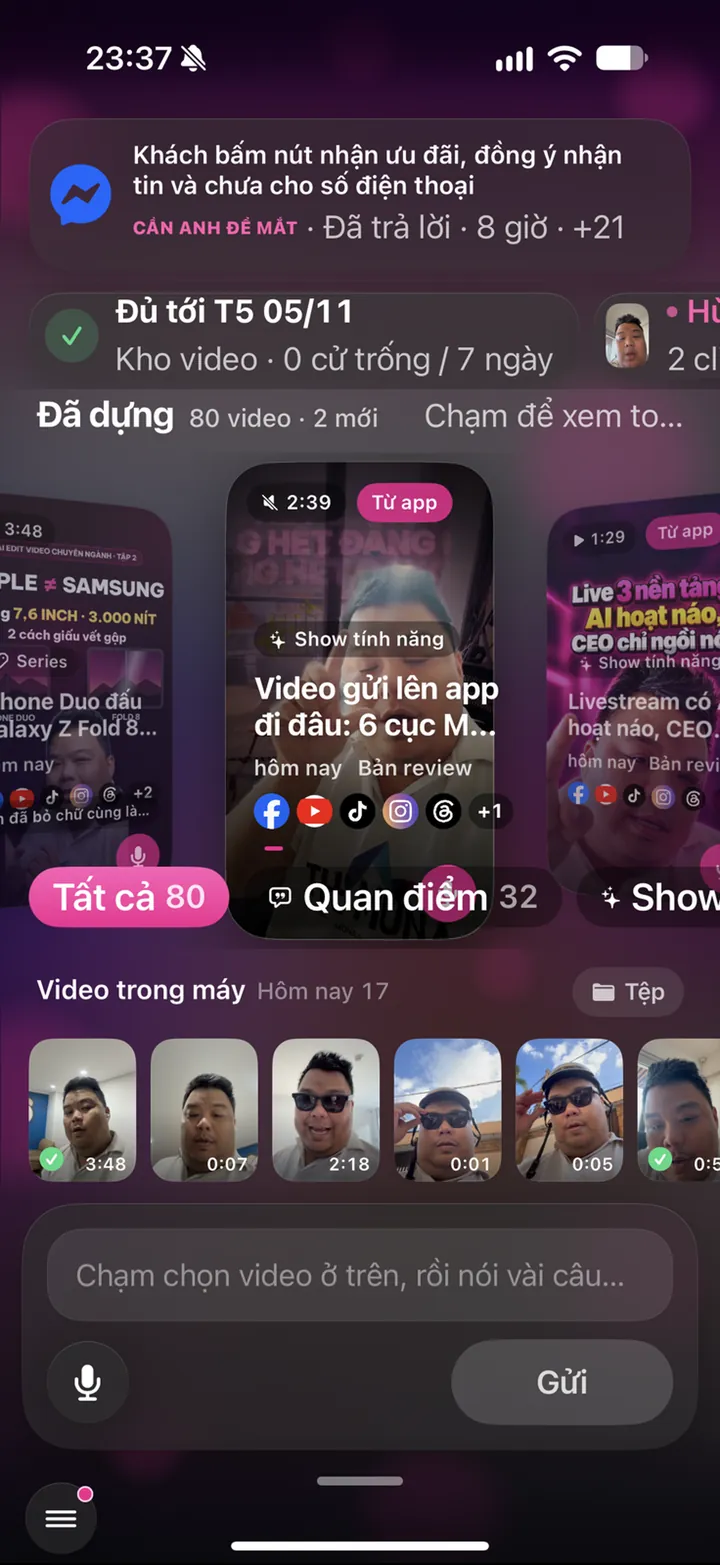
Real screen of Khánh Hùng's Hùng nhỏ AI app. Home screen: 80 edited videos, enough to post through Thursday, Nov 5
16iPhone

Lock screen widgets in 3 sizes

What you get

Right on your lock screen, see your next posting slot and the stage of the video in progress. Comes in circular, rectangular, and a single line above the clock. No need to unlock the phone.

Why it's hard to build

Lock screen widgets get only a few colors and very little space, so each one has to show the single number most worth seeing. They share data with the home screen widgets so the two never disagree. They must work even before the phone is unlocked for the first time after a restart.

Real screen of Khánh Hùng's Hùng nhỏ AI app. Home screen: 39 edited videos, Phone videos strip and Files
17Android

Quick send and Today widgets for Android home and lock screens

What you get

The Quick send widget has 3 buttons: Record, Send, Talk. The Today widget shows your video moving through 6 stages, your next post, and how far ahead your video library covers, just like on iPhone. While a video is processing, the widget refreshes every 5 minutes.

Why it's hard to build

A web-wrapped app has no widgets out of the box, so the native Android part had to be written separately. Widgets need their own sign-in key, encrypted with the phone's hardware keystore. When the session expires, the widget asks you to open the app instead of showing wrong numbers.

Related features

Other job groups in the app

27 features

Recording as easy as talking

9 features

Stay true to your style

12 features

Safe to use for years

From one feature to a whole channel-building system

You record and give instructions on your phone. The assistant edits, posts and monitors your channels, all in one app.

See all 101 features