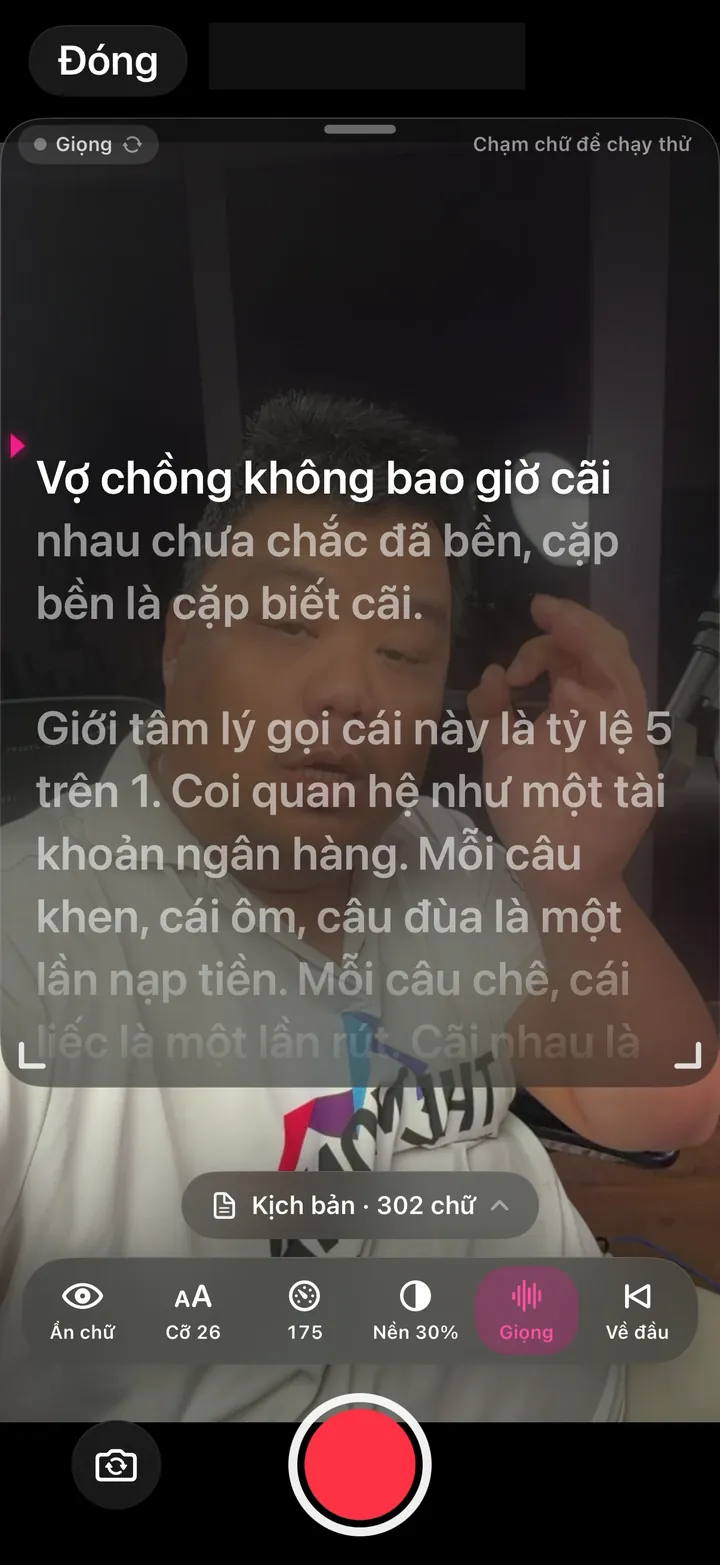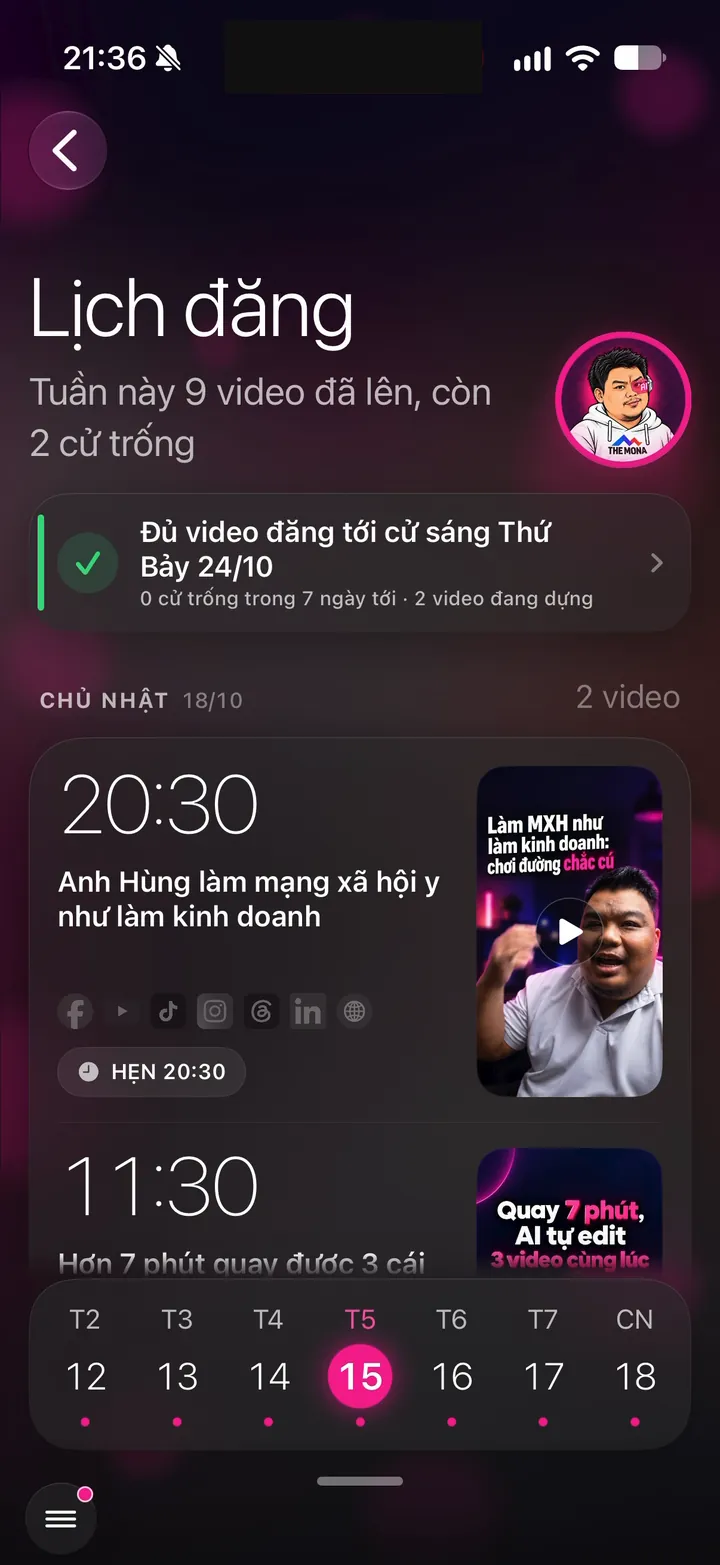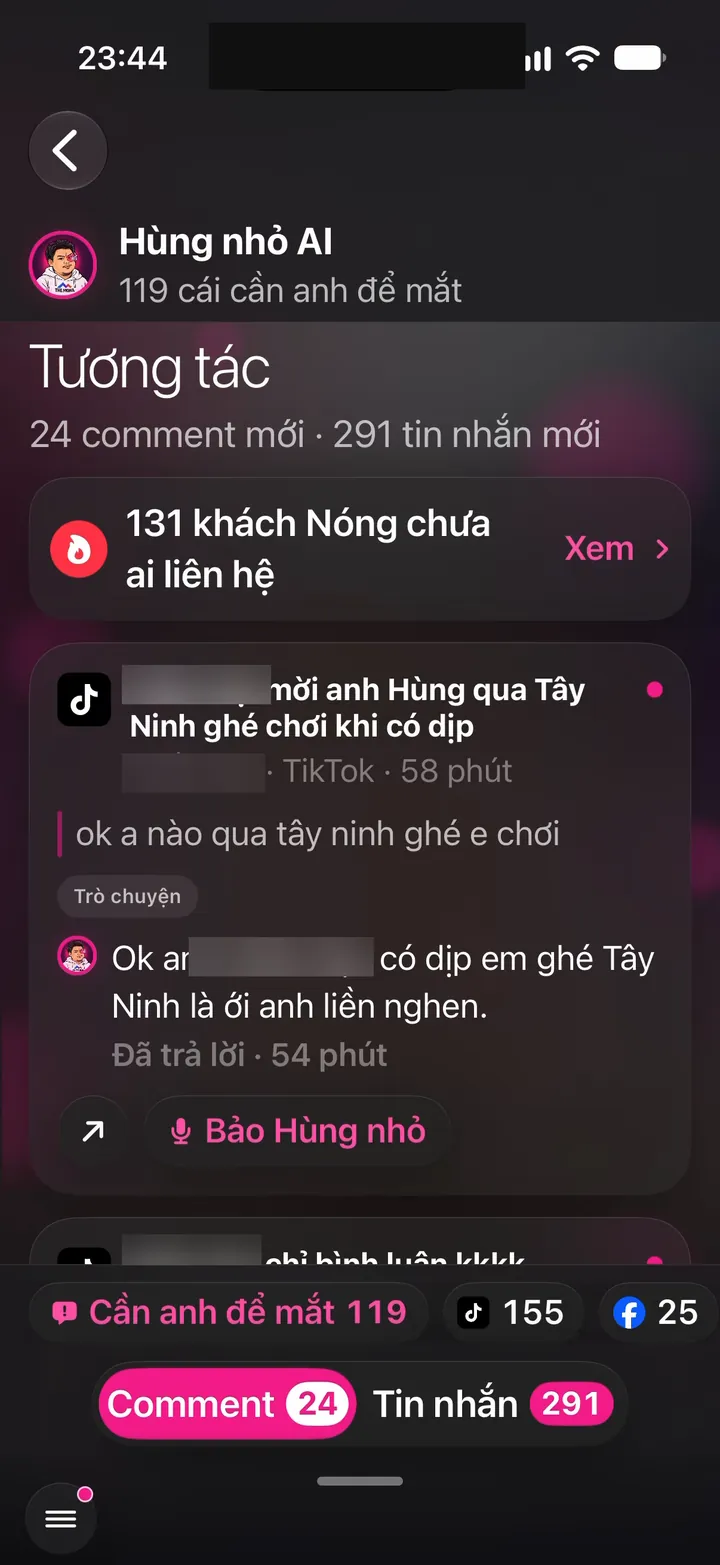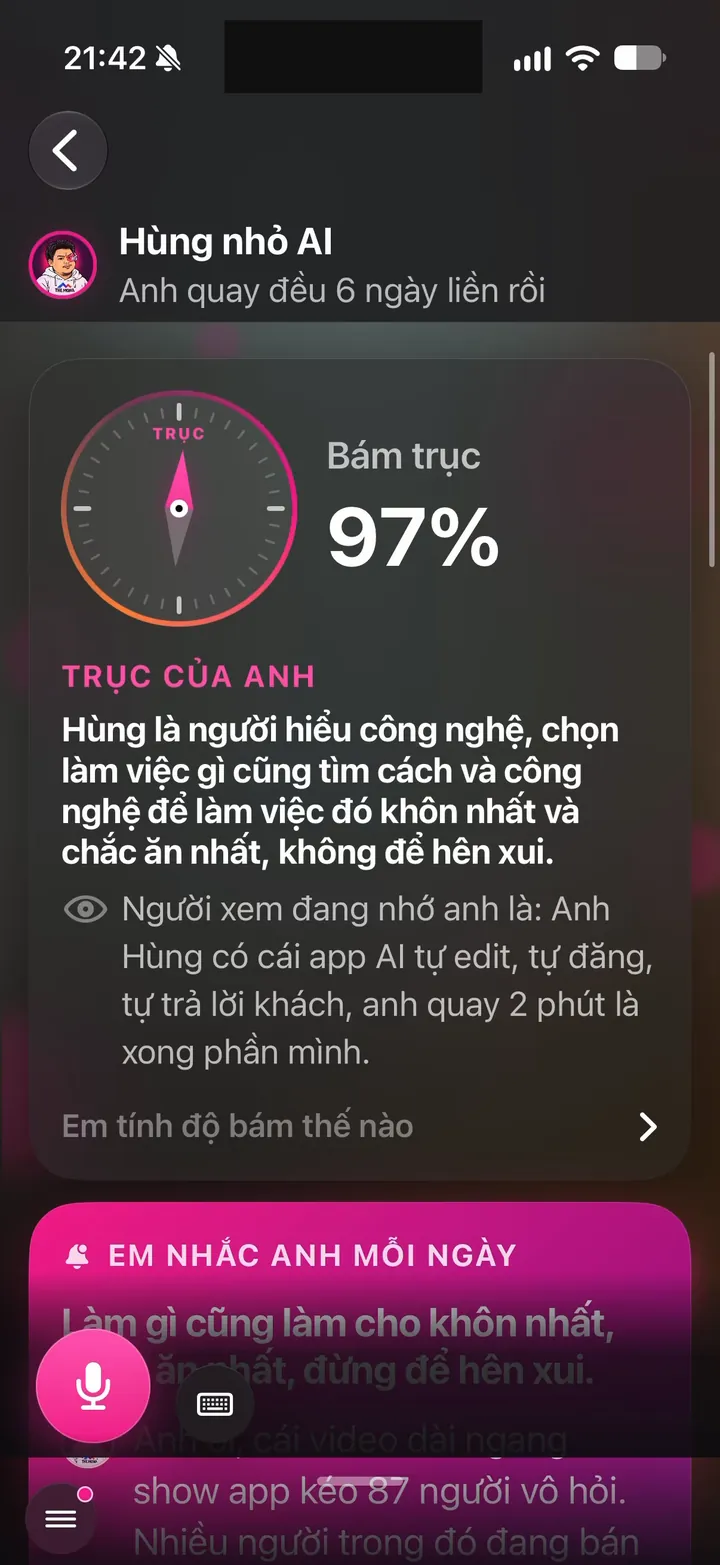
nhanhieu.ai

24 features - Videos without hiring an editor

Video editing and review features: raw clips become ready-to-post videos, feedback down to the second

AI cuts the stumbles and cleans up your voice. Subtitles, visuals and music are edited in your own style. Your phone tells you how far the edit has come.

The full 10-step process AI uses to edit a video is on the page for our AI video editing app.

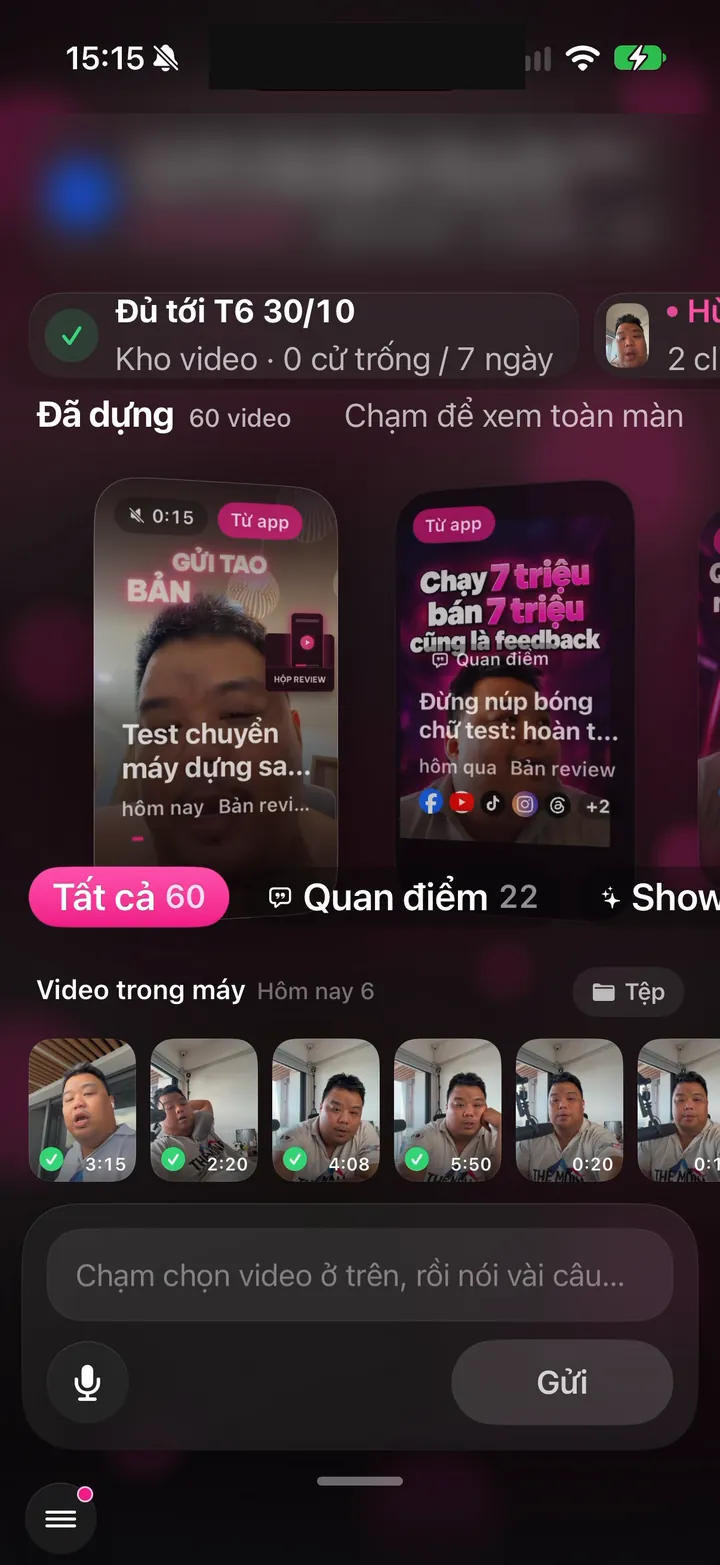
Real Hùng nhỏ AI app screen: Home screen: 80 edited videos, enough to post through Thursday, Nov 5
iOS - Android

Try it free with your own clip

1 features
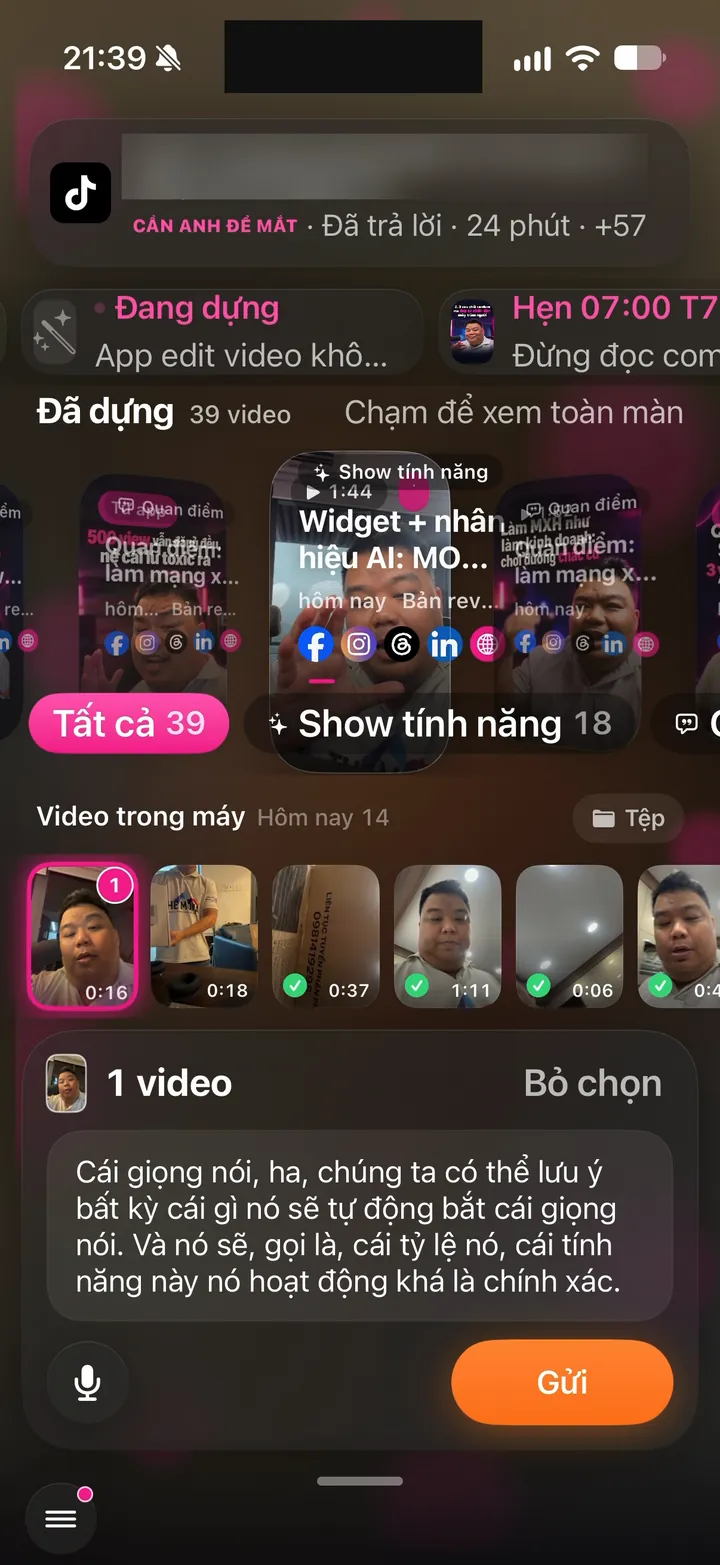
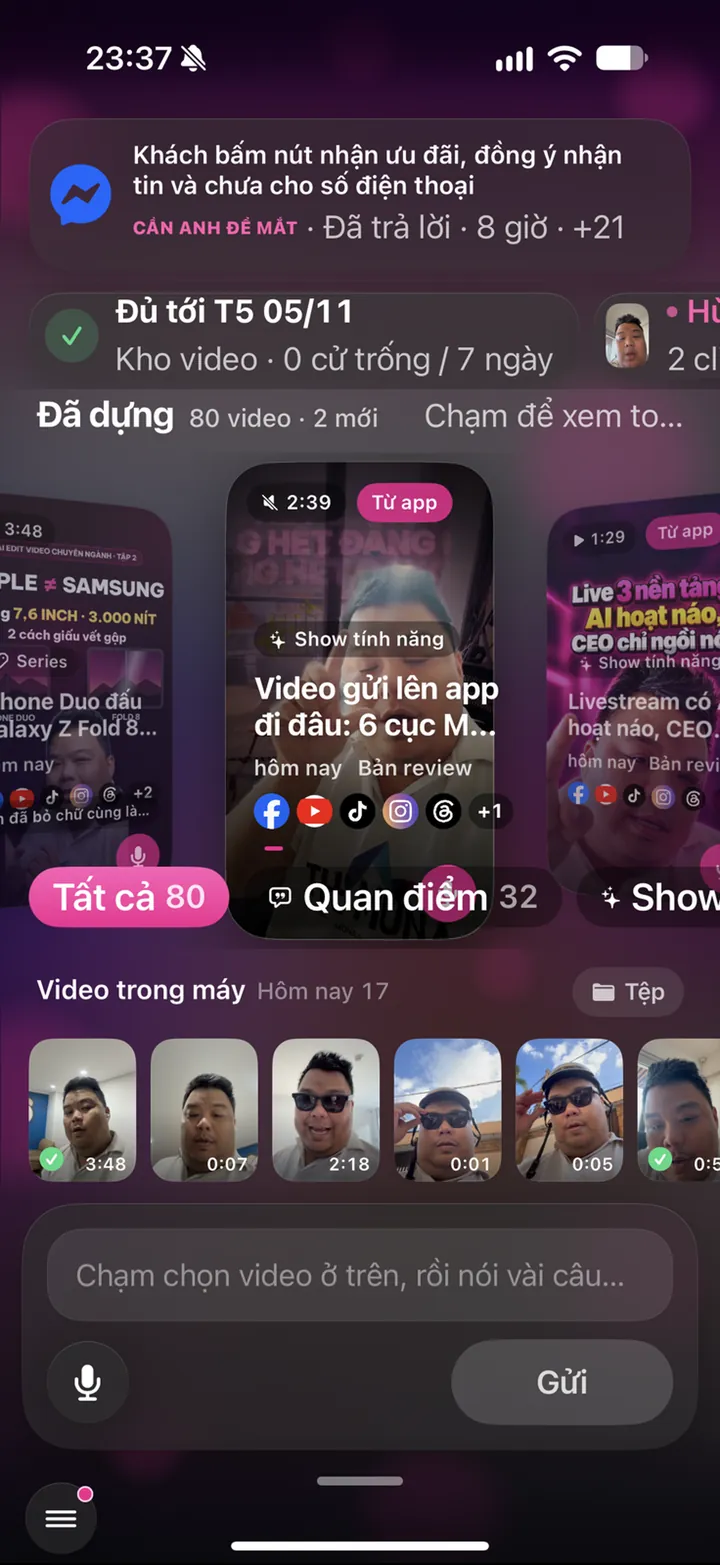
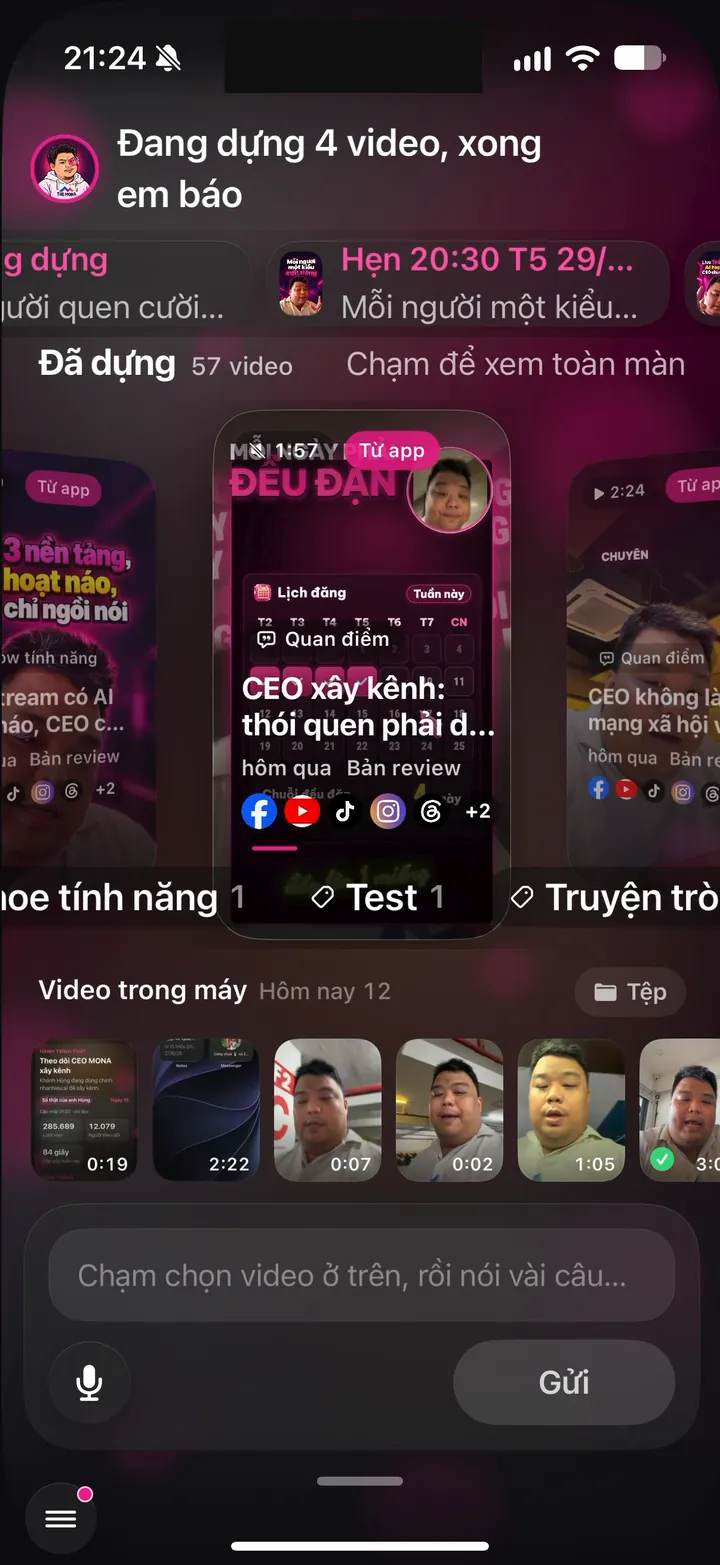
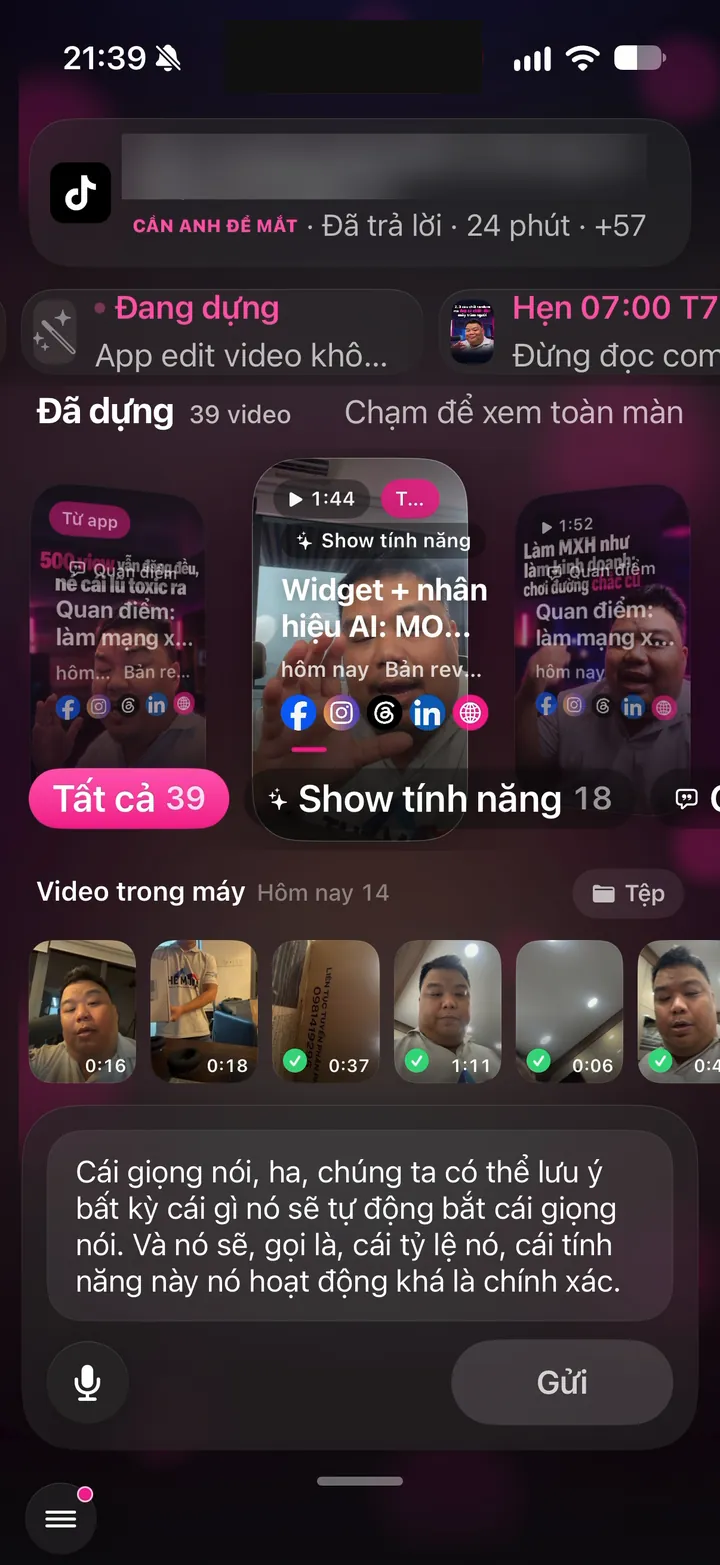
Real screen of Khánh Hùng's Hùng nhỏ AI app. Home screen: 4 videos being edited, "I'll let you know when they're done", 57 videos edited
01iPhoneAndroid

Try a free 15-second AI edit

What you get

Sign in, send a vertical clip you shot yourself, and watch a 15-second edit right in the app. See your own clip turn into a video with subtitles and visuals. Each account gets 3 tries. No sales call, no extra software to install.

Why it's hard to build

The trial runs on the real editing pipeline, not a pre-made sample video. The server has to queue trial edits separately so they don't cut ahead of Pro clients. The system also blocks mass sign-ups made to farm trials, blocks duplicate clips, and caps tries per day. Most AI editing apps only show you someone else's sample videos.
AI edits the whole video from a raw clip

4 features
Real screen of Khánh Hùng's Hùng nhỏ AI app. Just tapped Send: an Editing row appears at the top of the screen
02Server

AI edits the whole video: cuts stumbles, adds subtitles, visuals, music

What you get

Your phone clip becomes a finished video: stumbles, repeats and silences cut, Vietnamese subtitles added, visuals that match what you say, plus music and sound effects. You don't write captions, pick music or mark what to cut. A full-time editor used to spend 4 to 5 days on a video like this. Khánh Hùng records 2 minutes a day, and some days that turns into 7 to 8 videos.

Why it's hard to build

Behind it is a 6-station pipeline: listen, rough cut, understand, build visuals, score pacing, schedule. Every video has to hit at least 7 scene changes per minute before it's delivered, or the system edits it again. Visuals have to match what the speaker means, because one wrong word is a professional mistake. Popular AI editing apps usually just add subtitles and cut silences, leaving you to tweak for hours.

Real screen of Khánh Hùng's Hùng nhỏ AI app. Home screen: edited video cards with icons for every channel they were posted to
03Server

Visuals with your profession's own flavor

What you get

A doctor's video gets medical imagery, a financial expert's gets money and charts, a software maker's gets app windows and lines of code. Viewers know whose channel it is at a glance. Colors, fonts, pacing and music match that person too.

Why it's hard to build

Each client has an 8-layer Brand Anchor: color, object world, materials, typography, pacing, sound kit, effect intensity and custom callouts. The editing system has to follow all 8 layers in every video. For any layer the client hasn't defined, the system infers it from their profession and brand persona. Batch editing tools usually share one template for everyone, so every video looks the same.

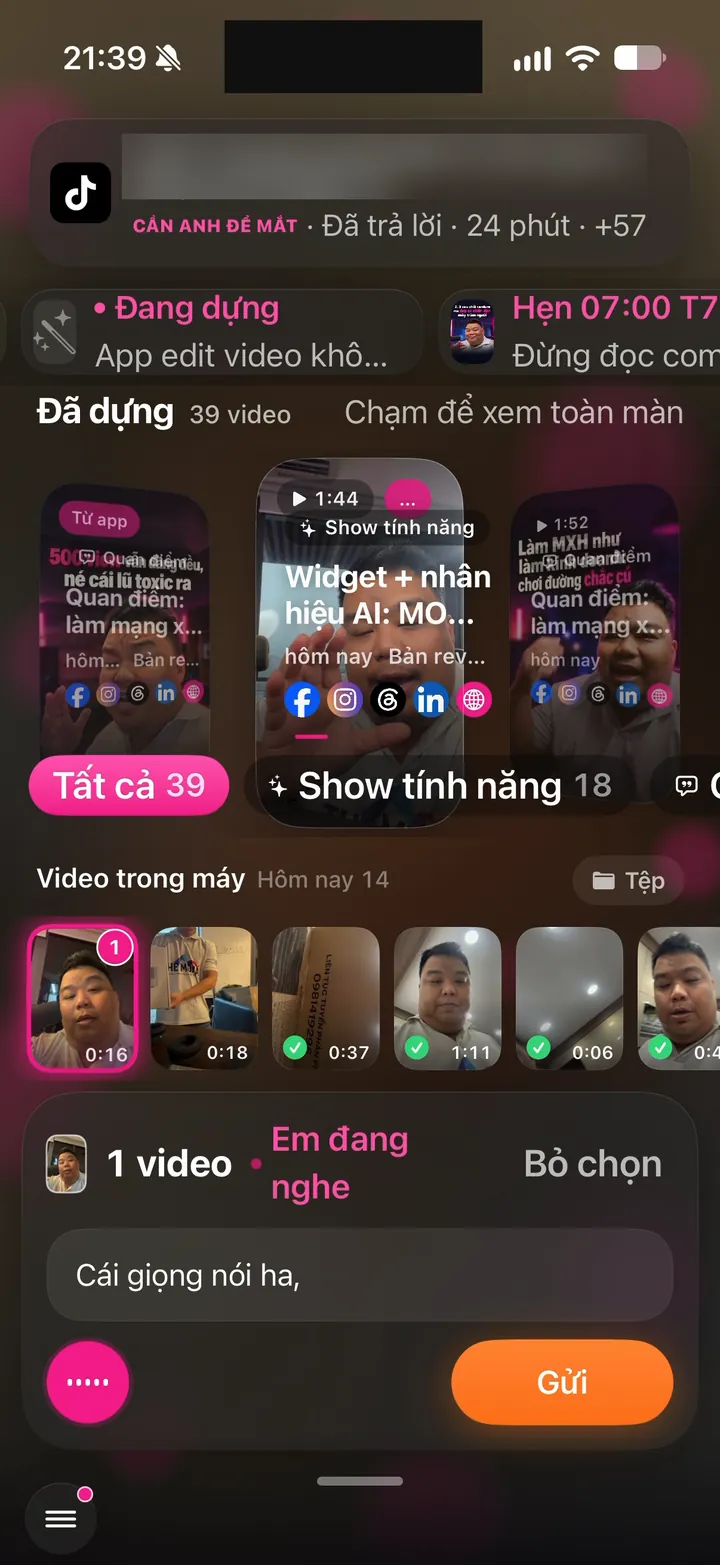
Real screen of Khánh Hùng's Hùng nhỏ AI app. Pick 1 clip, speak your instructions, the text fills the box, then tap Send
04Server

Clean voice even when you record in a crowd

What you get

Record in a coffee shop, hotpot restaurant or office lobby with your phone mic, and the system detects the noise and cleans up your voice. Your video sounds clear and the subtitles get the words right. No need to buy a noise-canceling mic just for a few clips.

Why it's hard to build

The system has to measure background noise, other people talking over you and how loud the main voice is before deciding whether to filter. In borderline cases it also looks at a video frame to guess where you're recording. After filtering it has to re-listen to make sure every word survived, without mixing the noise back in. Apps usually only offer a manual noise reduction toggle, not an automatic decision for each clip.

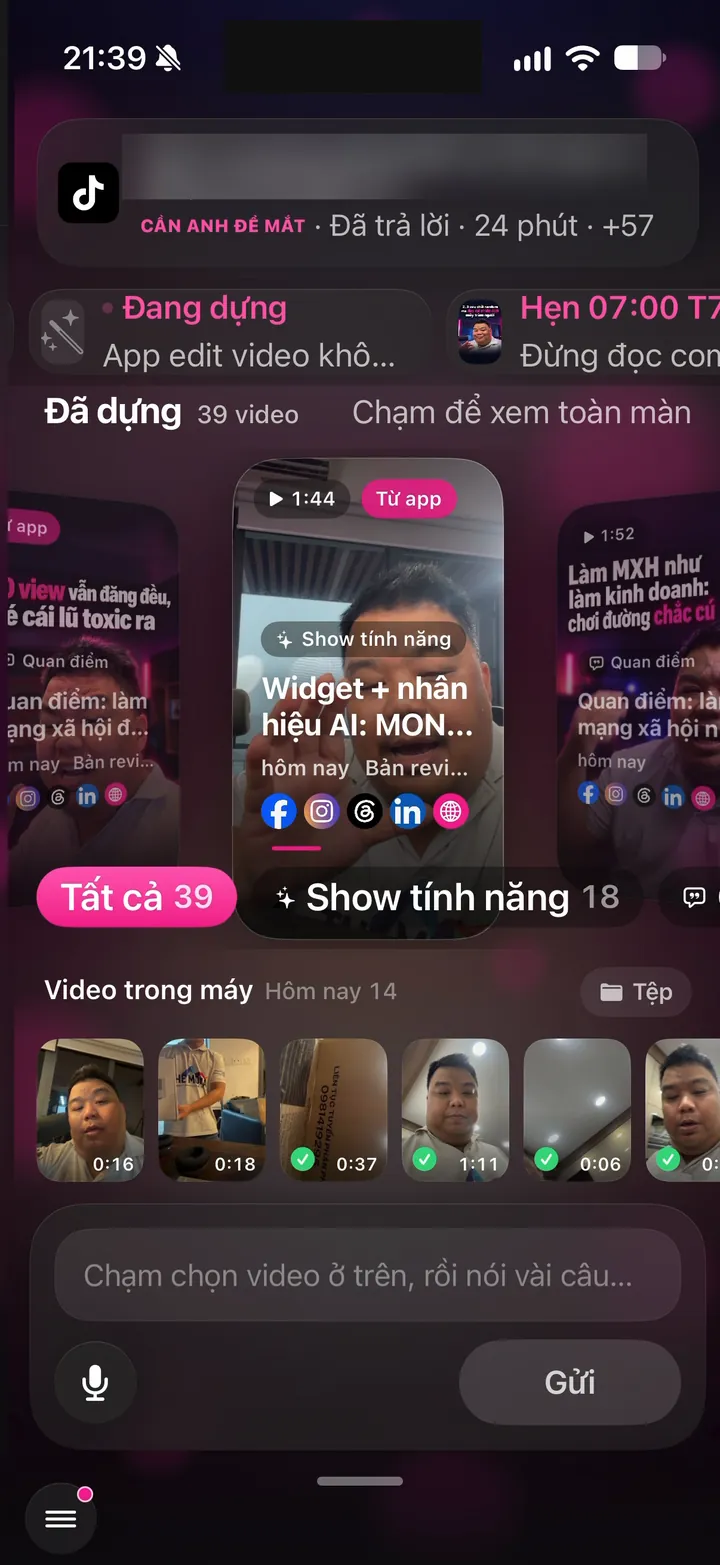
Real screen of Khánh Hùng's Hùng nhỏ AI app. Home screen: 39 edited videos, Phone videos strip and Files
05iPhoneAndroid

Send several clips at once, get one video

What you get

You film three segments in three places, select all three and tap send once. The system joins them in the right order into one video. Extra shots you filmed on purpose, like your storefront or a dish, go in the right spots. Shots that show the location stay on screen long enough for viewers to recognize it.

Why it's hard to build

The system has to know which clip is the main talk and which is supporting footage. From supporting footage it keeps only the good parts and drops anything shaky or blurry. One send with many clips must become exactly one project, never split into separate videos. Typical editing software makes you drag each clip onto the timeline yourself.

Watch the edit and give feedback by the second

2 features
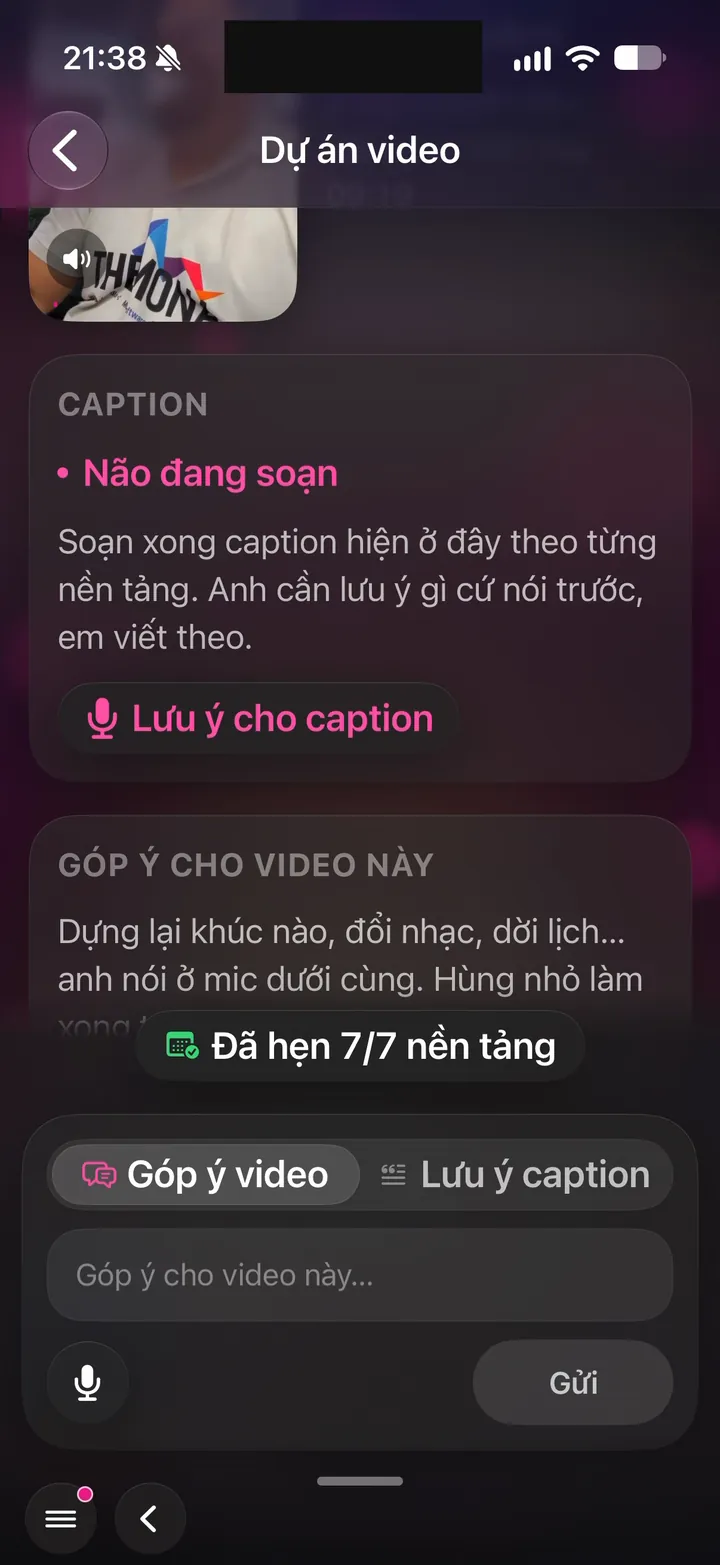
Real screen of Khánh Hùng's Hùng nhỏ AI app. Video projects: captions written, scheduled on 7/7 platforms, feedback box for the video
06iPhoneAndroid

Second-by-second feedback, up to 2 rounds of revisions

What you get

Once the edit is ready, you watch it right in the app. See something you don't like? Pause on that exact second and speak or type your feedback, like "at second 34, use a different shot". The system fixes exactly that spot, and the old video stays until the fix is done. Pro customers get up to 2 revision rounds per video.

Why it's hard to build

Feedback has to attach to the exact second and the exact scene in the edit, not a generic message box. The editing system takes feedback in plain language and works out which layer to change. The old version keeps its posting schedule until the new one passes, so your channel never goes empty. Outsourced editing services usually take feedback over chat, and each round costs a full day.

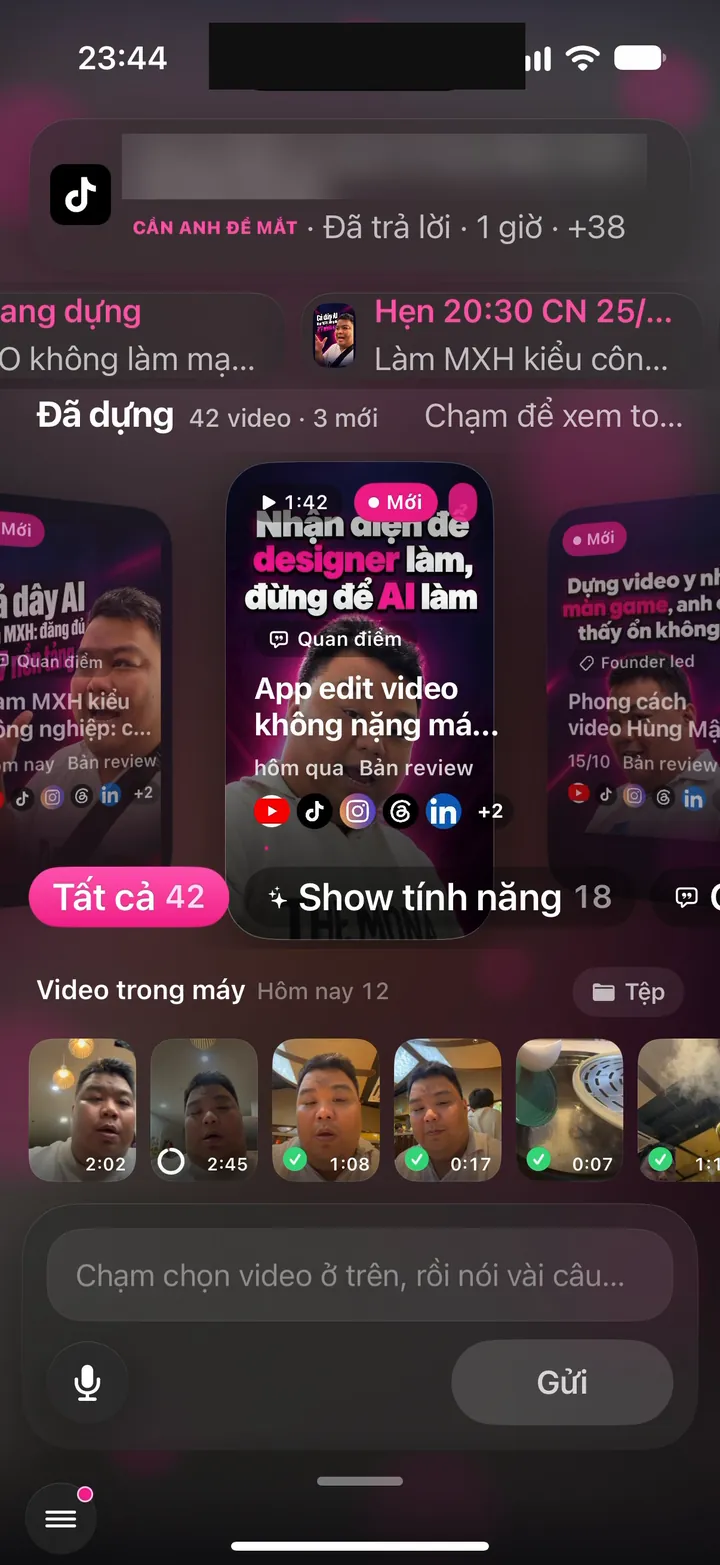
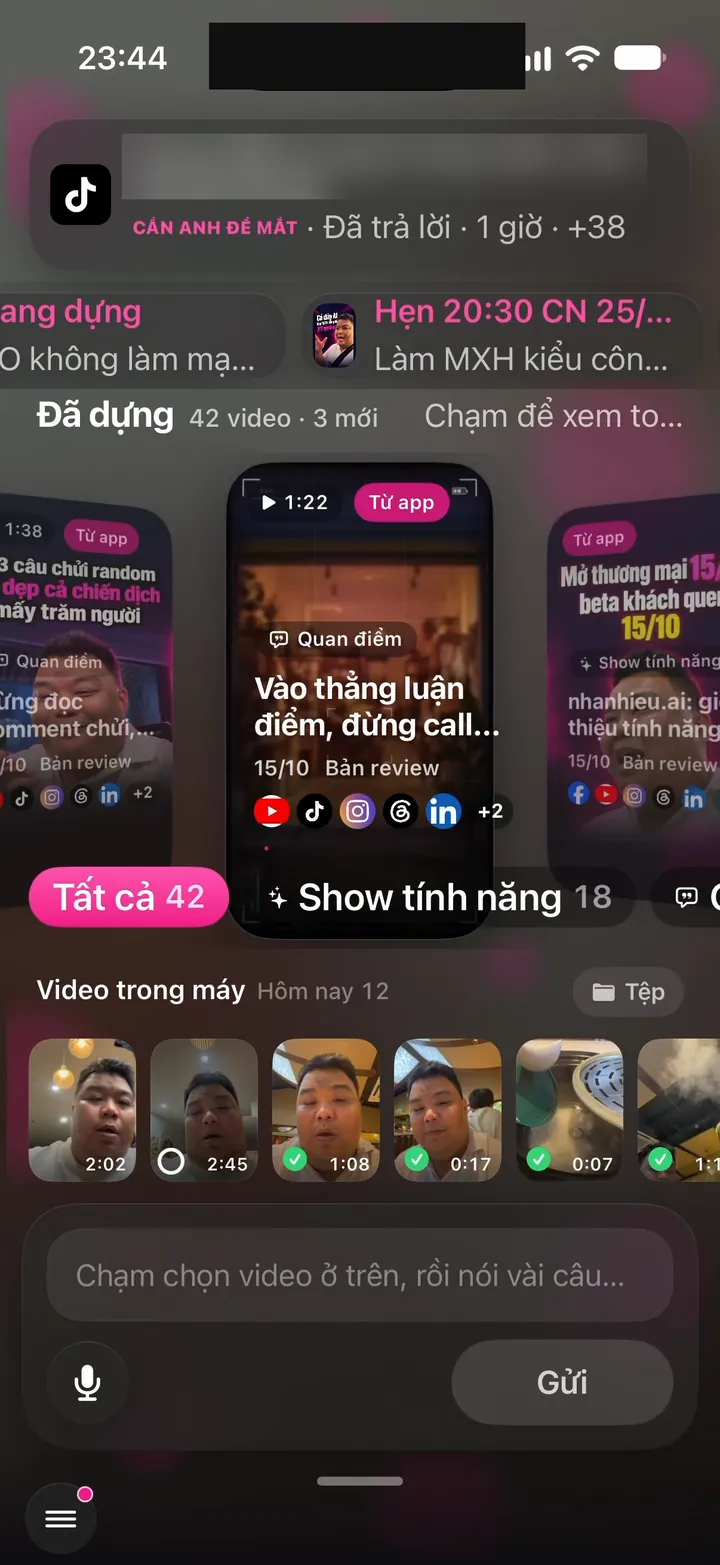
Real screen of Khánh Hùng's Hùng nhỏ AI app. Home screen: 42 edited videos, phone videos, voice box and Send button
07iPhone

Instant playback of edits, smooth scrubbing

What you get

Tap the video-ready notification and the full-screen player opens directly, with sound, second-by-second feedback and the posting schedule. The next video is already preloaded, so swipe and it plays instantly. Drag the scrub bar to see a close preview, let go and it jumps to the exact second.

Why it's hard to build

The app preloads the videos on either side without filling up your phone's storage. Channel info is cached per customer, so it reopens almost instantly instead of taking nearly a second. Cover images and video lengths are prepared on the server ahead of time, so the screen never waits. A video player like this usually only exists in big social media apps.

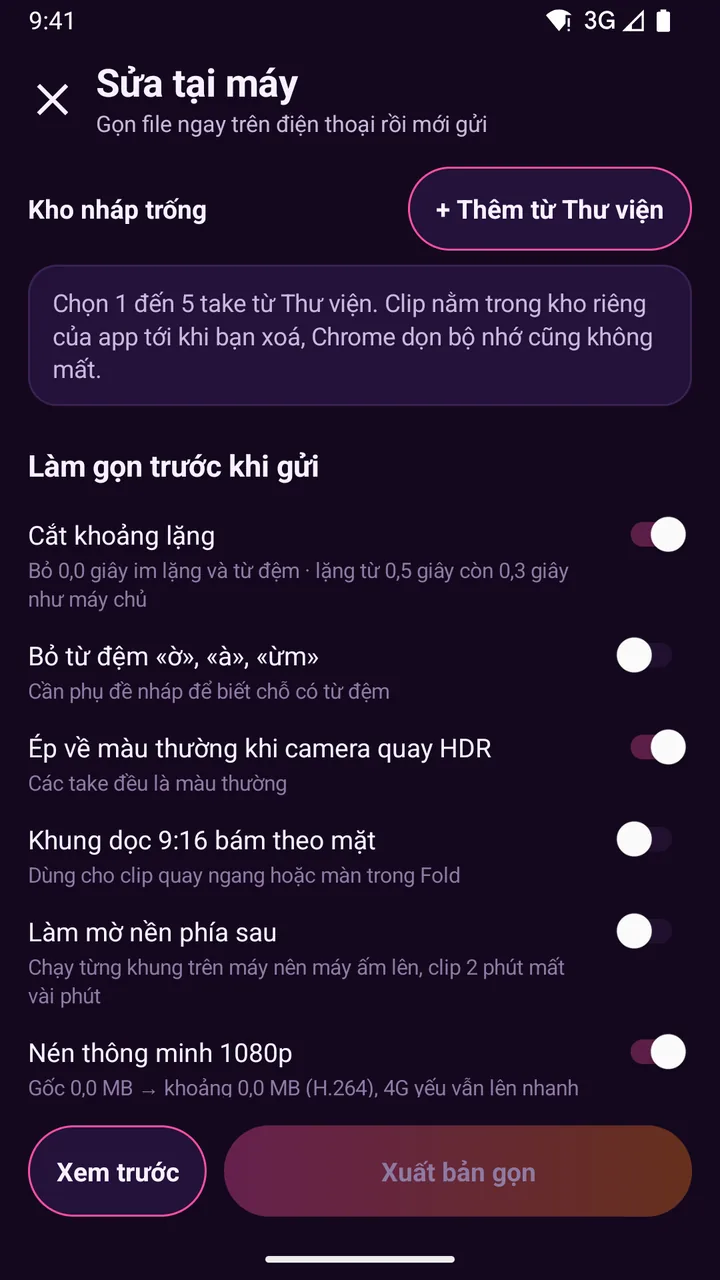
Quick fixes on your phone before you send

13 features
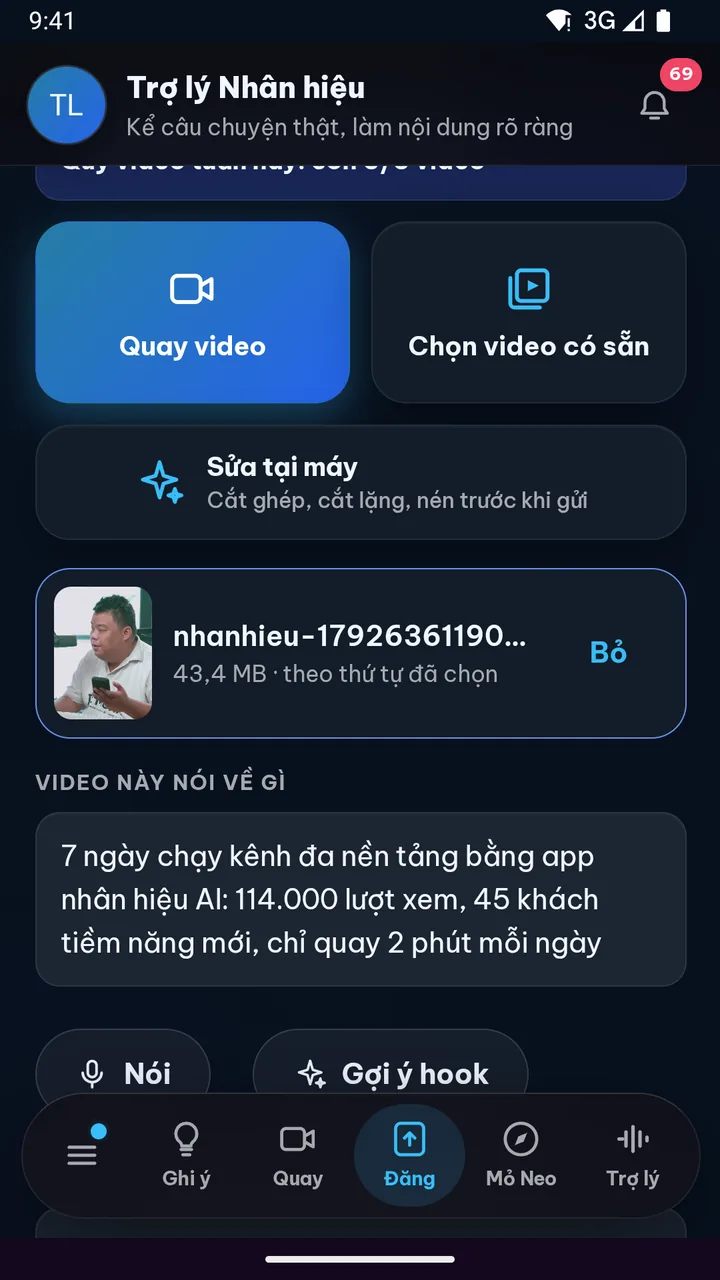
Real photo illustrating Smart compression before sending
08Android

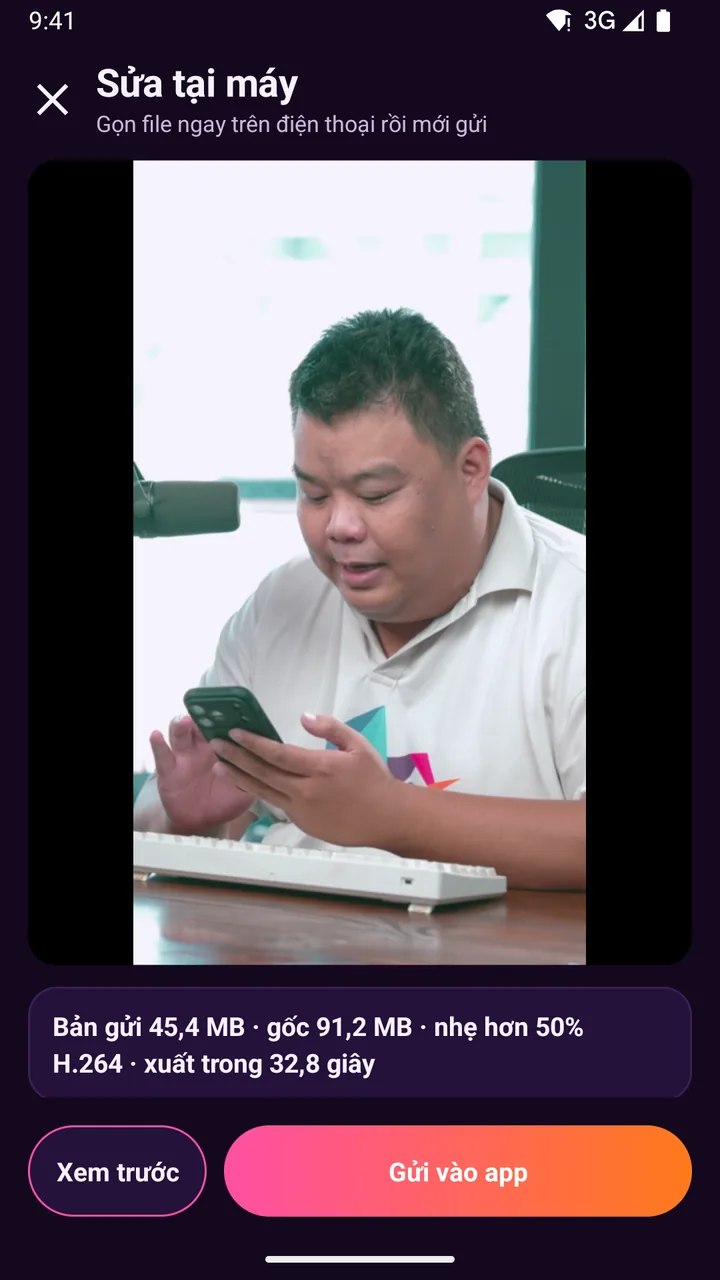
Smart compression before sending

What you get

A 2-minute clip from a phone camera weighs 200 to 250 MB. Tap Export compact and the app compresses it on the phone to 1080p before sending. Two takes went from 91 MB to 45 MB, about half the size, yet still sharp enough for the editing system to use as illustration shots. Phones with an HEVC encoding chip get even smaller files. The original stays in your drafts, so if sending fails you can redo it right away.

Why it's hard to build

Compressing video on a phone needs Google's Media3 video processing and a hardware encoding chip, and each chip family supports something different. The app checks whether the phone can encode HEVC 1080p and falls back to H.264 if not. If a clip is already light, the app never re-compresses it into a bigger file, the bitrate always stays below the original. TikTok and Instagram compress on upload, but video editing apps rarely compress ahead of time for you.

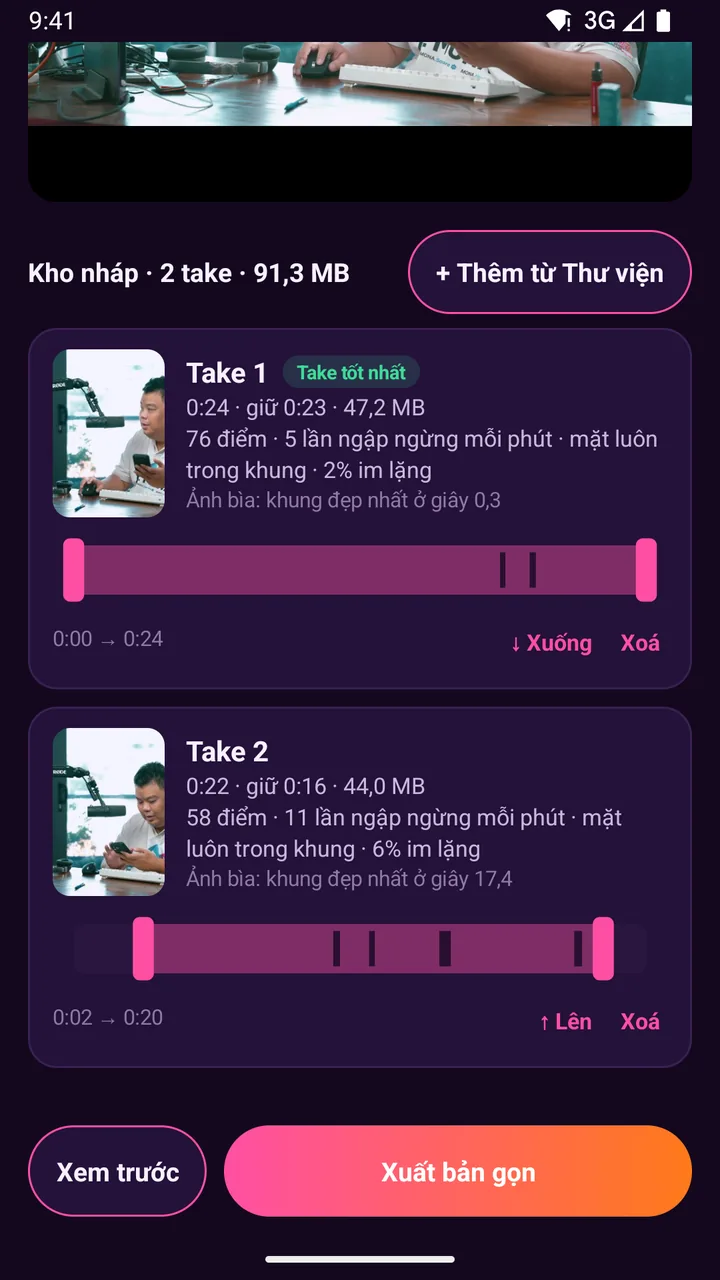
Real photo illustrating Trim, join multiple takes, preview right on the phone
09Android

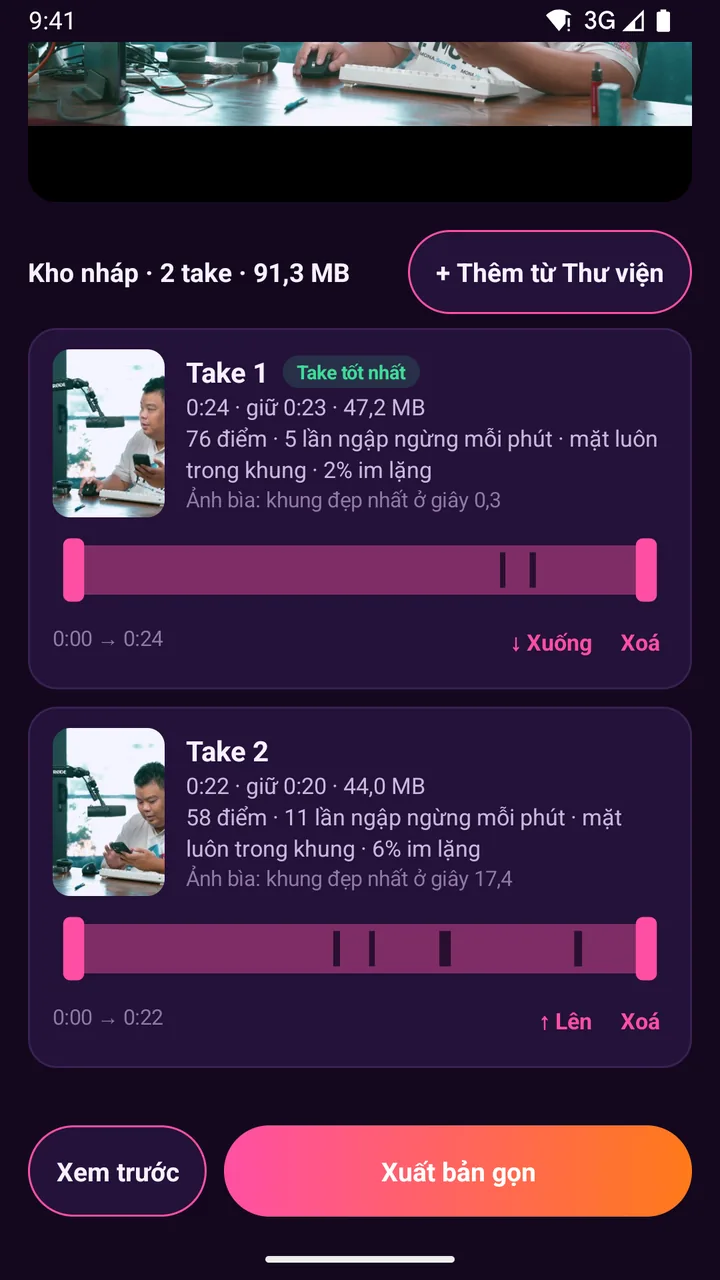
Trim, join multiple takes, preview right on the phone

What you get

You record 3 takes, drag the two handles to trim the extra bits at the start and end of each, and reorder them with the Up and Down buttons. Tap Preview to play the trimmed parts seamlessly as one video. Once joined, it goes out as one file, so the editing system doesn't have to guess what to drop. The Edit on phone button sits right in the Send video screen, and once you're done the compact version returns to the same send card.

Why it's hard to build

Joining parts of several files into one video needs Media3 Transformer to build the sequence in exact order with audio and picture in sync. The preview player has to play a list of trimmed parts as one continuous video. Sending the compact version back to the web app has to go through Chrome's share target, and the app shell library blocks files from the app itself by default, so exactly one safe folder has to be opened up. CapCut, YouTube Create and InShot can do this, but each is a whole separate app.

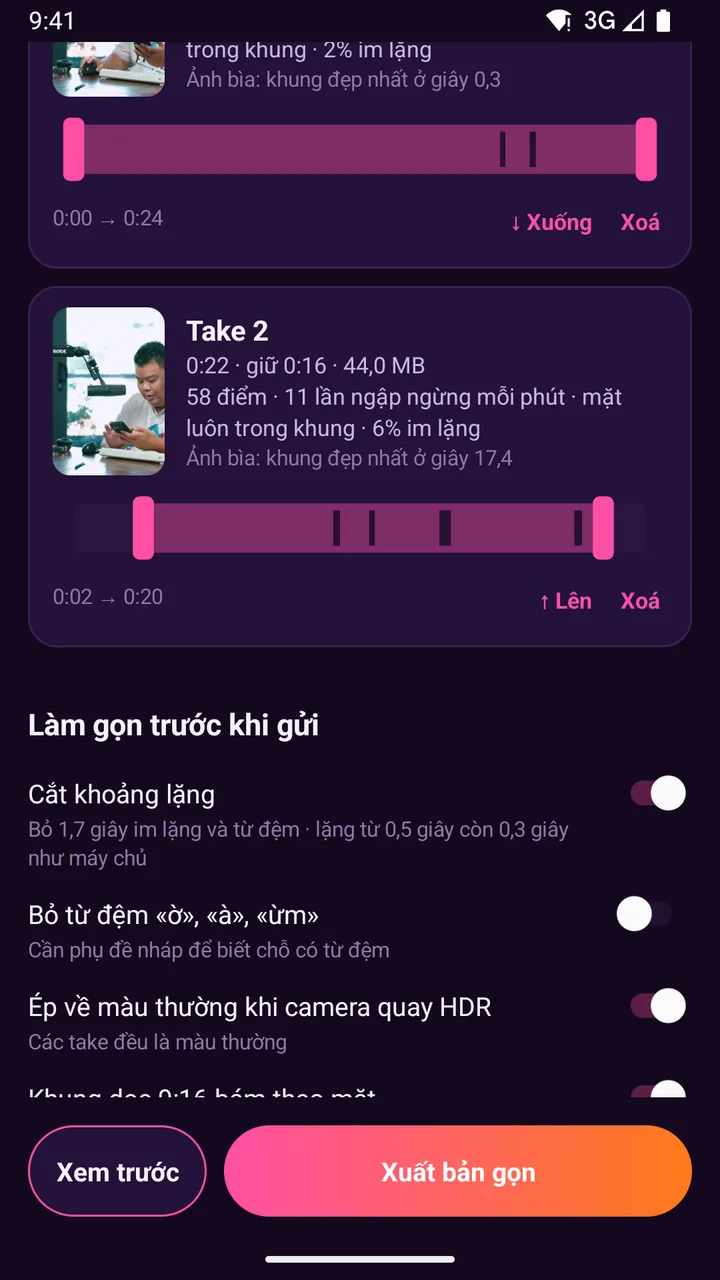
Real photo illustrating Cut silences right on the phone
10Android

Cut silences right on the phone

What you get

Silent stretches at the start, the end and while you glance at the script are cut right on the phone. The trim bar shows dark marks exactly where the silences are, and a toggle tells you how many seconds it removes. Pauses of half a second or more are shortened to 0.3 seconds, matching how the server handles them, so your speech still sounds natural. Smaller file, faster server edit.

Why it's hard to build

The app decodes the audio to 16 kHz, then measures the energy of each 20-millisecond slice to find the silences. The threshold is set from each clip's background noise, so it cuts accurately in a noisy room or a quiet one. The threshold has to match the server so the same spot is never cut twice. After cutting, the pieces are rejoined with audio and picture in sync. CapCut and Descript have a remove-silence button, but it lives in a separate editing step.

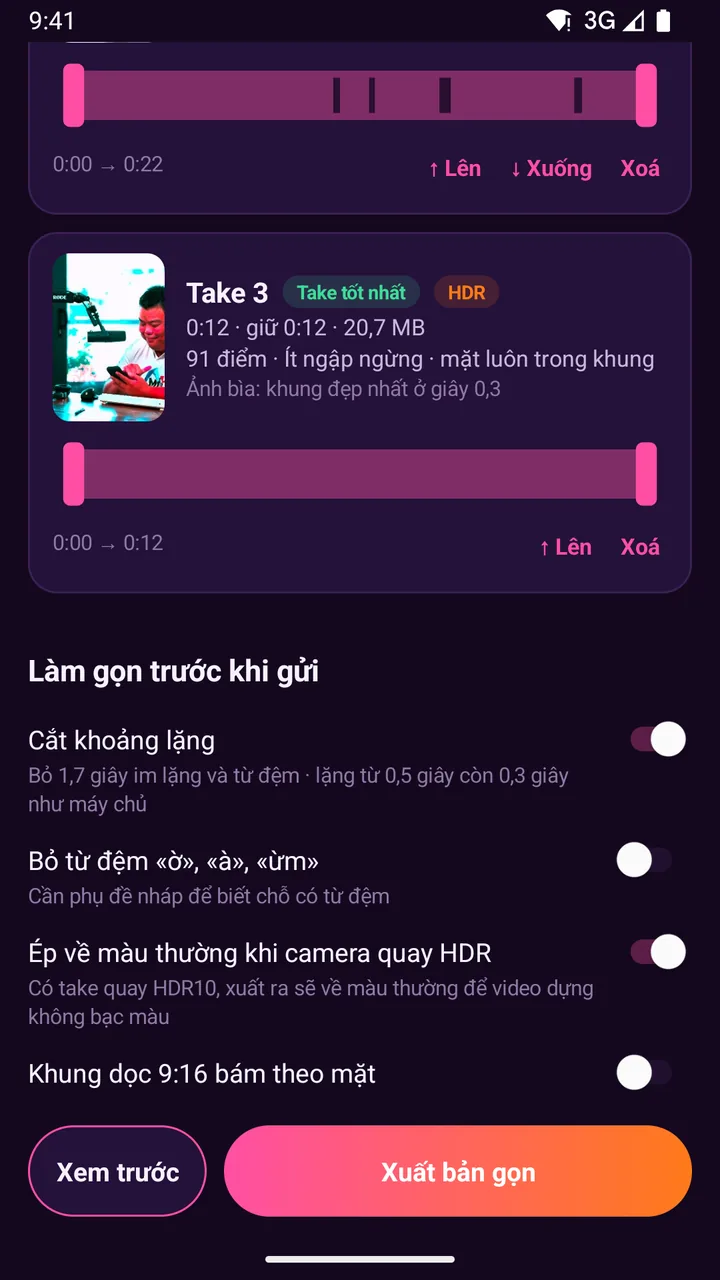
Real photo illustrating Auto-converts Samsung HDR video to standard color
11Android

Auto-converts Samsung HDR video to standard color

What you get

Samsung cameras often record in HDR10+. Posted straight to social media, the video can look washed out or blown out. The app reads the color info of each take, tags it as HDR and converts it to standard color on export. Your edited video shows true skin tones, and you never have to dig into camera settings to turn HDR off.

Why it's hard to build

Converting HDR to standard color takes either the phone's decoding chip or on-device graphics processing, and each Android generation uses a different path. The app tries the chip path first, falls back to the graphics path if the phone doesn't support it, and if neither works it says so clearly so the server converts the color. Regular files are left as is. CapCut and Instagram handle it on upload, while most small apps leave the color problem in place.

This connects directly to the HDR detection at recording time to keep color right from start to finish.

Real photo illustrating Auto-picks a great cover image and scores your best take
12Android

Auto-picks a great cover image and scores your best take

What you get

The app finds a frame with a clear face, open eyes and a smile for the cover image, and notes which second it's at. Each take gets a score with easy-to-read reasons: hesitations per minute, whether your face stays in frame, what percent is silence. The highest-scoring take gets a Best take label. No more scrubbing through every clip to choose.

Why it's hard to build

The app extracts about 18 frames per take and runs ML Kit face detection right on the phone to score smiles, open eyes and centered faces. Speakers often glance down at the phone, so eyes are only part of the score, and only frames with fully closed eyes are dropped. The take score reuses the silence measurement. CapCut and YouTube Create let you pick a cover by hand, but no app scores your takes automatically yet.

Real photo illustrating Framing follows your face when cropping to vertical
13Android

Framing follows your face when cropping to vertical

What you get

Clips shot horizontally or on the Fold's inner screen are cropped to vertical 9:16 with your face always centered. Lean over and the frame follows smoothly, no jerks. For horizontal clips the app turns on face tracking automatically, since it only edits vertical video. On real test clips, it caught the face at 111 of 115 points.

Why it's hard to build

The app finds the face center every 0.4 seconds using ML Kit with per-person tracking, staying on the speaker when someone else walks into frame. The frame's path is smoothed in both directions, then Media3 shifts the crop frame by frame on export. Everything runs on the phone, and no images are sent anywhere. CapCut and Descript have similar features, but they run on their own servers.

Real photo illustrating Blur or replace the background behind the speaker
14Android

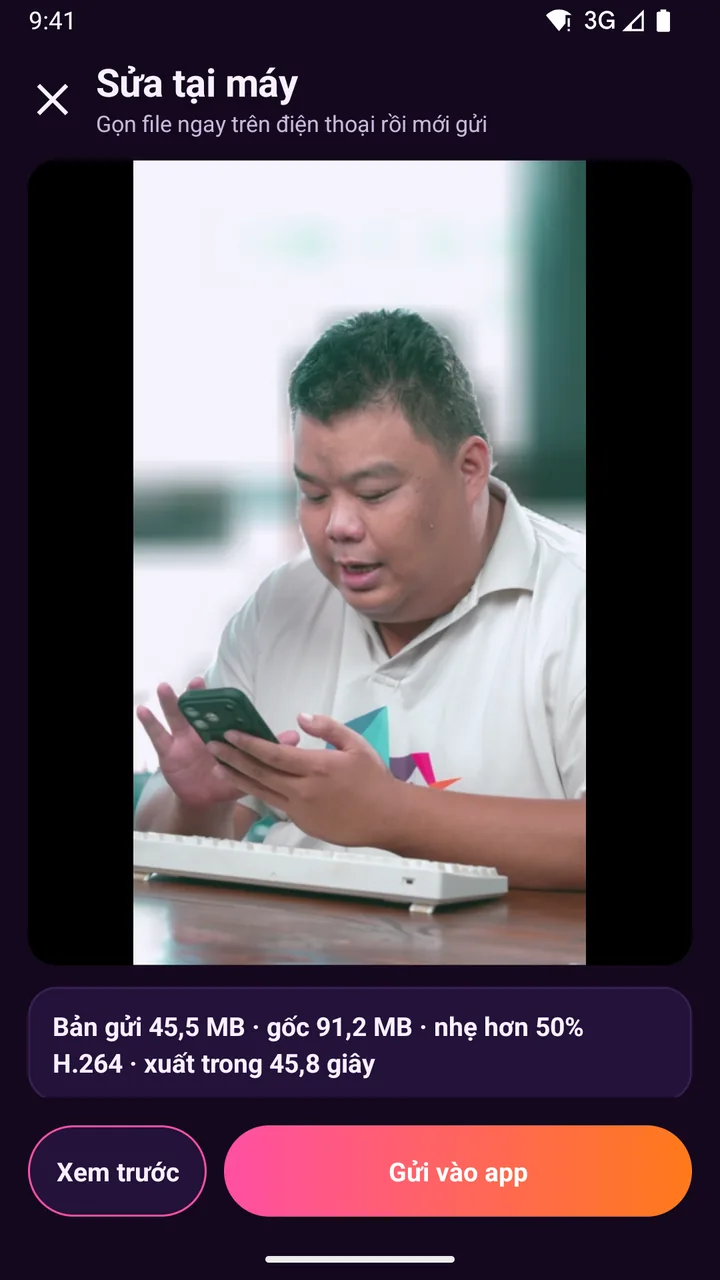
Blur or replace the background behind the speaker

What you get

A messy office behind you gets blurred right on the phone while you stay sharp. Perfect when you record in a cafe or at home. Flip one toggle and the export comes out with a blurred background, so viewers focus only on the speaker.

Why it's hard to build

The app has to separate the person from the background in every frame, and a 2-minute clip has about 3,600 frames. Each frame is shrunk so the AI segmentation runs fast, then the blur layer is laid over the original frame using the phone's graphics, so the person stays fully sharp. The segmentation model comes through Google Play services, so the app doesn't get any bigger. CapCut and InShot have this too, but few apps run it fully on the phone for long clips.

Real screen of Khánh Hùng's Hùng nhỏ AI app. Pick 1 clip, speak your instructions, the text fills the box, then tap Send
15Android

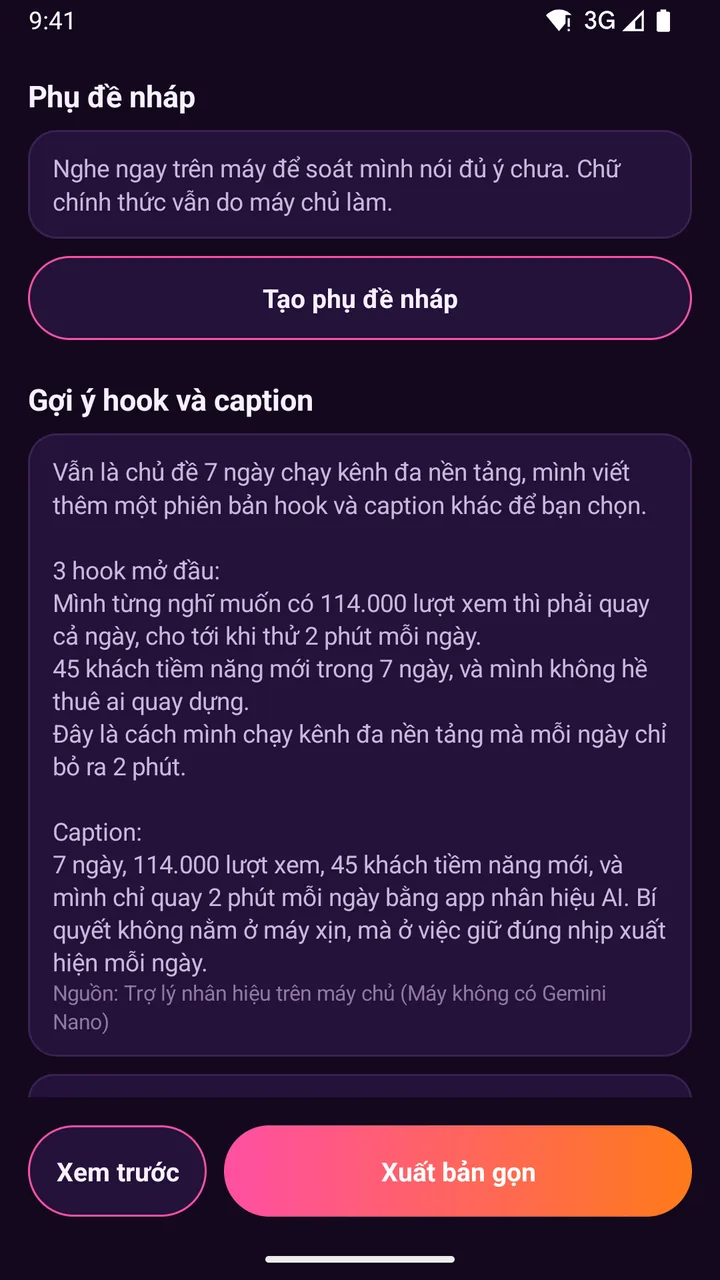
Draft subtitles right after recording

What you get

Tap Create draft subtitles and the app transcribes your Vietnamese speech right on the phone, without sending the audio anywhere. You can quickly check whether you missed a point before sending. Draft subtitles also feed the hook suggestions. The final subtitles on the video are still made by the server for accuracy.

Why it's hard to build

Fully on-device Vietnamese speech recognition is still very new, and many phones don't have the Vietnamese pack. The app checks whether the phone has on-device recognition, offers to download the 38 MB pack if it's missing, then transcribes each speech segment measured during silence cutting so every line has accurate timing. If the phone can't do it, the app says so clearly and lets the server handle it. CapCut and YouTube Create make subtitles on their servers.

Real screen of Khánh Hùng's Hùng nhỏ AI app. Picking a clip on the phone while Hùng nhỏ AI listens to instructions
16Android

Cut filler sounds like uh and ah right on the phone

What you get

Uh, ah and um sounds are cut before sending. The video sounds tighter and you sound more confident. Just flip the toggle once draft subtitles are ready, and the server checks again during editing.

Why it's hard to build

Cutting fillers requires the timing of every word. The app uses Android 14's on-device recognizer, which returns per-word timestamps, finds the fillers and merges them with the silence list to cut everything in one pass. Older phones without word timestamps leave the cutting to the server. Descript is famous for this feature, but it runs on a computer.

Real photo illustrating Safe drafts, and pick videos without exposing your whole photo library
17Android

Safe drafts, and pick videos without exposing your whole photo library

What you get

Unsent clips live in the app's own storage, so they aren't lost when the browser clears its storage, and they reopen with every score and trim point intact. Pick clips with Android's photo picker, up to 5 at a time. The app only sees the clips you pick and never asks to read all your photos.

Why it's hard to build

A web-based app is at risk of the browser clearing large 200 MB files, so drafts moved entirely into the app's private storage. Android's private photo picker is on newer phones, and older phones get a backported version. The app doesn't declare permission to read photos and videos, so Google Play has nothing extra to review. This is how the major apps have done it since Android 13.

Real screen of Khánh Hùng's Hùng nhỏ AI app. Home screen: 80 edited videos, enough to post through Thursday, Nov 5
18Android

Jump straight into Samsung Studio

What you get

Want to remove background noise with Galaxy AI? Tap one button and the app opens Samsung's video editor with that exact clip. When you're done, Samsung saves the new version to Gallery, and you pick it back into the app. Put the AI already built into your Samsung to work.

Why it's hard to build

Samsung doesn't open its noise removal tool to third-party apps. Samsung's editor and Google Photos only accept videos in the Gallery, so the app copies the clip there first and then opens the editor, without asking for storage write permission. The app only looks up the exact Samsung package name and never asks to see every app on the phone. Each One UI version behaves differently, so it has to be tested on real devices.

Real photo illustrating On-device AI suggests titles and captions
19Android

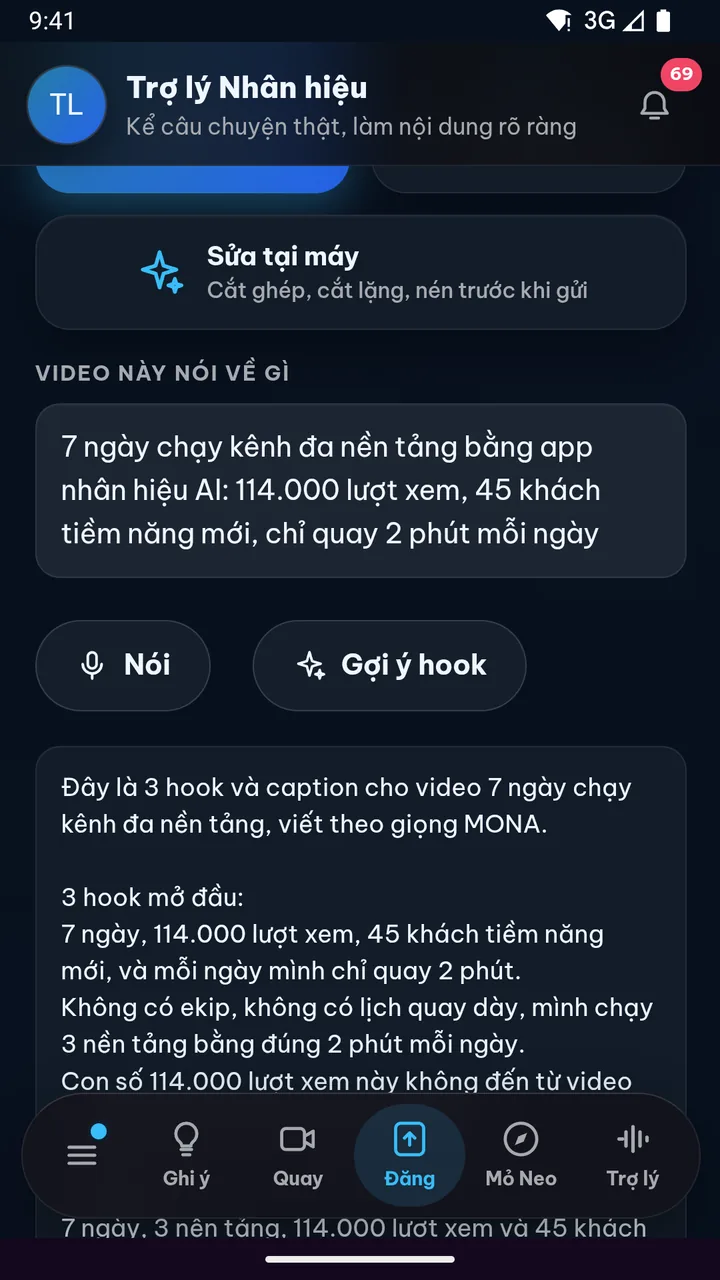
On-device AI suggests titles and captions

What you get

Tap Suggest now to get 3 opening hooks and a caption in your personal brand voice. The app works from the draft subtitles and the topic you typed in the description box on the Send screen, which carries over automatically. Phones with built-in AI run it on the device, otherwise it uses the personal brand assistant on the MONA server. A source line shows where each suggestion came from.

Why it's hard to build

Google's on-device AI doesn't officially support Vietnamese yet, so the app checks whether the phone has Gemini Nano, then makes sure the answer is proper Vietnamese with diacritics before using it. If not, it switches to the server assistant using the login session stored securely on the phone. Most Vietnamese caption suggestions still come from the server AI.

If the phone isn't suitable, the personal brand assistant on the server picks up the same request.

Real photo illustrating Built-in browser AI for the web version
20Android

Built-in browser AI for the web version

What you get

The Send video screen has a Suggest hooks button. Type a few words about the video, tap once, and get 3 hooks and a caption in your personal brand voice. If the browser has built-in AI that handles Vietnamese, it runs right on your device, otherwise the app uses server AI automatically. You won't notice a difference.

Why it's hard to build

Chrome's built-in AI is currently desktop-only and doesn't handle Vietnamese yet, and Chrome on Android doesn't have it at all. The app checks the Prompt API for Vietnamese before calling it, and if Summarizer is there but the Prompt API isn't, it knows to switch paths. This is groundwork for when browsers expand support.

The web version picks the right processing path on its own, so you don't have to change how you use it.

Track the video being edited right on your lock screen

3 features
Real screen of Khánh Hùng's Hùng nhỏ AI app. Just tapped Send: an Editing row appears at the top of the screen
21iPhone

Video progress card on Dynamic Island and the lock screen

What you get

Once you tap send, a card appears on Dynamic Island and the lock screen, moving through 6 stages: Send, Station, In-house, Edit, Schedule, Live. Glance at your phone to see where your video is, no need to open the app. Send several clips at once and you still get one card, tied to the project.

Why it's hard to build

A live card on the lock screen has to follow real editing progress on the server, while iOS strictly limits how often it can update. The app groups the clips from one send into a single project before renaming the card. Signing out clears old cards, so the previous account's progress never lingers on the lock screen. Food delivery and ride-hailing apps use cards like this, video editing apps rarely do.

Real screen of Khánh Hùng's Hùng nhỏ AI app. Home screen: 4 videos being edited, "I'll let you know when they're done", 57 videos edited
22iPhone

Video-ready notifications open straight into the player

What you get

When the edit is done, your phone tells you right away. Tap it to open that exact edit, with second-by-second feedback and the posting schedule. All past notifications stay in the app's Notification inbox for later. The app only asks for notification permission once you have a video in progress, when it's actually needed.

Why it's hard to build

A notification has to lead to the right edit of the right project, even when the app is closed. Ask for permission at the wrong moment and people tap deny and never turn it back on. Signing out has to clear the old account's notification inbox.

Real screen of Khánh Hùng's Hùng nhỏ AI app. Just tapped Send: an Editing row appears at the top of the screen
23Android

Android 16 style video progress card

What you get

Videos in progress show as a progress card with milestones in the notification shade and on the lock screen, like ride-hailing or food delivery cards. One glance tells you which stage your video has reached. It's the equivalent of the Dynamic Island card on iPhone.

Why it's hard to build

Milestone progress cards are a new Android 16 standard, and older phones have to fall back to regular notifications. The server pushes each milestone through Google's messaging service. Very few Vietnamese apps use this standard yet.

Watch the edit while using other apps

1 features
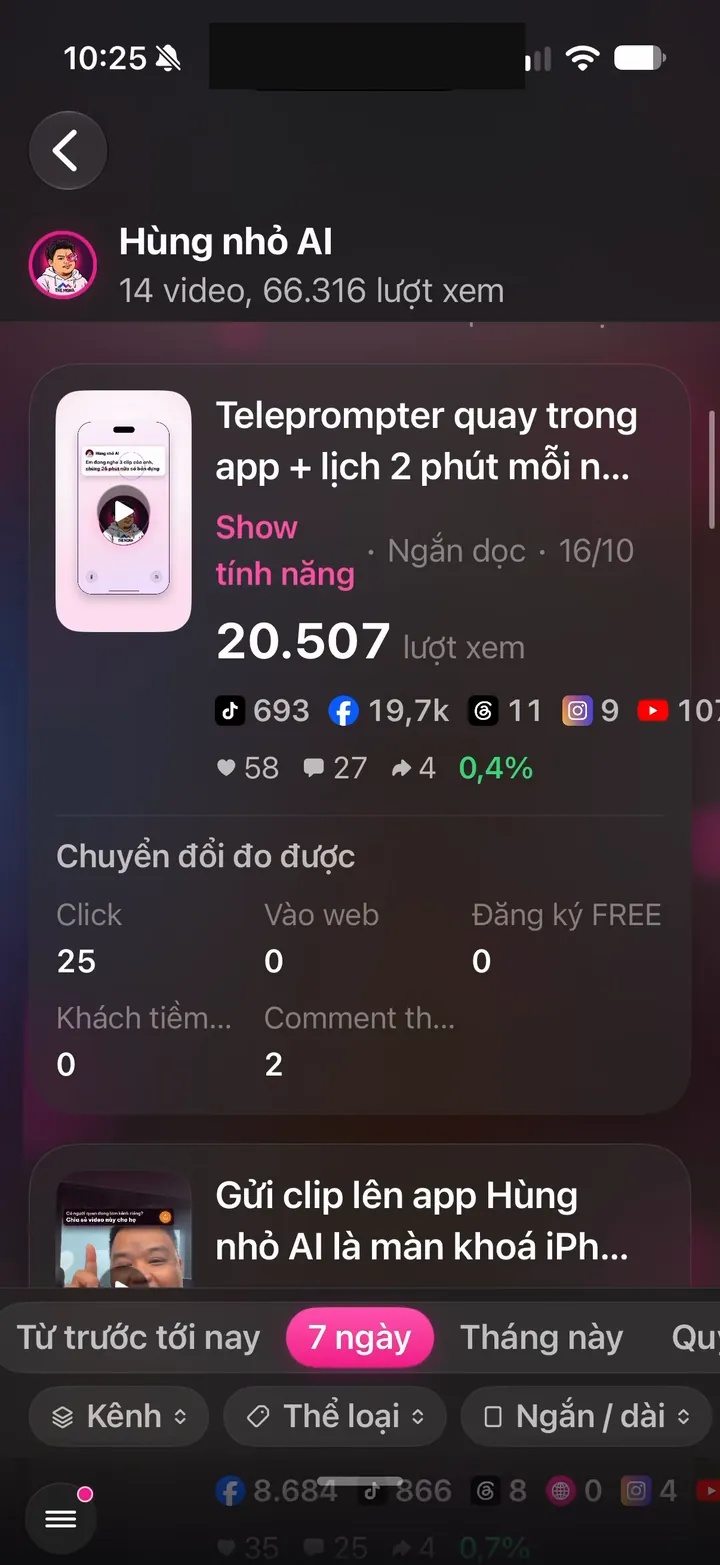
Real screen of Khánh Hùng's Hùng nhỏ AI app. Per-video report: 14 videos, 66,316 views, per-channel numbers for each video
24Android

Watch in a floating window while using other apps

What you get

Watching an edit and need to open Zalo to reply to a customer? The video shrinks into a floating window in the corner and keeps playing. When you're done, expand it again. No need to start over.

Why it's hard to build

A floating window for the player inside a web-wrapped app needs Android's picture-in-picture mode turned on for the whole window. Sound and playback position have to be kept when switching back and forth.

Related features

Other job groups in the app

27 features

Recording as easy as talking

9 features

Stay true to your style

12 features

Safe to use for years

From one feature to a whole channel-building system

You record and give instructions on your phone. The assistant edits, posts and monitors your channels, all in one app.

See all 101 features